One WhatsApp Number per Outlet, One Dashboard for HQ
The short answer
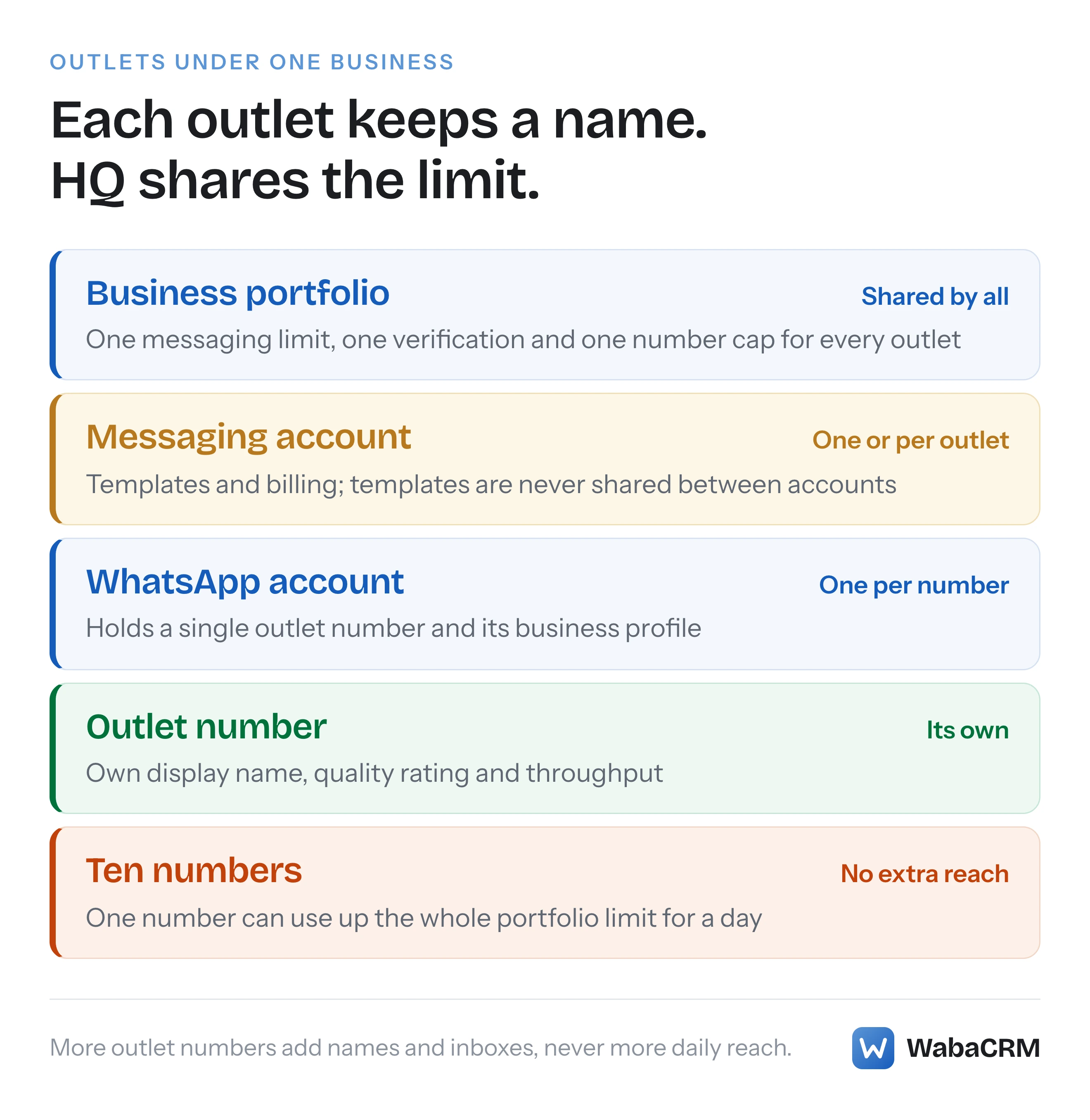
Yes, when every outlet number is connected to the same inbox tool. Meta keeps each number's display name, quality rating and throughput separate, puts templates and billing on a Messaging account, and sets one messaging limit for the whole business portfolio, so ten outlet numbers share one daily reach rather than adding to it (checked November 2026).
Each of our outlets has its own WhatsApp number, but can HQ see every chat?
Yes. HQ can see every outlet's chats when all the outlet numbers are connected to the same inbox tool, while each outlet's staff see only their own number's conversations. What HQ cannot do is pool the outlets into one bigger allowance, because Meta counts the daily messaging limit once for the whole business.
The vendor pages that rank for this question describe one dashboard for many numbers and stop. The useful question is what Meta keeps separate for each outlet number, and what the outlets share whatever dashboard you buy. Meta settles it in three places:
- Each number has its own display name, quality rating and throughput.
- Each Messaging account, the half of the old WhatsApp Business Account (WABA) that holds templates, has its own templates and its own bill.
- The business portfolio has one messaging limit, one business verification and one registered number cap, shared by every outlet.
The outlet structure you choose is really a choice about the middle layer.
- Each of our outlets has its own WhatsApp number, but can HQ see every chat?
- What does each outlet number keep, and what does the chain share?
- Do ten outlet numbers give you ten times the daily reach?
- What should an outlet's display name say?
- Should outlets share one Messaging account or have one each?
- Who pays for the messages each outlet sends?
- What changes when an outlet belongs to a franchisee?
- Where does HQ actually read every outlet's conversations?
- How do you keep one outlet's staff out of another outlet's chats?
- Can HQ send one campaign on behalf of every outlet?
Prefer to watch? The narrated explainer below walks through the same argument, with Meta's own words on screen, in under two minutes.
Read the transcript
Each of your outlets has its own WhatsApp number. Can head office see every chat, and what does Meta make the outlets share? Yes, if every outlet number is connected to the same inbox. But ten outlet numbers share one daily messaging limit. They do not add to it. Read it from the top. The portfolio holds the limit and verification. A Messaging account holds templates and billing. Each number keeps its own name, quality and throughput. Each outlet number keeps its display name, its profile, its quality rating and its throughput. The messaging limit, verification and number cap belong to the whole business. So one outlet's promotion can use up the day's allowance for every other outlet. A new portfolio starts with a messaging limit of 250. Share one Messaging account and every outlet sends the same approved templates. Give each outlet its own, and every chain-wide template is created once per outlet. Name each number with the brand plus the place. Billing follows the Messaging account. And decide ownership first, because a number cannot move to another portfolio. In WabaCRM every outlet number sits in one inbox. Limit each member to their outlet's number, and leave head office unrestricted to see everything. Outlets keep their own names. The business shares one limit. The full article covers billing, franchisees and campaigns, with a planner for your outlets.
What does each outlet number keep, and what does the chain share?
The number owns what the customer sees; the Messaging account owns what is reviewed and billed; the portfolio owns everything that limits volume. Meta now describes the old WABA as two accounts:
"A WhatsApp account (WAAC) holds a single business phone number and represents your business presence on WhatsApp." … "A Messaging account holds your message templates and billing details. Each partner you work with has its own Messaging account." (Meta — WhatsApp accounts and Messaging accounts)
Several numbers are grouped rather than stacked: "WhatsApp accounts can be linked together into a WhatsApp account hierarchy, letting you manage a collection of phone numbers as a group." How the split happened, and why your old WABA ID now names the Messaging account, is covered in WhatsApp account vs Messaging account. For outlets, this is where each thing lives:
| Item | Where Meta keeps it | Shared across outlets? |
|---|---|---|
| Display name and profile | Phone number | No, one per outlet |
| Quality rating | Phone number | No |
| Throughput | Phone number | No |
| Templates | Messaging account | Only within one account |
| Billing and payment method | Messaging account | Only within one account |
| Messaging limit | Business portfolio | Yes, always |
| Business verification | Business portfolio | Yes |
The number rows come from Meta's own migration table, which files the quality rating "Under WAAC / phone number (unchanged)" and says "Throughput — remains at the phone number level" (Meta — Updates to WhatsApp Business accounts). The profile is per number too: Meta's phone numbers page says a business profile carries "its address, website, description, and so on", supplied "when registering your business phone number". So each outlet can carry its own street address on its own number.
There is a customer-facing cost Meta states plainly. Separate numbers mean "clients appear as multiple contacts in a WhatsApp user’s chat list — one for each phone number". For outlets that is usually the point, but it is worth knowing before HQ adds a number of its own.
How many outlet numbers a portfolio may register at all, and what lifts that cap, is the subject of the WhatsApp phone number limit. In short: "New business portfolios are initially capped at two registered business phone numbers", rising to 20 once the business is verified or reaches a 2,000 messaging limit (Meta — Business phone numbers), and beyond 20 only by asking Meta's Direct Support, which its signup error guide names as the route to "register more than 20 phone numbers across all your WABAs" (Meta — Embedded Signup flow errors).
Do ten outlet numbers give you ten times the daily reach?
No. The messaging limit is counted once for the business portfolio, and every outlet number draws on it:
"Messaging limits are calculated and set at the business portfolio level and are shared by all business phone numbers within a portfolio. This means that if a business portfolio has multiple business phone numbers, it’s possible for one number to consume all of the portfolio’s messaging capability within a given period." (Meta — Messaging limits)
What it counts matters for outlets. The same page defines the limit as "the maximum number of unique WhatsApp user phone numbers your business can deliver messages to, outside of a customer service window, within a moving 24-hour period". Replies sent inside a customer's service window are not counted. The limit bites on the promotions and reminders that outlets start themselves.
Meta says "Newly created business portfolios have a messaging limit of 250", raised to 2,000 by a scaling path and then to 10,000, 100,000 and unlimited by automatic scaling. So with a new portfolio and eight outlets, one outlet's Saturday promotion to 250 people can leave the other seven with nothing to send outside a window until the 24 hours roll on.
The quieter consequence is about growth. Automatic scaling needs, in Meta's words, "You are sending high-quality messages across all of your business phone numbers and templates". One outlet that sends poorly targeted promotions does not only damage its own quality rating. It can hold back the limit every outlet shares. That is the strongest argument for HQ owning the templates and the campaign calendar, even when outlets own their inboxes.
What should an outlet's display name say?
The brand plus the place. Every number needs one: "You must provide a display name when registering a business phone number" (Meta — Display names). Meta's naming guidelines include examples that fit outlets almost exactly:
"Accepted: Fresh Produce Boston" … "A WhatsApp Business platform display name must not be a generic geographic location: Not accepted: New York" (Meta Business Help Centre — Display name guidelines)
The same article accepts "XY Fresh Cold Pressed Juices Service New York" and refuses names that "appear to carry verification", such as anything containing "Official" or "Verified". So "Acme Bakery Indiranagar" fits the guidelines; "Indiranagar" alone, or "Acme Bakery Official Indiranagar", does not.
Plan names before opening outlets, because changing them has a rhythm of its own. "You can change a display name 10 times per 30-day period. After the display name change is approved, you have 14 days to re-register the phone number." Display names are also reviewed again as you grow: "When you reach a higher messaging limit, your business phone number’s display name automatically undergoes verification". Pick a pattern every outlet can keep through that review.
Should outlets share one Messaging account or have one each?
Share one unless an outlet genuinely needs its own templates or its own bill. In the old vocabulary this was "one shared WABA or a WABA per outlet", and the trade-off has not changed. Meta is explicit about how isolated a Messaging account is:
"Template isolation: Templates belong to the Messaging account in which they were created and are not shared across Messaging accounts. If you need the same template in multiple Messaging accounts, you must create it in each Messaging account separately or use the Template Migration API to copy templates between Messaging accounts. When templates are migrated to a new Messaging account, their quality ratings and messaging tier reset to baseline, requiring a ramp-up period of approximately 2–4 weeks." (Meta — Updates to WhatsApp Business accounts)
With one Messaging account, HQ writes an order update once, it is reviewed once, and every outlet number can send it. With one per outlet, every chain-wide template exists once per outlet, each reviewed separately. Template room is counted per account too: "If the portfolio is unverified, each Messaging account is limited to 250 message templates", rising to 6,000 once the portfolio is verified and a display name approved. Which ceiling applies is explained in the 250 or 6,000 template limit.
Separate accounts earn their keep in two cases. An outlet that must not see or send another outlet's templates, such as a franchise in a different line of business, needs its own. So does an outlet that pays its own Meta bill, which the next section covers.
Outlet planner
Enter your outlets and answer three questions. The result uses only the Meta limits quoted on this page.
Does each outlet need its own templates?
Does each outlet pay its own Meta bill?
Is each outlet a separate business with its own portfolio, such as a franchisee?
Numbers:
Number cap:
Messaging accounts:
Template room:
Daily reach:
Who pays for the messages each outlet sends?
Whoever's payment method sits on the Messaging account the message is sent through, not the number it leaves from. Meta's page on managing Messaging accounts says so directly:
"Billing, spend limits, and analytics belong to the Messaging account rather than to the phone number, so every send message request has to resolve to exactly one Messaging account." (Meta — Managing messaging accounts)
So a chain with one shared Messaging account receives one bill for every outlet's messages, and splitting it per outlet is an accounting job. If each outlet must be charged directly, each needs its own Messaging account with its own payment method: "Each Messaging account has its own payment method, completely independent from other Messaging accounts and from ad accounts."
Currency follows the same container. Meta describes "Flexible billing currencies" in which "Each currency gets its own Messaging account", which matters for a chain with outlets in two countries. Settle the currency before money moves, because the accounts page warns "A Messaging account’s time zone and currency cannot be edited once a line of credit has been attached to it."
What changes when an outlet belongs to a franchisee?
Everything that belongs to a portfolio. A franchisee that registers its number in its own business portfolio gets its own messaging limit, its own verification and its own number cap, and HQ's portfolio cannot simply absorb it later. Meta's accounts page is categorical:
"A WhatsApp account or a Messaging account must belong to only one business portfolio. You cannot have two or more portfolios owning the same account." (Meta — WhatsApp accounts and Messaging accounts)
Moving it later is not an option either. On regrouping numbers, Meta says "Both hierarchies must belong to the same business portfolio. A number can’t be moved to another business portfolio." Decide ownership before an outlet's number is registered, not after.
What Meta does offer across portfolios is sharing with partners: "You can share your WhatsApp account (or any of your business assets) with any business-verified partner using Meta Business Suite." None of the Meta pages read for this article describes a franchisor role as such. A franchisor who wants one view of franchisee chats therefore depends on each franchisee agreeing to connect its number to a shared inbox tool, while the number and its accounts stay in the franchisee's portfolio.
The display name rule matters here too. A franchisee portfolio using the brand's name must show the link publicly. Meta's guidelines say that where a display name represents a business the company works with "as an agency, distributor, partner or parent company, the relationship between the business in the display name and the end-client business must be evident on the business website". A store locator on the brand's site naming the franchisee is the cheapest way to make that evident.
Where does HQ actually read every outlet's conversations?
In whichever inbox the numbers are connected to, because Meta does not describe one for the Cloud API. Meta's accounts page describes WhatsApp Manager as the place "to see basic information like business phone number status, messaging metrics, and to perform basic tasks like template creation and editing". Conversations are not on that list. Incoming messages arrive by webhook, and "Webhook subscriptions are held by the Messaging account", so the app subscribed to that account receives every outlet number's messages.
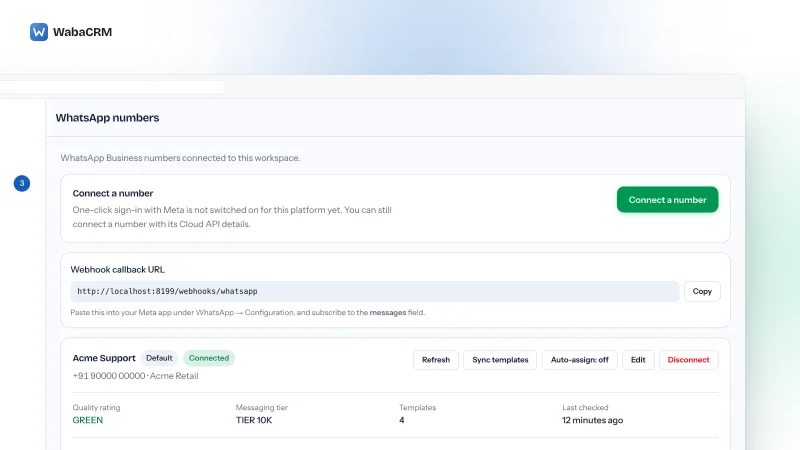
In WabaCRM every outlet number is a card on the numbers screen of one workspace, with its own label, quality rating, messaging tier and template count. Each number can come in through Embedded Signup, coexistence with the WhatsApp Business app, or Cloud API credentials entered by hand. Each card stores its own WABA ID, so numbers from different Messaging accounts can sit side by side.

The inbox puts every number's chats in one queue. Once a workspace has more than one number, each chat row carries a badge naming the number it came in on, and a reply goes out from that chat's own number rather than the workspace default. For a weekly review, the message logs screen filters by number and exports to CSV, so HQ can pull one outlet's traffic without reading the others.
The two-minute walkthrough below shows the inbox HQ and outlet staff work in: the queue, the filters, a thread with its 24-hour window, assignment, and the composer.
How do you keep one outlet's staff out of another outlet's chats?
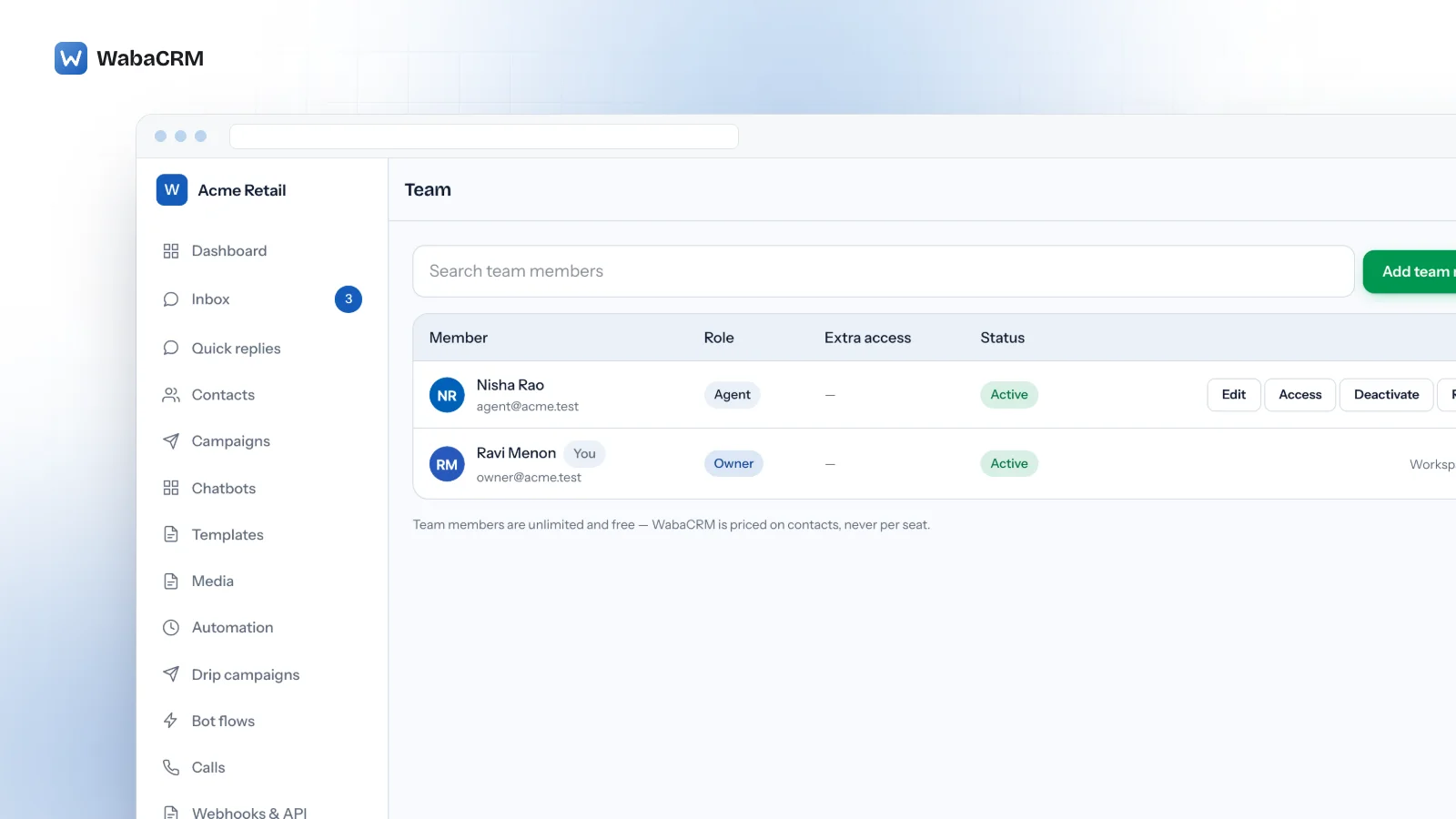
Limit each member to their outlet's number. In WabaCRM a workspace's numbers double as departments. Once more than one number is connected, each member's form on the team screen lists them as checkboxes. Tick an outlet's number and that member sees only its chats; tick none and they see every number. That is how HQ staff should be set up.
The wall is checked wherever a conversation is opened, not only in the inbox list. It overrides the permission to view colleagues' conversations, so a Manager walled to one outlet still cannot open another outlet's threads, in the browser or through the API and mobile app. Within their own number, an Agent sees unassigned chats and the chats assigned to them. A Manager sees every chat on the numbers they are allowed.
Auto-assign respects the same wall. It is switched on per number and hands a new chat only to someone who is available and allowed to see that number. Adding an outlet's staff costs nothing, since WabaCRM prices on contacts and team members are unlimited, as the pricing page sets out. The full rules, including what happens to chats when a member leaves, are in assigning WhatsApp chats to your team.
Can HQ send one campaign on behalf of every outlet?
Not as a single send. A campaign leaves from one number, and Meta accepts a template only from the account it was approved in. WabaCRM's campaign builder makes that explicit with a "Send from" choice. Its template list shows only the approved templates synced for the chosen number, so a pairing that Meta would refuse cannot be built.
A chain-wide promotion therefore takes one of two shapes:
- One campaign from an HQ number. Simplest to run, but every reply comes back to HQ, and customers see a contact they may never have saved.
- One campaign per outlet, each from that outlet's number, to that outlet's customers. More work, but replies land with the branch the customer knows. With a shared Messaging account, every outlet sends the same approved template.
Either way, every campaign draws on the same portfolio messaging limit, so ten outlet campaigns launched on one morning compete for one allowance. Stagger them.
Every Meta quotation on this page was read from Meta's own documentation on 6 November 2026. Meta changes that documentation without notice; the linked pages are authoritative and this one is not.
Questions people also ask
Can two outlet numbers send the same approved WhatsApp template?
Does every outlet number need its own business verification?
Can an outlet's number move into a franchisee's own business portfolio later?
Does each outlet number keep its own quality rating?
Does WabaCRM charge per outlet number or per team member?
- whatsapp multiple outlets
- whatsapp number per branch
- whatsapp multiple users
- whatsapp business api multiple numbers
- one dashboard multiple whatsapp numbers