Extension, plugin or API
WhatsApp CRM: The Three Kinds and Their Ban Risk
Last checked · 13 min read
The short answer
A WhatsApp CRM is software that keeps contacts, conversations and follow-ups for a business on WhatsApp. It comes in three kinds: Chrome extensions that automate WhatsApp Web, connectors inside an existing CRM, and platforms built on Meta's Cloud API. WhatsApp's Help Center says unofficial apps can get an account banned (checked 13 November 2026).
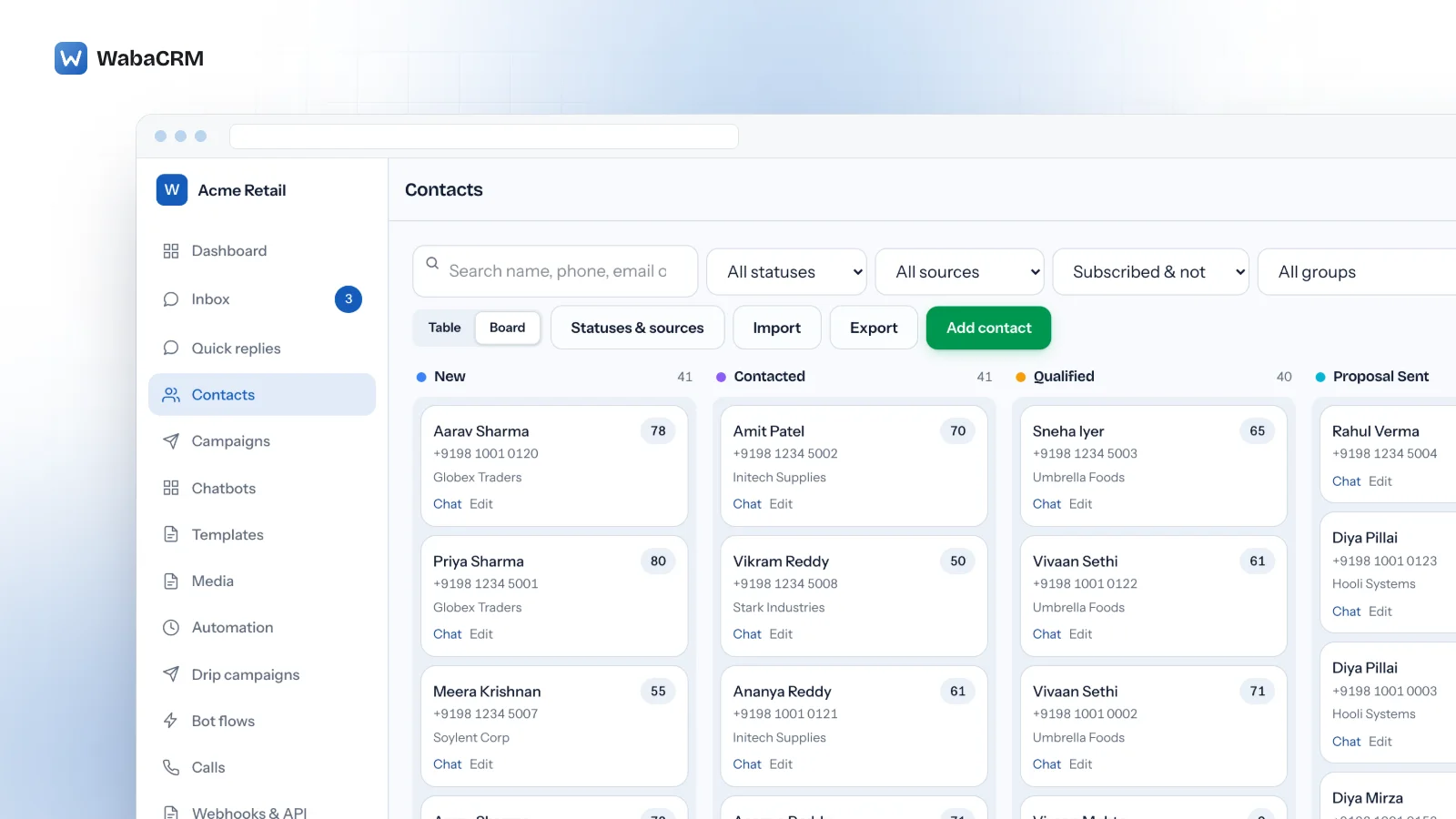
What is a WhatsApp CRM?
A WhatsApp CRM is software that keeps your customers' details, their WhatsApp conversations and your follow-ups in one place, so a team can sell and support over WhatsApp without losing track of who said what. That much every product in the category agrees on. What they disagree on, and rarely say, is how the software reaches WhatsApp in the first place.
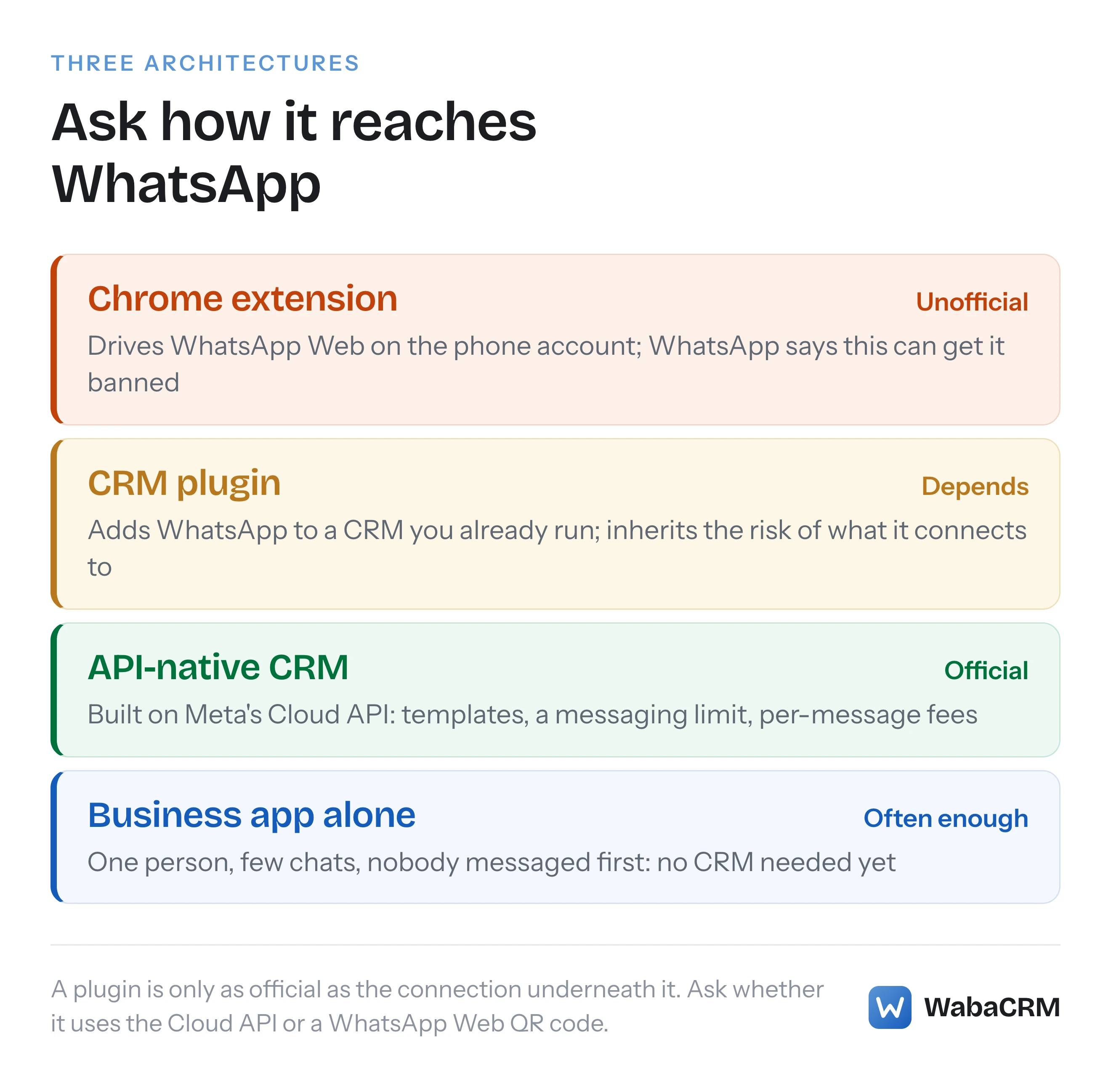
The short answer: there are three architectures. A Chrome extension that automates WhatsApp Web on your phone's account. A plugin or connector that adds WhatsApp to a CRM you already run. And an API-native CRM built on Meta's WhatsApp Cloud API. The first is unofficial and carries a ban risk WhatsApp states in writing. The other two can be official, and the difference between them is mostly where the customer record lives.
Search results for "WhatsApp CRM" mix all three on one page, often under the same words, so the useful question is not which product has the longest feature list. It is which architecture the product sits on, because that decides whether the number is safe, how many people can use it, whether you can broadcast at all, and who bills you for each message.
- What is a WhatsApp CRM?
- How does a Chrome extension WhatsApp CRM work?
- Why can a WhatsApp Web extension get a number banned?
- Is WabaCRM the same as wabacrm.in or waba-crm.com?
- What does a CRM plugin for WhatsApp connect to?
- What makes a WhatsApp CRM API-native?
- How do the three kinds of WhatsApp CRM compare?
- Who bills Meta's message fees in an API-native CRM?
- What does a WhatsApp CRM cost in India?
- When do you not need a WhatsApp CRM?
- Can you move to an API-native CRM without losing the number?
How does a Chrome extension WhatsApp CRM work?
It runs inside your browser, on top of WhatsApp Web. You scan the QR code with your phone as you would for WhatsApp Web, and the extension adds panels, labels, reminders and often a bulk sender to the page. There is no Meta approval and no WhatsApp Business Account involved, because nothing is connected to Meta's business platform. The extension is driving the same personal or WhatsApp Business app account that lives on your handset.
That is also its appeal. It is quick to install, it keeps the number on the phone, and there are no per-message fees from Meta because no Meta platform is in use. One such product's own site puts it plainly: "WaBaCRM works through WhatsApp Web, so there is no Meta approval and no per-message charge." (waba-crm.com, read 13 November 2026)
The cost is in what it inherits. An extension can only do what the logged-in WhatsApp Web session can do, so team access is bounded by the phone's linked devices. WhatsApp's own multi-agent article lists "Connect up to four devices to your account" without multi-agent and "Connect up to 10 devices to your account" with it, the latter tied to a Meta Verified or Meta One subscription (WhatsApp Help Center, About multi-agent). And it inherits the account's exposure to WhatsApp's rules on unofficial software.
Why can a WhatsApp Web extension get a number banned?
Because WhatsApp says so, in three separate places, and none of them is ambiguous.
WhatsApp's Help Center defines the category first:
"Unofficial WhatsApp apps and websites are versions of WhatsApp developed by third parties without WhatsApp's approval." (WhatsApp Help Center, About unofficial WhatsApp apps)
Then it states the consequence:
"Using these apps or linking your WhatsApp account to unofficial versions of WhatsApp violates our Terms of Service." (WhatsApp Help Center, About unofficial WhatsApp apps)
"Your WhatsApp account might also be temporarily or permanently banned, or it could lead to restrictions on your account, including the ability to link devices." (WhatsApp Help Center, About unofficial WhatsApp apps)
The terms for the WhatsApp Business app, effective 23 September 2026, are narrower still. Among the things a company must not do "directly, indirectly, or through automated or other means" is "(g) develop or use any applications that interact with our Business App Services without our prior written consent" (WhatsApp Terms for WhatsApp Business App). An extension that reads and sends through WhatsApp Web on a Business app account is an application interacting with those services.
The bulk-sending feature most of these tools advertise sits against a fourth statement: "Our products are not intended for bulk or automated messaging, both of which have always been a violation of our Terms of Service." (WhatsApp Help Center, Unauthorized use of automated or bulk messaging)
None of this says every extension user is banned, and that is not the claim. It says the risk is written into the terms, the enforcement is WhatsApp's to decide, and the number at stake is usually the one the business has printed on everything it owns. The full sequence, including the "You have been logged out for using an unofficial app" message, is in why bulk sender software gets WhatsApp numbers banned.
Is WabaCRM the same as wabacrm.in or waba-crm.com?
No, and because the names are so close, it is worth setting out the facts once.
| WabaCRM (this site) | WaBaCRM (the extension) | |
|---|---|---|
| Address | wabacrm.com | waba-crm.com; wabacrm.in redirects there |
| How it reaches WhatsApp | Meta's WhatsApp Cloud API | WhatsApp Web, in Chrome |
| Operator | Tirgiji Tech Solutions Private Limited | RadhaMadhav Webstore LLP, per its own footer |
| Meta relationship | Meta-verified Tech Provider | Its site says it is not affiliated with WhatsApp or Meta |
The extension's details are as its own site stated them on 13 November 2026. Its site also says that official Cloud API access is offered separately, through another product of its own. Neither product is better in the abstract. They are different architectures that happen to share most of a name, and a buyer comparing them is really choosing between the first and third rows of the comparison below. Our own company details are on the about page.
What does a CRM plugin for WhatsApp connect to?
A plugin, connector or integration adds WhatsApp to a CRM whose main job is something else: a sales pipeline, a helpdesk, invoices. The CRM stays the record of the customer, and WhatsApp becomes one more channel on the contact.
What matters is what the connector connects to underneath, because the word "integration" covers both architectures above it. A connector built on the WhatsApp Business Platform is official. HubSpot's own documentation, for example, says "you cannot connect a personal WhatsApp account to HubSpot and must connect a Business account instead", and lists the feature on its Professional and Enterprise tiers (HubSpot Knowledge Base, read 13 November 2026). A marketplace app that asks you to scan a QR code from WhatsApp Web is an extension wearing a plugin's label, and carries the extension's risk.
The trade-off is cost and depth. You pay for the host CRM's tier that carries the connector, the connector may or may not handle templates, campaigns and the 24-hour window well, and your WhatsApp team needs seats in a CRM built for a different job. For a business already running its sales on that CRM, that is often still the right answer. The sync has to be designed as carefully as either system; our Perfex CRM WhatsApp integration guide describes one such two-way sync and the decisions it forces about which side wins.
What makes a WhatsApp CRM API-native?
An API-native CRM is built on the WhatsApp Business Platform from the start. The number is registered to a WhatsApp Business Account in your own Meta business portfolio, messages travel through Meta's Cloud API, and the CRM is the inbox, the contact list and the campaign tool around them. Wati, Interakt, AiSensy and WabaCRM are examples of this architecture; the alternatives pages compare several of them with dated prices.
Three rules come with official access, and they are the reason it is the safe route rather than a constraint on it:
- Business-initiated messages use approved templates. Outside a customer service window you cannot send free text.
- There is a messaging limit. Meta defines it as "the maximum number of unique WhatsApp user phone numbers your business can deliver messages to, outside of a customer service window, within a moving 24-hour period" (Meta, Messaging limits). It rises as a business is verified and keeps its quality up, which is covered in what actually caps your broadcast reach.
- Meta charges per message. Its pricing page reads "Meta charges on a per-message basis, aligned to industry standards" and "Businesses are only charged when a message is delivered" (Meta, Pricing on the WhatsApp Business Platform, page updated 30 September 2026, read 13 November 2026).
In return you get what the other two architectures cannot reliably give: many people on one number, each with their own login, a contact list you can broadcast to within Meta's rules, and a number that is not exposed to the unofficial-app clause.

How do the three kinds of WhatsApp CRM compare?
| Question | Chrome extension | CRM plugin | API-native CRM |
|---|---|---|---|
| Official route? | No; WhatsApp calls it unofficial | Depends on what it connects to | Yes, Meta's Cloud API |
| Ban risk | Unofficial-app clause plus policy | Same as whatever is underneath | Policy only (opt-in, quality) |
| Several agents | Limited by linked devices | Seats in the host CRM | Each member gets a login |
| Broadcasts | Bulk sending breaches WhatsApp's terms | Varies by connector | Templates to opted-in contacts, within a limit |
| Cost model | Extension licence | Host CRM tier plus connector | Platform fee plus Meta's fees |
| Who bills Meta | Nobody; no Meta platform | Depends on the connector | Meta directly, or the provider |
Two cells deserve a caution. "Policy only" does not mean safe whatever you do: an official number that messages people who never opted in can still be restricted, and what to do when a WhatsApp Business account is restricted covers that route. And "Nobody" in the last row is not the same as free; it means the extension's price is the whole bill because no Meta platform is involved, which is precisely why it cannot offer what the Platform offers.
Who bills Meta's message fees in an API-native CRM?
This is the column buyers skip and should not. Meta's per-message fee reaches you one of two ways.
Some providers collect Meta's fees on their own invoice. Others cannot, and WabaCRM is one: it is a Meta-verified Tech Provider, a tier that does not resell Meta's per-message fees. You attach your own payment method to your own WhatsApp Business Account, Meta bills you directly at its published rates, and WabaCRM adds a 0% markup because it never handles that money. It is not a BSP, a Solution Partner or a Meta Business Partner, and the difference between those tiers is set out in BSP vs Tech Provider vs Solution Partner.
Neither model is wrong. The point is that two quotes are not comparable until you know whether Meta's fees are inside one of them.
What does a WhatsApp CRM cost in India?
Most API-native CRMs price on two axes: a platform fee, and a charge per team member. The second is the one that grows quietly, because the sixth person you hire is a line on the bill. Seat prices for several Indian providers, each read off the vendor's own page with the date, are in the shared inbox guide.
WabaCRM prices on contacts instead and has unlimited team members on every plan. Signing up, connecting a number and reading what arrives cost nothing. Sending needs a one-time ₹999, which covers 1,000 contacts with no expiry. Past 1,000, a paid plan charges ₹96 a month for every 1,000-contact block it holds, so 2,000 contacts is ₹192 a month and 10,000 is ₹960. Meta's message fees are separate and billed to you by Meta. The current figures, and the optional add-ons sold separately, are on the pricing page.
One limit to know before you rely on it. If a workspace grows past its contact allowance, sending and the inbox pause until the plan is raised. Inbound messages from customers are still captured while that is so, because losing a real customer's message is worse than a small overage.
When do you not need a WhatsApp CRM?
More often than vendors say. If one person answers the business number, chats arrive at a pace they can hold in their head, and nobody needs to be messaged first outside a 24-hour window, the WhatsApp Business app already does the job: labels, quick replies, a catalogue and an away message, at no cost. Adding a CRM there buys a second place to look.
The signal that you have outgrown it is one of these happening, not a contact count:
- A customer was answered twice, or not at all, and nobody could tell which.
- You need to message customers who have not written in, such as delivery updates or renewal reminders, and the Business app's broadcast lists are not the right tool.
- Somebody on the team needs to be kept out of certain conversations.
- You want a record of who replied, and how fast, that survives a phone being lost.
If none of those is true yet, wait. And if the pressure is "more people need to answer", read how several people can use one WhatsApp Business number before buying anything, because the app's own linked devices may be enough for a while.
Can you move to an API-native CRM without losing the number?
Yes. A number does not have to leave the phone to join the WhatsApp Business Platform. Coexistence connects a number that is already on the WhatsApp Business app to the Cloud API, so the owner keeps answering from the handset while the team works the same conversations in a browser. Meta sets the conditions, including a 20 messages-per-second ceiling and some app features that switch off, and both are covered in the WhatsApp coexistence guide.
If you are coming from an extension, remove it first. WhatsApp's unofficial-apps article tells people to remove unofficial apps before registering with the official one, and an extension still attached to WhatsApp Web is the last thing you want driving the number while it is being connected to the Platform.
Every WhatsApp and Meta quotation on this page was read from WhatsApp's Help Center, WhatsApp's terms and Meta's own documentation on 13 November 2026, and third-party product descriptions were read from those products' own sites the same day. Meta and WhatsApp change that documentation without notice; the linked pages are authoritative and this one is not.