Forms inside the chat
WhatsApp Flows: How Forms Inside a Chat Really Work
Last checked · 14 min read
The short answer
WhatsApp Flows are Meta's forms inside a chat: a customer taps a button and answers screens without leaving WhatsApp. A Flow is sent as an interactive message inside an open 24-hour window, or on an approved template's FLOW button. Answers return as an nfm_reply message carrying the send's flow_token, but not the Flow ID. Checked 15 October 2026.
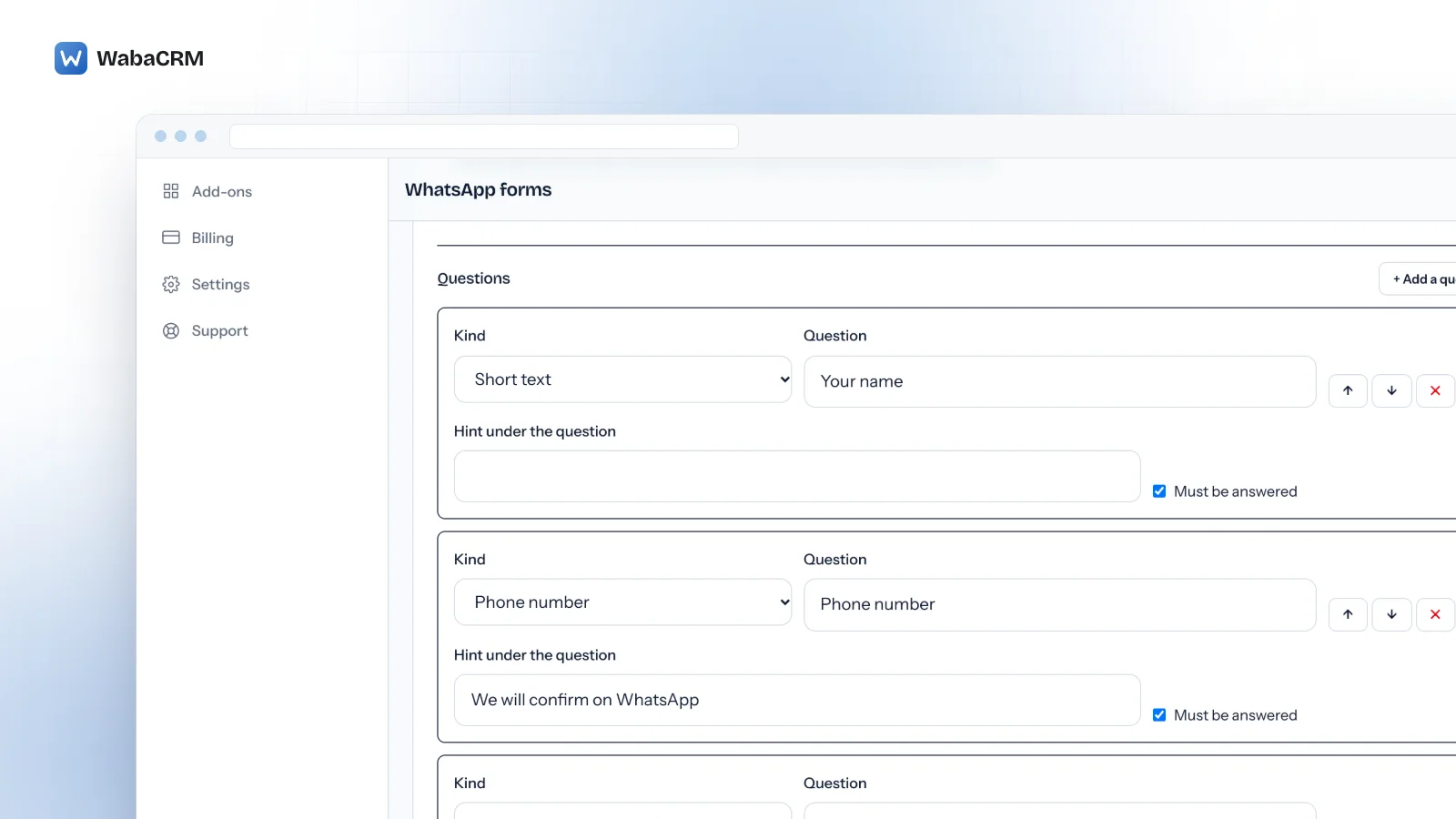
What are WhatsApp Flows?
WhatsApp Flows are forms that open on Meta's own screens inside a WhatsApp chat: the customer taps a button on a message, answers one or more screens, and submits without leaving the conversation. In Meta's words:
"WhatsApp Flows is a way to build structured interactions for business messaging." (Meta — WhatsApp Flows)
The examples Meta packages on that page are a pre-approved loan offer, an insurance quote, collecting purchase intent and a personalised offer. Its service messages page gives the everyday list:
"For example, you can use WhatsApp Flows to book appointments, browse products, collect customer feedback, get new sales leads, or anything else." (Meta — Service messages)
What decides whether a Flow works in production is three objects and the joins between them: the Flow, which belongs to one WhatsApp Business Account and moves through statuses; the message that carries it, which obeys the same window rules as any other message; and the response, which arrives on your ordinary messages webhook without saying which Flow it answers. This page takes each in Meta's own words, including one question on which Meta's documentation disagrees with itself.
- What are WhatsApp Flows?
- How does a Flow reach a customer's chat?
- What ties a submitted Flow back to the message you sent?
- What does the Flow response webhook actually contain?
- Why does a Flow that saved successfully still refuse to publish?
- Can you edit a WhatsApp Flow once it is published?
- Can you build a WhatsApp Flow without writing JSON?
- Does a form-style Flow need a server endpoint?
- How does WabaCRM send a form and keep its answers?
- What does the WhatsApp forms add-on leave out?
How does a Flow reach a customer's chat?
By one of two routes, and the customer service window decides which:
"When a WhatsApp user messages you or calls you, a 24-hour timer called a customer service window starts. If the user messages or calls you again before the timer expires, the timer resets to 24 hours." (Meta — Service messages)
Interactive Flow messages are on that page's list of service messages, and the page is plain: "When the window closes, you can only send pre-approved template messages." The refusals you get for ignoring that are in the 24-hour window error codes.
Inside the window, Meta's sending guide describes the interactive route:
"You can send a Message with a Flow in a user-initiated conversation using a Message with a Call To Action (CTA)." (Meta — Send a Flow message)
Outside it, the Flow rides on a template:
"To send a business initiated message with a Flow, you can create and send a message template with a WhatsApp Flow attached to it. A new button type called FLOW is available." (Meta — Send a Flow message)
| Interactive Flow message | Template with a FLOW button | |
|---|---|---|
| When it can go | Open 24-hour window only | Outside the window too, once approved |
| Button text | Advised 30 characters or less | 25 characters maximum |
| Review | No pre-approval | Template must read APPROVED |
| Which Flow | flow_id or flow_name |
ID, name or inline Flow JSON |
The button limits are Meta's wording on that page: "CTA text length is advised to be 30 characters or less (no emoji)." and "Button label text. 25 characters maximum." Template review is its own subject, covered in every status a template can be in. Both routes share one prerequisite: "You will need to verify your business and maintain a high message quality."
On the wire, the interactive route is an interactive message of type flow. Trimmed from Meta's full-parameter sample:
"interactive": {
  "type": "flow",
  "body": { "text": "Flow message body" },
  "action": {
    "name": "flow",
    "parameters": {
      "flow_message_version": "3",
      "flow_token": "AQAAAAACS5FpgQ_cAAAAAD0QI3s.",
      "flow_id": "123456",
      "flow_cta": "Book!"
    }
  }
}
What ties a submitted Flow back to the message you sent?
Not the Flow. This is the sentence the whole integration hangs on:
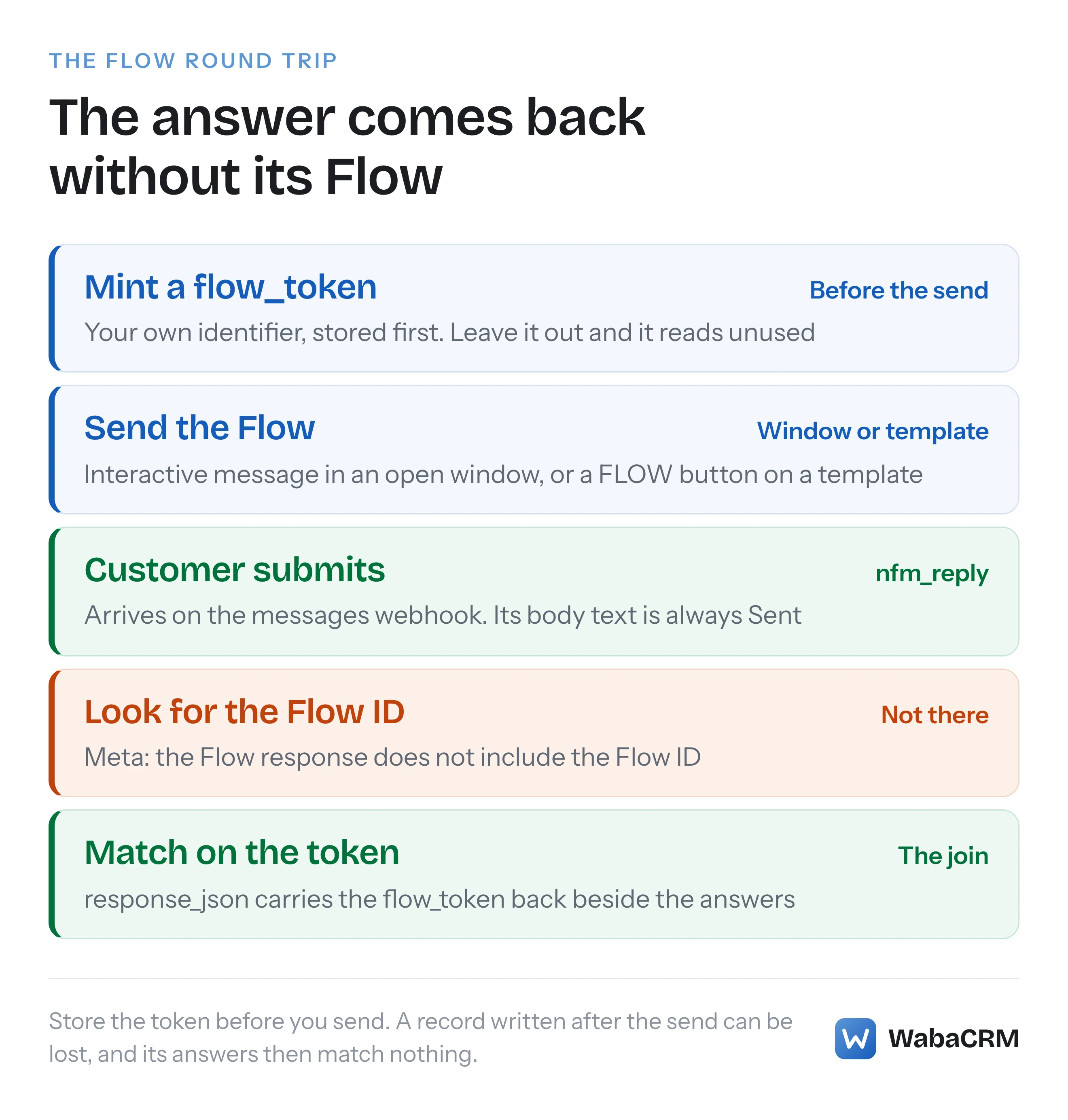
"The Flow response does not include the Flow ID. You can include a custom field in your Flow payload or an identifier in the flow_token field to identify the corresponding Flow." (Meta — Flows Webhooks)
The flow_token is yours to mint. Meta's parameter table calls it "Flow token that is generated by the business to serve as an identifier." and gives its default as unused. Send a Flow without one and the token is that default, which tells you nothing about who was asked what.
The webhook carries one more clue: "Context object contains message_id of flows request message and sender number." That points at a message rather than a Flow, and it only helps if you kept the message id your send returned.
So the order matters. Write your record of the send after Meta answers, and a crash between the two leaves a form on a customer's phone whose answers match nothing. Mint the token, store it with the contact and the Flow, then send.
WabaCRM's WhatsApp forms, an optional add-on, work in that order. A random token is written to the database before the message is queued, and the send is linked to its outgoing message afterwards; answers are matched on the token alone. When an answer arrives, its token must belong to the same workspace as the number the webhook came in on, and a redelivered webhook changes nothing. If a customer submits the same form twice, the first answer is kept and the second does not replace it.
What does the Flow response webhook actually contain?
An ordinary incoming message:
"When a user completes the Flow, a response message is sent to the WhatsApp chat. You receive it through the same webhook you use to process all other messages from users." (Meta — Flows Webhooks)
Trimmed, this is the structure Meta documents:
"type": "interactive",
"interactive": {
  "type": "nfm_reply",
  "nfm_reply": {
    "name": "flow",
    "body": "Sent",
    "response_json": "{\"flow_token\": \"<FLOW_TOKEN>\", \"optional_param1\": \"<value1>\", \"optional_param2\": \"<value2>\"}"
  }
}
Three things in it catch people. Meta's field table says interactive.type is "Always nfm_reply", so a handler that only knows button and list replies drops Flow answers. The body is "Always Sent", so it is never the answer. And response_json is a string holding JSON, which has to be decoded a second time before any field can be read.
What is inside that string is whatever your Flow put there. The Flow JSON reference describes the complete action that ends a form:
"Terminates the flow and sends the response message to the chat thread. The business will receive the termination message bubble on the webhook, together with the flow_token and all of the other parameters from the payload." (Meta — Flow JSON)
The customer can look back at what they sent: "As of Flows version 5.1, upon submitting a Flow, a user will be able to access a summary of their submitted data via the Flow response message UI." Meta's same paragraph says that summary leaves out password and passcode fields, and any field the business marks sensitive. Meta's best-practice guide also says "Respond to the user with a message when they submit a Flow." WabaCRM's forms add-on sends no such reply by itself.
Why does a Flow that saved successfully still refuse to publish?
Because Meta reports a broken Flow as a successful save. The Flows API reference says "New Flows are by default created in DRAFT status and you can make changes to the Flow by uploading a JSON file." and "Every update request will return validation errors in the Flow JSON, if any." Its sample response, trimmed, shows both at once:
{
  "success": true,
  "validation_errors": [
    {
      "error": "INVALID_PROPERTY_VALUE",
      "message": "Invalid value found for property 'type'."
    }
  ]
}
Code that branches on success alone records that Flow as saved, yet "All errors must be fixed before the Flow can be published." Read validation_errors on every create and update.
WabaCRM stores the validation errors even when Meta's answer says success, shows each one with the part of the form it points at when Meta names one, and refuses to publish the form while any of them stand.
Can you edit a WhatsApp Flow once it is published?
Meta's pages answer both ways. The Flows API status table says of a published Flow: "This Flow cannot be deleted or updated afterwards." The deprecation section agrees: "Once a Flow is published, it cannot be modified or deleted, but can be marked as deprecated."
The publishing section of the same page says the opposite:
"You can either edit this flow in the future and turn it back to the “DRAFT” state, or create a new flow by specifying the existing Flow ID as the clone_flow_id parameter." (Meta — Flows API)
And the sending guide assumes editing works:
"In case you edited published flow and now it is in the draft state, use “mode=draft” to send the current draft flow version, or “mode=published” (default value) to send the last published flow version." (Meta — Send a Flow message)
Two sentences against two. The route no sentence contradicts is in that publishing sentence: create a new Flow with clone_flow_id set to the published one and edit the copy, which gets its own Flow ID. WabaCRM attempts an edit to a published form and reports Meta's refusal if one comes back, rather than promising either outcome.
The status table itself reads:
| Status | Sending | What else Meta says |
|---|---|---|
| DRAFT | Only in draft mode, for testing | Can be deleted |
| PUBLISHED | To customers | Cannot be deleted or updated |
| DEPRECATED | Cannot be sent or opened | Cannot be restored |
| THROTTLED | 10 messages an hour | Endpoint unhealthy |
| BLOCKED | Cannot be sent or opened | Endpoint unhealthy |
Every row comes from the Flows API reference. Of a draft:
"The Flow can only be sent with "mode": "draft" for testing." (Meta — Flows API)
Of throttling: "Flows with throttled status can be opened, however only 10 messages of the Flow could be sent per hour." The last two rows are endpoint health, not policy, and the Flows error 132068 and 132069 explainer covers them.
Can you build a WhatsApp Flow without writing JSON?
For a one-screen form in WabaCRM, yes; Meta's own tools help too, but underneath every Flow is Flow JSON. Meta's sending guide says "You can quickly build a Flow in the playground and pass the Flow JSON in the message template creation request." To see a whole Flow, Meta points to a Builder in WhatsApp Manager, under Account tools and then Flows:
"To visualize the complete user experience, use the Builder. The Builder emulates the entire Flow experience and can be updated on the fly." (Meta — Flow JSON)
Whoever writes the JSON, the same rules apply: "It’s mandatory to have a Footer component on the terminal screen." The Components reference adds "The maximum number of components per screen is 50.", and its limits table caps a text input's label at 20 characters, helper text at 80, a heading at 80 and body text at 4,096. The best-practice guide sets the human limit: "Users should enter flows aiming to complete a task as quickly as possible, with tasks taking no longer than 5 minutes to complete."
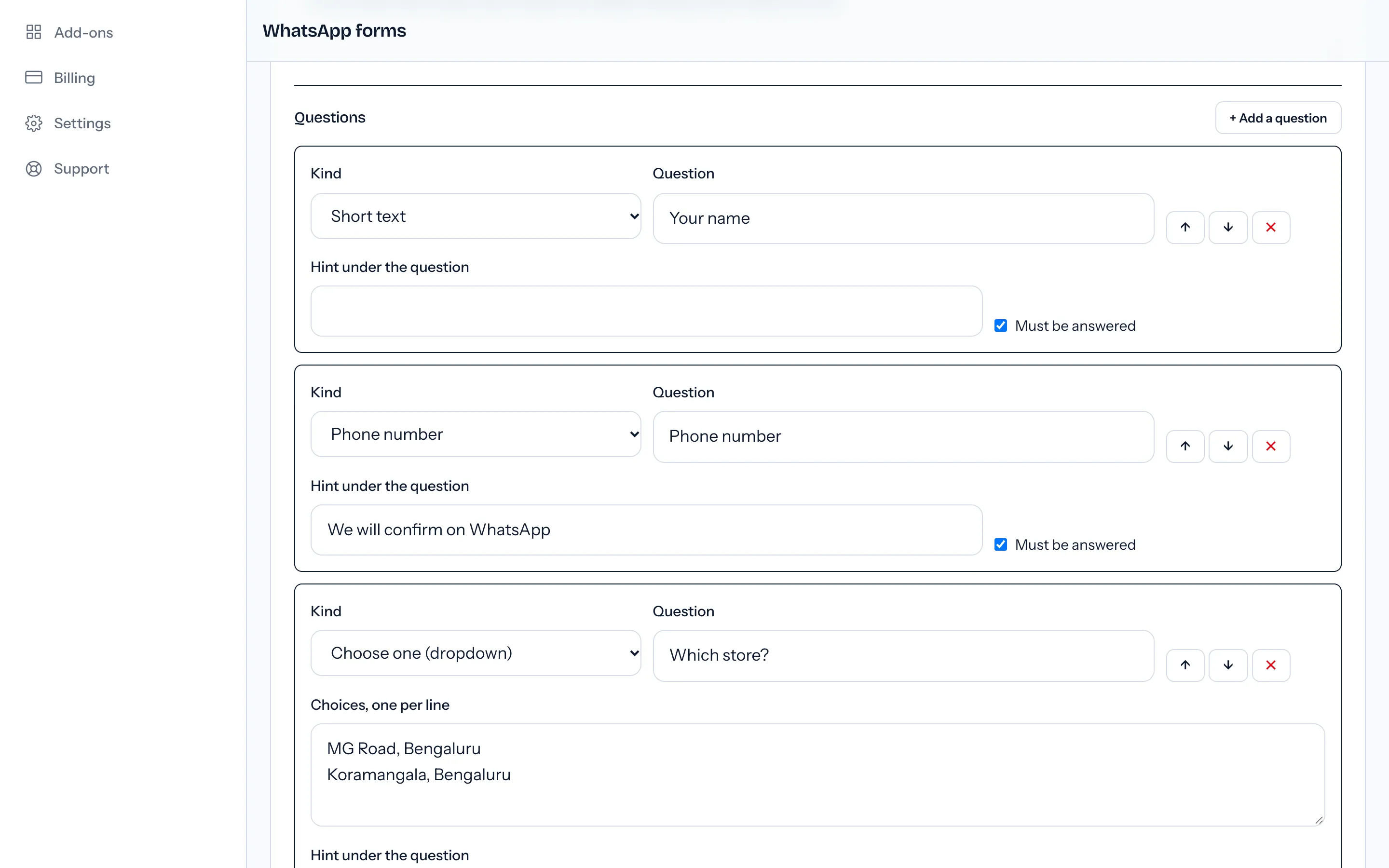
WabaCRM's guided builder makes one screen, with ten question kinds: short text, email address, phone number, number, long text, a dropdown, single choice as buttons, several choices, a date and a consent tick-box. Any question can be marked as required. The builder refuses, in words, a label over 20 characters on the five text kinds. Save to Meta creates the form there as a draft and puts anything Meta objects to on screen.
A multi-screen form, a calendar or branching has to come from outside the guided builder: built at Meta and brought in with Bring in forms from Meta, or pasted as Flow JSON. Either can then be sent from the inbox, but the guided builder will not reopen it, because it cannot represent everything such a form may hold. None of this is WabaCRM's multi-step bot flows, a separate add-on that sends ordinary messages rather than Meta forms; the WhatsApp chatbot builder guide covers those.
Does a form-style Flow need a server endpoint?
No. A Flow that ends in a complete action needs nothing of yours running while the customer fills it in. Meta's endpoint guide says what an endpoint is for: "Endpoints provide dynamic data for the screens and control routing." The best-practice guide draws the line:
"Only use endpoint powered flows, when the live data is required while user completes a flow - for example, for ticket booking." (Meta — WhatsApp Flows best practices)
An endpoint also brings monitoring: Meta's status table opens both its throttled and blocked entries with "Monitoring detected that the endpoint is unhealthy", and gives no other reason for either status.
WabaCRM hosts no Flow endpoint, so its forms are static: no live appointment slots, prices or stock when the customer opens one.
How does WabaCRM send a form and keep its answers?
From the inbox, into an open window. The Send a form button appears in a WhatsApp conversation only while its 24-hour window is open, the add-on is installed, and that thread's number has a form that can be sent. The agent picks a form, types a button label of up to 30 characters, Meta's advised length, adds a line saying why they are asking, and sends. Anyone whose role can reply in the shared team inbox can send a form; building forms is for owners, admins and managers by default.
In WabaCRM a form belongs to one number (Meta holds each Flow under one WhatsApp Business Account), and its number cannot be changed once it exists. A draft form is listed in the picker with "(draft)" after its name and goes out in Meta's draft mode, which Meta reserves for testing, so publish before customers see it.
When the customer submits, the chat thread shows a bubble with the body text Meta sends with the response, which Meta's field table says is always "Sent", or "Form submitted" when there is none, never the answers. Those appear in the form's Answers panel on the forms screen as label and value pairs, with several choices joined by commas and a tick-box shown as Yes or No. The panel lists the newest 50, and each form's row counts how many sends were answered. Answers are stored against the contact the form was sent to; they are not written into any contact field. What the add-on costs is on the add-ons page.
What does the WhatsApp forms add-on leave out?
| You might expect | What actually happens |
|---|---|
| A form in a campaign, drip or chatbot | Sent from the inbox only |
| A form outside the 24-hour window | Not sent; no template FLOW button |
| Answers copied into contact fields | Kept per send, in the Answers panel |
| A multi-screen form built here | Build at Meta, then import or paste |
| Live data from your own systems | No endpoint; forms are static |
| An alert when Meta throttles a form | Status refreshes on save, publish or ↻ |
| Forms on Messenger or Instagram | WhatsApp numbers only |
| Moving a form to another number | Not possible |
| Sending a form from the Android app | Not in the app; it links to the web |
Plan around the window row. Meta allows a Flow outside the window on an approved template's FLOW button, but WabaCRM's template builder does not offer that button, so a form here only goes into a window the customer opened by writing or calling. There is no export of answers either.
Every Meta quotation on this page was read from Meta's own documentation on 15 October 2026. Meta changes that documentation without notice; the linked pages are authoritative and this one is not.