One number, multiple devices
WhatsApp Business Multiple Users: 4 Ways to Share One Number
Last checked · 11 min read
The short answer
To use WhatsApp Business with multiple users, you can link up to four companion devices on the free app, expand to 10 with a paid Meta Verified subscription, or connect the number to the WhatsApp Business Platform via Coexistence for unlimited team members, chat routing, and per-user permissions. Checked 24 September 2026.
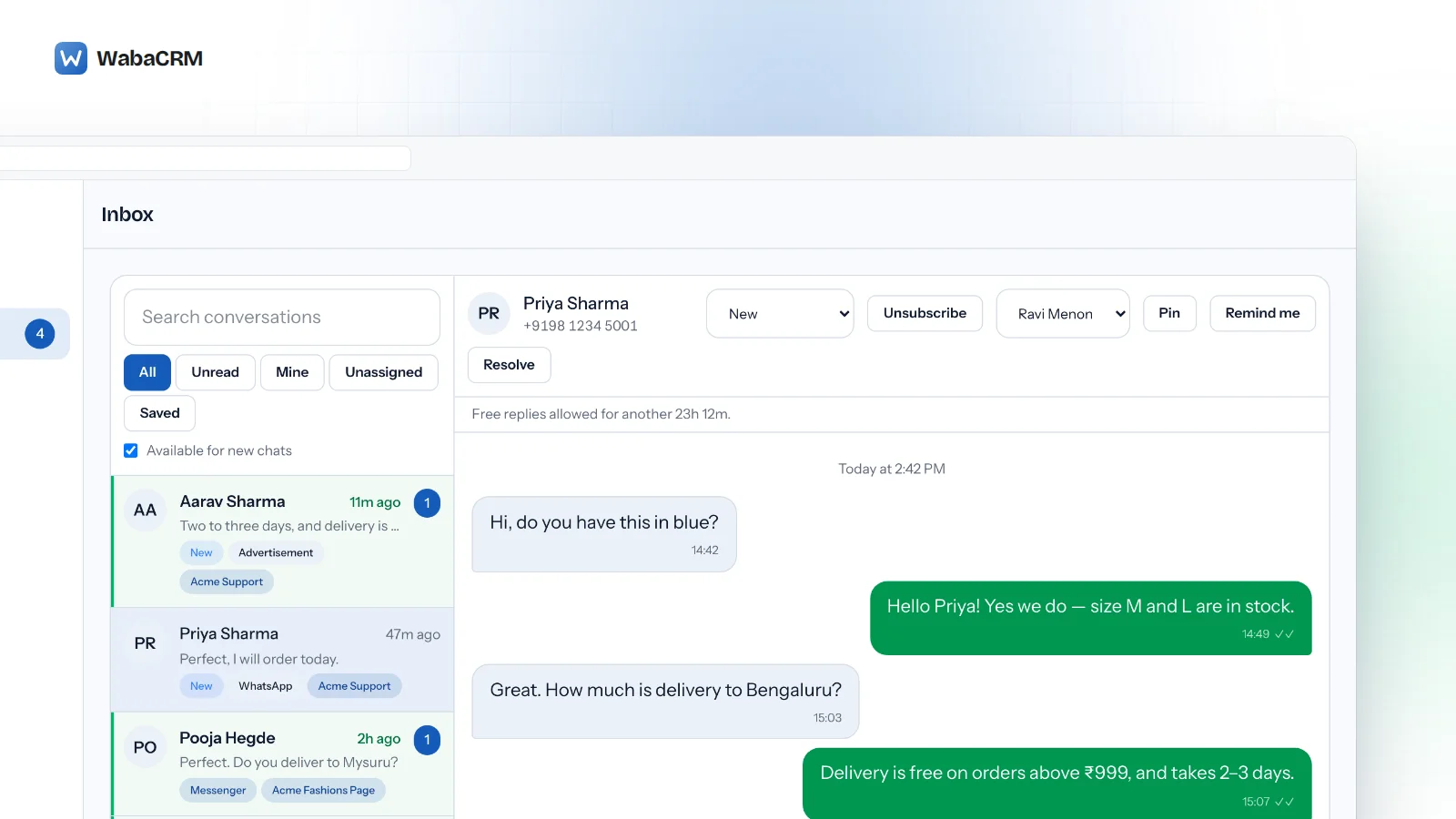
How can multiple users share one WhatsApp Business number?
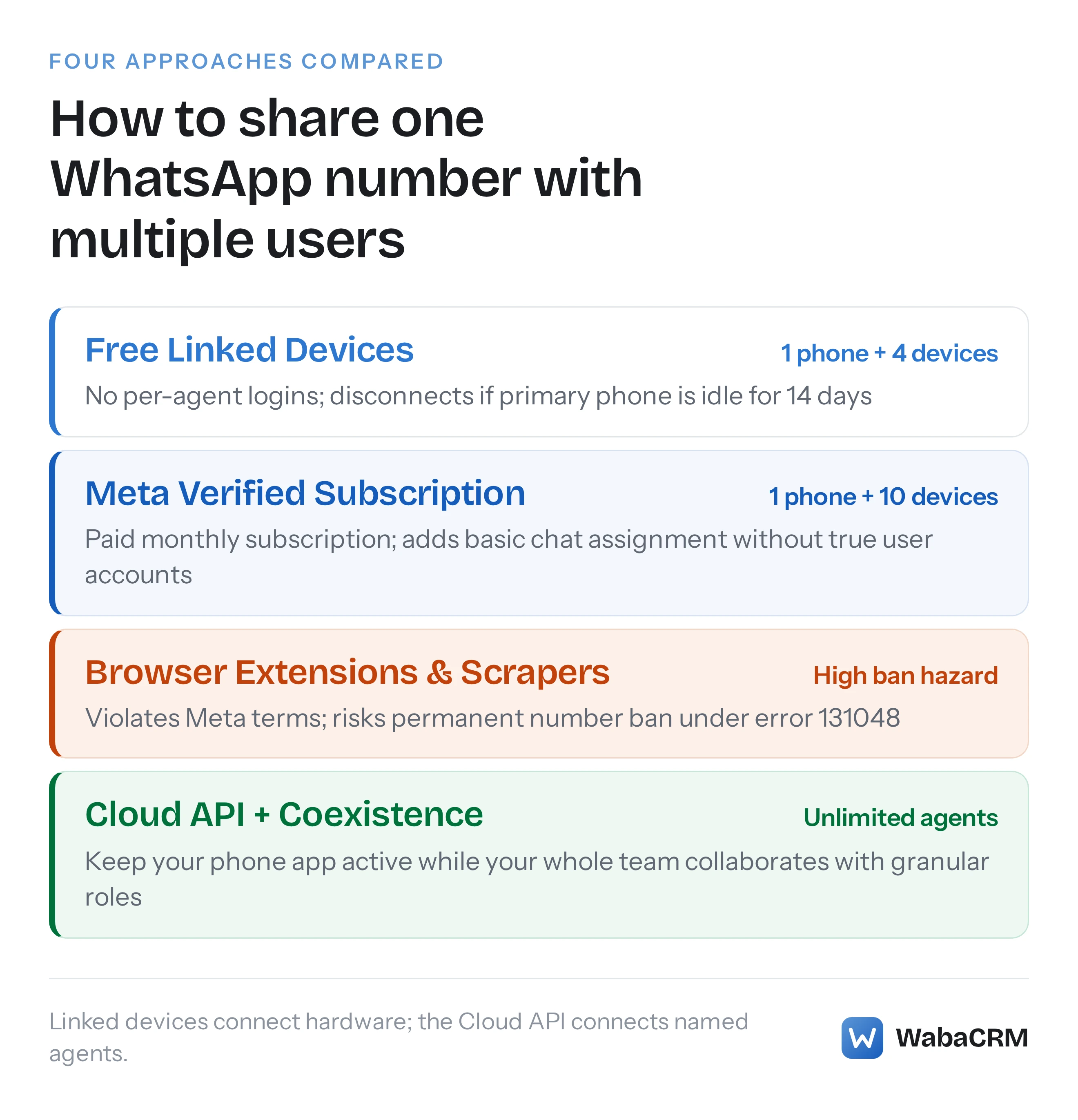
You can share a single WhatsApp Business number across multiple users through four distinct methods: the native Linked Devices feature (up to 4 devices for free), a paid Meta Verified subscription (up to 10 devices), unofficial browser extensions (which carry heavy ban risks), or the official WhatsApp Business Platform using Coexistence (unlimited team members).
Each approach solves a different scale of team operation. The primary challenge small businesses face is that WhatsApp was originally engineered as an individual handset application. As inquiry volume expands, passing a physical smartphone between salespeople or keeping a browser tab open on a shared desk creates immediate operational bottlenecks: two agents respond to the same customer simultaneously, confidential financial chats are visible to interns, and leads that arrive after business hours go unanswered until morning.
Meta provides documented paths to resolve this. Below is the breakdown of how each method operates, where the technical ceilings sit, and how to scale your team without risking your business phone number.
- How can multiple users share one WhatsApp Business number?
- What are the 4 ways to use WhatsApp Business with multiple users?
- How to set up WhatsApp Business on multiple phones (Step-by-Step)
- When should your business upgrade from Linked Devices to the Cloud API?
- How WabaCRM eliminates per-agent seat charges
What are the 4 ways to use WhatsApp Business with multiple users?
The market offers four methods for distributing WhatsApp conversations across a team. Two are built directly into Meta's mobile application, one is an unauthorised work-around, and one is the enterprise cloud standard.
| Feature / Capability | 1. Free Linked Devices | 2. Meta Verified Multi-Agent | 3. Browser Extensions | 4. Official Cloud API (WabaCRM) |
|---|---|---|---|---|
| Max simultaneous users | 1 primary phone + 4 devices | 1 primary phone + 10 devices | Varies (often 5–20) | Unlimited agents |
| Cost | Free | ₹639 to ₹3,500+/mo | $15–$50/mo | Free for 1,000 contacts, then ₹96/1,000 |
| Individual agent logins | No (shared session) | No (device labels only) | No (session hijacking) | Yes (individual passwords & 2FA) |
| Chat assignment | None | Manual assignment | Primitive | Manual + automatic least-busy routing |
| Department permissions | None (all see everything) | None | None | Granular per-number department walls |
| Primary phone dependency | Must be active every 14 days | Must be active every 14 days | Must stay continuously online | None (cloud-hosted) |
| Account ban risk | Zero (Official Meta app) | Zero (Official Meta app) | High (Violates Meta Terms of Service) | Zero (Official Meta Cloud API) |
| Keep mobile app active? | Yes | Yes | Yes | Yes (via Meta Coexistence) |
1. Free Linked Devices (Companion Mode)
WhatsApp's built-in multi-device feature allows a business to link up to four companion devices to one primary smartphone (WhatsApp Help Centre — About linked devices). These companion devices can be:
- WhatsApp Web in a desktop browser (Chrome, Safari, Firefox, Edge).
- The WhatsApp Business desktop application for Windows or macOS.
- Up to three secondary smartphones running WhatsApp Business linked in "Companion Mode".
Your primary phone does not need to remain continuously connected to the internet for linked devices to work. However, Meta enforces a hard inactivity rule:
"Your linked devices will be logged out if you don't use your phone for over 14 days." (WhatsApp Help Centre — About linked devices)
Where the free tier fails growing teams:
- No access control: Every linked user sees every contact, every customer message, and every historical media file. You cannot prevent a junior sales rep from viewing customer payment receipts or private supplier negotiations.
- No collision detection: If two agents open the same conversation at the same moment, both can type and send conflicting replies.
- No accountability: Messages are sent under the company identity. You cannot tell from looking at a chat bubble which team member authored the message.
- Unsupported features on companions: Broadcast lists cannot be created or viewed on linked devices, and live location sharing is disabled.
2. Meta Verified for Business (The 10-Device Paid Tier)
To address small sales teams that need rudimentary collaboration without adopting enterprise software, Meta introduced the "multi-agent" feature inside its Meta Verified for Business subscription.
WhatsApp's Help Centre defines this feature:
"With multi-agent, you and your team can handle large numbers of customer inquiries and orders more efficiently by connecting multiple devices to your account and assigning chats to your sales agents." (WhatsApp Help Centre — About multi-agent)
Subscribing unlocks two specific capabilities:
- Device cap expansion: You can connect up to 10 devices (up from four).
- Chat assignment & agent name stamping: Inside the app, a manager can long-press a conversation and assign it to a named device. Agents can tap a message to inspect which named device sent it.
Why Meta Verified is not a complete CRM: Meta's documentation explicitly notes:
"If you cancel your subscription or your subscription benefits change, only your four most recently active devices will remain linked." (WhatsApp Help Centre — About multi-agent)
Furthermore, the feature still does not provide separate user accounts. The "agents" are merely device names entered into a text box. There are no role-based permission tiers, no analytics on response times, and if your primary phone is replaced or factory reset, the entire multi-device structure must be rebuilt manually.
3. The Unofficial Trap: Browser Extensions and WhatsApp Web Scrapers
Faced with the 4-device limit on the free app and the steep monthly cost of legacy Business Solution Providers, many businesses turn to third-party Chrome extensions advertised as "WhatsApp CRM extensions" or "WhatsApp Web Multi-User plugins."
These extensions function by injecting JavaScript into web.whatsapp.com. They scrape the Document Object Model (DOM), capture authentication tokens from browser storage, and proxy outgoing messages through the user's active web session.
The operational dangers of browser extensions:
- Account bans under Error 131048: Meta's automated security systems actively analyze connection signatures. High message frequency, automated DOM traversal, and unnatural typing cadences immediately trigger spam flags. Meta bans the underlying SIM card, terminating access to your saved customer contact history with zero right of appeal.
- Data leakage: Chrome extensions operate with full read and write access to your browser tabs. Sending customer phone numbers and chat transcripts through unvetted third-party browser plugins violates standard data privacy regulations, including India's Digital Personal Data Protection (DPDP) Act and the European Union's GDPR.
- Session instability: Whenever WhatsApp rolls out an update to WhatsApp Web, third-party extensions break immediately, leaving teams unable to reply to customers for days.
4. The Official Solution: WhatsApp Business Platform with Coexistence
The standard architecture used by scalable companies is the WhatsApp Business Platform (Cloud API). Unlike the mobile application, the Cloud API is hosted directly on Meta's server infrastructure.
Historically, moving a phone number to the Cloud API required completely deleting the WhatsApp account from your smartphone. For business owners who rely on their phone while traveling, this was a deal-breaker.
In late 2024, Meta resolved this trade-off by releasing Coexistence:
"Messages sent and received are mirrored between the Cloud API and the WhatsApp Business app." (Meta — Onboard WhatsApp Business App Users)
Under Coexistence, your phone number remains fully functional inside the WhatsApp Business app on your smartphone, while simultaneously streaming into an official multi-tenant shared inbox like WabaCRM.

What Coexistence delivers for teams:
- Keep your handset: The business owner continues using the WhatsApp Business app on their phone for personal interactions or calls.
- Unlimited agents: Your entire sales, support, and billing team logs into the web and mobile app using their own corporate email credentials.
- Department routing: Route support inquiries to technical agents and sales leads to account executives. Agents assigned to Department A cannot see conversations belonging to Department B.
- Automated collision prevention: When an agent opens a conversation, the system locks the thread or displays active presence indicators, preventing duplicate replies.
- Audit logs & exportable records: Every message sent carries an immutable timestamp and agent attribution. Full conversation threads can be exported to CSV or synced with your primary CRM via REST API or webhooks.
How to set up WhatsApp Business on multiple phones (Step-by-Step)
If your team has fewer than five members and you want to use the native free mobile app across secondary smartphones, follow the official Companion Mode setup:
- Prepare the secondary phone: Download and install the WhatsApp Business app from the Google Play Store or Apple App Store on your secondary device.
- Do not type your phone number: On the initial setup screen, accept the terms. When prompted to enter your phone number, do not type your number. (Typing your number will log you out of your primary phone).
- Open the companion menu: Tap the three dots (Android) in the upper right corner or tap the overflow menu on iOS, and select Link as companion device. A unique QR code will appear on the secondary phone's screen.
- Scan from your primary phone: Open WhatsApp Business on your primary smartphone. Navigate to Settings > Linked Devices > Link a Device. Authenticate with your fingerprint or device passcode.
- Complete synchronization: Point your primary phone's camera at the QR code displayed on the secondary phone. The secondary phone will download recent chat history and remain active as a companion device.
Repeat this process for up to three secondary phones (or four total companion devices). Remember that if the primary phone does not open WhatsApp for 14 consecutive days, all linked companion phones will be disconnected automatically.
When should your business upgrade from Linked Devices to the Cloud API?
Staying on the free Linked Devices feature is recommended only while your operation matches the following conditions:
- Your team consists of 1 to 3 people working in close physical proximity.
- You do not handle sensitive financial, medical, or legal customer records that require role-based access restrictions.
- You send fewer than 50 outbound messages per day and do not run marketing campaigns.
You must upgrade to the WhatsApp Business Platform (Cloud API) as soon as:
- You need more than 4 agents: You have five or more team members responding to customer chats.
- You need conversation routing: Inbound chats must automatically distribute to the least-busy available agent rather than sitting in an unassigned pool.
- You want to protect customer databases: Employees should communicate with leads inside a monitored interface without having the ability to export or steal the contact database to their personal address books.
- You broadcast marketing updates: The free WhatsApp Business app caps broadcast lists at 256 recipients who have explicitly saved your number in their address books. The Cloud API allows targeted template broadcasts to thousands of opted-in customers, paced safely to Meta's messaging tiers.
For a detailed breakdown of platform economics, read our guide on WhatsApp Business API pricing in India and our explainer on what Meta charges for API messaging.
How WabaCRM eliminates per-agent seat charges
Most software vendors in the WhatsApp ecosystem charge businesses on a per-user, per-month model. If you employ 15 sales representatives, legacy providers like Wati or Gallabox charge between ₹1,200 and ₹1,500 per user every month on top of their base platform fee. A team of 15 agents can easily cost ₹20,000 to ₹30,000 every single month before sending a single message.
WabaCRM is built on a different commercial model:
- Lifetime free plan: Up to 1,000 contacts with full platform capabilities, including broadcasts and automations.
- ₹96 per 1,000 contacts per month: As your contact list expands, you pay strictly for database storage and infrastructure load.
- Unlimited team members: Add 5, 20, or 100 agents to your workspace. There are zero seat fees and zero per-user charges on any plan, including the free plan.
- Direct Meta billing: WabaCRM is a Meta-verified Tech Provider. You attach your payment method directly to your own Meta Business Account and pay Meta's published conversation rates with 0% vendor markup.
You can connect your existing phone number in minutes using Meta's official Embedded Signup or activate Coexistence to keep your phone app working while your entire team collaborates in a unified workspace.
Every Meta quotation on this page was read from Meta's own documentation on 24 September 2026. Meta changes that documentation without notice; the linked pages are authoritative and this one is not.