WhatsApp Business API Phone Number Limit: 2, Then 20
The short answer
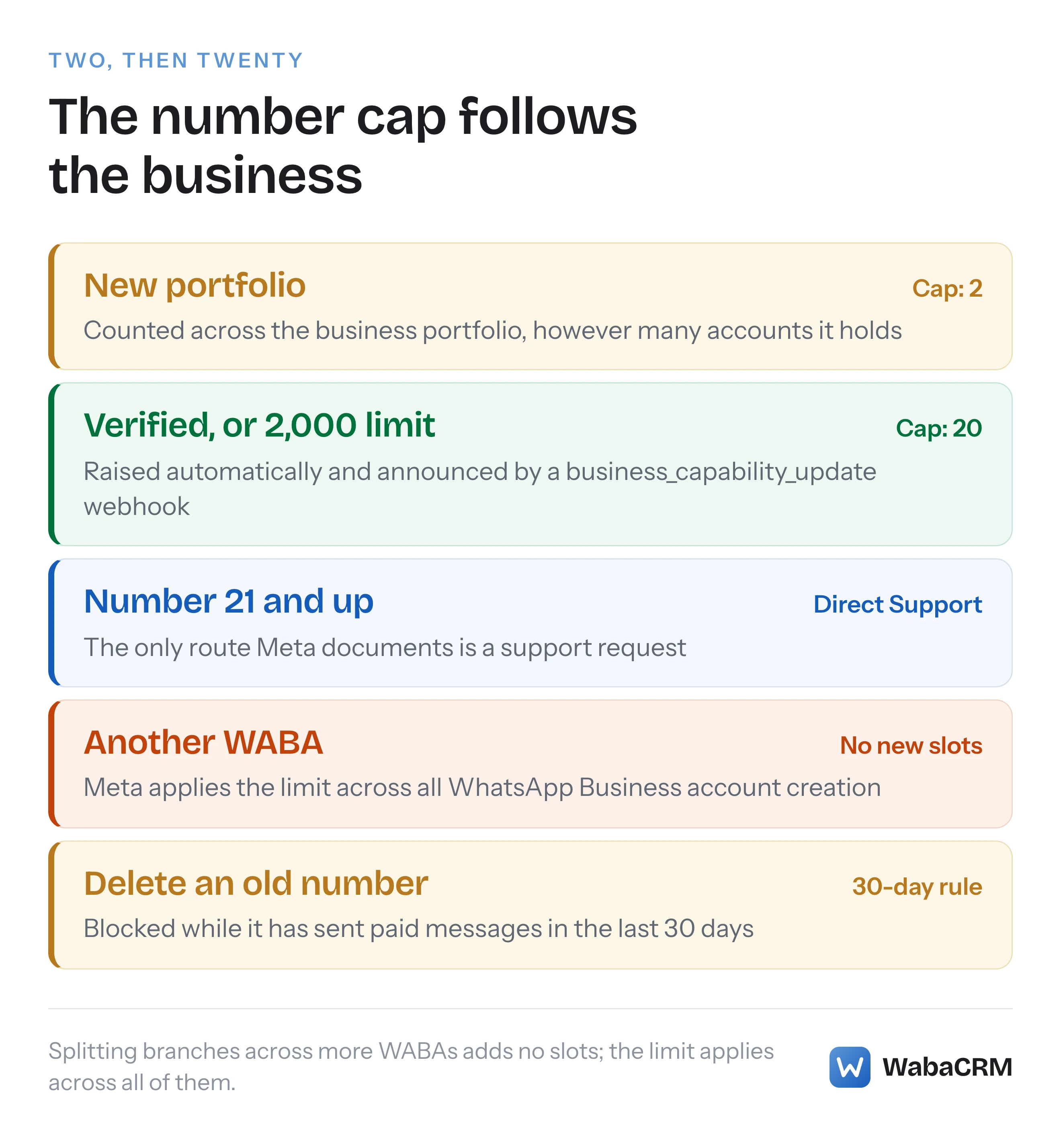
Meta caps a new business portfolio at two registered WhatsApp Business phone numbers. The cap rises automatically to 20 once the business is verified or reaches a 2,000 messaging limit, and a business_capability_update webhook announces the change. For more than 20, Meta's Embedded Signup error guide says to contact Direct Support (checked October 2026).
How many phone numbers can a WhatsApp Business Account have?
A new business portfolio can register two WhatsApp Business phone numbers, and Meta raises that to 20 once the business is verified or reaches a 2,000 messaging limit. Meta's business phone numbers page states both halves:
"New business portfolios are initially capped at two registered business phone numbers." (Meta — Business phone numbers)
"If your business becomes verified, or if you have reached a messaging limit of 2,000, Meta will automatically increase your cap to 20. Upon increase, a Meta Business Suite notification will be sent, informing you of your new cap, and a business_capability_update webhook will be triggered with max_phone_numbers_per_business set to your new cap." (Meta — Business phone numbers)
That much is consistent across Meta's documentation. What is not consistent is the thing the cap is counted against. The page above counts it per business portfolio. Meta's account page counts it per "WhatsApp account hierarchy", a unit that only exists since Meta split the old WhatsApp Business Account into a number side and a template-and-billing side. The webhook reference uses both, depending on your messaging tier. And the refusal you see in the signup flow counts it "across all your WABAs".
The practical questions are the same whichever wording you read: why the third number is refused, what lifts the cap, how you find out it has been lifted, and what happens at number 21. Each is answered below from Meta's own pages, read on 16 October 2026.
- How many phone numbers can a WhatsApp Business Account have?
- Is the cap counted per portfolio, per WABA or per account hierarchy?
- What lifts the cap from two numbers to 20?
- How do you know Meta has raised your number cap?
- What does "You have already linked the maximum number of phone numbers" mean?
- Can a business register more than 20 WhatsApp numbers?
- Do extra WABAs or account hierarchies give you more numbers?
- Does deleting an unused number free a slot?
- Do more numbers mean more people you can message each day?
- Does a second vendor or a second currency still need a second number?
- How does WabaCRM handle several numbers in one workspace?
Is the cap counted per portfolio, per WABA or per account hierarchy?
Meta's pages give three answers, and the strictest one is the one the signup flow enforces: a limit across everything the business portfolio holds. Here is what each Meta source says, side by side:
| Meta source | What it says | Counted against |
|---|---|---|
| Business phone numbers | "capped at two", raised "to 20" | Business portfolio |
| WhatsApp accounts page | "2 … per WhatsApp account hierarchy" | Account hierarchy |
| Same page | "20 WhatsApp account hierarchies" | Hierarchies, not numbers |
| Webhook reference | Two fields, chosen by tier | Portfolio, then hierarchy |
| Embedded Signup errors | "more than 20 … across all your WABAs" | Every WABA together |
| Help Centre | "Register up to 20 phone numbers" | Not stated |
The account page's wording reflects Meta's new account model, in which each number sits in its own WhatsApp account and those accounts can be grouped:
"Each business phone number maps to one WhatsApp account. WhatsApp accounts can be linked together into a WhatsApp account hierarchy, letting you manage a collection of phone numbers as a group." … "Meta Business Accounts are initially limited to 2 registered business phone numbers per WhatsApp account hierarchy, but this limit can be increased to up to 20. See Registered Number Limits." … "Meta Business Accounts are initially limited to 20 WhatsApp account hierarchies." (Meta — WhatsApp accounts and Messaging accounts)
Read in isolation, that page could suggest twenty hierarchies of twenty numbers each. Nothing else Meta publishes supports that reading. Its "Registered Number Limits" link leads to the business phone numbers page, where the section on the subject is now headed "Registered number cap" and consists of the portfolio-wide sentences quoted above. The signup error, covered below, says the limit "currently applies across all WhatsApp Business account creation". Until Meta reconciles the pages, plan on the portfolio-wide reading: it is the one the refusal uses.
The hierarchy wording is new. When this site quoted the same page on 25 September 2026, in its piece on whether the WhatsApp API needs a Facebook Page, it read "Meta Business Accounts are initially limited to 2 registered business phone numbers, but this limit can be increased to up to 20", with no mention of hierarchies. Any quotation without "per WhatsApp account hierarchy" is the wording from before the account split.
What lifts the cap from two numbers to 20?
Business verification, or reaching a messaging limit of 2,000, and Meta applies the increase itself. You do not request it. The developer page names exactly those two triggers. Meta's Help Centre describes the same step up as "scaling" and lists three paths to it:
"There are three paths to scale your WhatsApp Business account features. You only need to complete one path to access additional capabilities:" (Meta Business Help Centre — Scale your WhatsApp Business account capabilities)
The three it lists are partner-led business verification, business verification and quality messaging.
Its before-and-after table moves the number line from "Register up to two phone numbers." to "Register up to 20 phone numbers." The same page carries a caution that matters here: "Note: Access to some post-scaling features are dependent on the scaling path chosen." The only dependency it spells out is the official business account: "Please note that to be eligible for a WhatsApp official business account, you will have to complete verification using path 1 or 2." It never says the number cap depends on the path, but the only triggers for the number cap that Meta's developer documentation states outright are the two on the business phone numbers page.
On timing, the Help Centre gives two figures. For Meta's own verification, "a verification decision can be made in as little as 10 minutes and as long as 14 working days." For partner-led verification, "Most requests are resolved within minutes, but some can take up to 24 hours." For the quality messaging path it gives a threshold instead, "a minimum of 1,000 conversations over 30 consecutive days", in the old conversation vocabulary. Partner-led verification is offered only by some Solution Partners: "If you work with a Solution Partner, they may have access to partner-led business verification."
For a business that has not yet sent at volume, verification is the practical route, and the documents Meta accepts in India are covered in Meta business verification for Indian businesses. The messaging-limit route takes longer to reach on purpose, and how the daily messaging limit grows is a separate mechanism with its own conditions.
How do you know Meta has raised your number cap?
Meta sends a Meta Business Suite notification and a business_capability_update webhook. The webhook is the reliable signal, and the field it carries may not be the one the phone numbers page tells you to look for. Meta's webhook reference describes the event like this:
"The business_capability_update webhook notifies you of WhatsApp account hierarchy or business portfolio capability changes (messaging limits, phone number limits, etc.). You receive these notifications through the associated Messaging account, which holds the webhook subscription." (Meta — business_capability_update webhook reference)
This is Meta's own example payload from that reference:
{
  "entry": [
    {
      "id": "524126980791429",
      "time": 1739321024,
      "changes": [
        {
          "value": {
            "max_daily_conversations_per_business": 2000,
            "max_phone_numbers_per_waba": 25
          },
          "field": "business_capability_update"
        }
      ]
    }
  ],
  "object": "whatsapp_business_account"
}
Three things in that reference contradict the simpler story on the phone numbers page.
First, the field names. The phone numbers page says the raise arrives "with max_phone_numbers_per_business set to your new cap". The reference says that field is "Maximum number of business phone numbers the business portfolio can have. This property is only included if max_daily_conversation_per_phone is set to 250." Once max_daily_conversation_per_phone holds anything other than 250, which is the situation after scaling, the reference says you get max_phone_numbers_per_waba instead: "Maximum number of business phone numbers allowed per WhatsApp account hierarchy. This property is only included if max_daily_conversation_per_phone is not set to 250." A handler that only reads max_phone_numbers_per_business may never see the raise.
Second, the condition. Both fields are switched on max_daily_conversation_per_phone, and the same reference says of that field: "This parameter will be removed in February, 2026. Use max_daily_conversations_per_business instead." That date had passed eight months before this article read the page, which still conditions both phone-number fields on a field it scheduled for removal.
Third, the example value is 25. No sentence on any Meta page read for this article gives 25 as a cap; it is a sample value in a sample payload. Read both phone-number fields, store whichever arrives with its timestamp, and treat the most recent one as your current cap.
What does "You have already linked the maximum number of phone numbers" mean?
It means the business portfolio has used every number slot it currently has, so Meta's flow will not add another until one is deleted or the cap is raised. The full text appears in Meta's Embedded Signup error guide, updated on 5 October 2026:
You have already linked the maximum number of phone numbers allowed for this
Business Account. Delete a phone number to continue or request additional
numbers. Learn more about phone number limits.
Meta's explanation beside it is the most explicit statement of how the cap is counted in any of the Meta pages read for this article:
"A phone number limit currently applies across all WhatsApp Business account creation. Please refer to Register Phone Number for more info about these limits. Suggested Solution: Please ask business admin of the WhatsApp Business account to follow steps under Delete Phone Number from a Waba in Phone Numbers doc or contact direct support to request register more than 20 phone numbers across all your WABAs." (Meta — Embedded Signup flow errors)
The message appears inside Meta's signup window, not as a Cloud API error. Meta's Cloud API error-codes page, updated on 18 June 2026 and read in October 2026, has no code for reaching the number cap; searching it for "maximum number" finds only the template limit and the synchronisation API.
Two neighbouring refusals are easy to mistake for this one. Code 2494067 says "You already have created the maximum number of WhatsApp Business accounts allowed for this Business", which is a cap on accounts, not numbers. Code 2388098 says "You can only create a limited number of WhatsApp Business Accounts before your business verification and WhatsApp account checks are complete."
Can a business register more than 20 WhatsApp numbers?
Meta's signup error guide says yes, through Direct Support: "contact direct support to request register more than 20 phone numbers across all your WABAs". That sentence is the only route above 20 that Meta documents. The business phone numbers page, read in full on 16 October 2026, says nothing about going beyond 20, and the Help Centre's scaling table stops at "Register up to 20 phone numbers."
Meta does not publish a figure above 20, a turnaround time, or criteria for approving such a request. The only phone-number figure above 20 in the pages read for this article is the 25 in the webhook example, which is a sample value rather than a promise.
If you need more than 20, open the ticket with the business portfolio ID, the numbers already registered, and the reason each branch or function needs its own number. Before you do, check whether some of those numbers are needed at all; the last sections of this article cover two common reasons for extra numbers that Meta's new account model has removed.
Do extra WABAs or account hierarchies give you more numbers?
No. Creating another WhatsApp Business Account, or another WhatsApp account hierarchy, does not create more number slots, because the limit is applied across all of them. Meta's signup guide says the cap "currently applies across all WhatsApp Business account creation", and the phone numbers page sets it per business portfolio, which owns every WABA and hierarchy beneath it.
There are separate ceilings on the containers themselves, and both are lower before verification. The account page says "Meta Business Accounts are initially limited to 20 WhatsApp account hierarchies", and code 2388098 limits how many WhatsApp Business Accounts an unverified business can create. A business that splits branches across several accounts to get around the number cap runs into those limits instead.
A second business portfolio carries its own cap, because the cap is set per portfolio. It is also a separate business in Meta's systems, with its own verification and its own messaging limit, which makes it a poor workaround for one business that simply has many branches.
Does deleting an unused number free a slot?
Yes, the signup error says so in as many words ("Delete a phone number to continue"), but Meta sets three conditions on deleting. From the business phone numbers page:
"Only business portfolio admins can delete business phone numbers, and numbers can’t be deleted if they have been used to send paid messages within the last 30 days." (Meta — Business phone numbers)
The 30-day rule is shown to you rather than enforced silently: "If the number has been used to send paid messages within the last 30 days, you will be redirected to the Insights panel, showing the date of the last paid message. You can delete the number 30 days from this date." Deletion happens only in WhatsApp Manager; the same page says "You can’t delete a business phone number via the API."
The page also says "If your business phone number has a Connected status, you will need your two-step verification PIN to delete your number." That sentence dates from 21 May 2026. Meta's account-model overview has since said that for eligible numbers "the Two-step verification tab, where this PIN is managed today, no longer appears", and neither page says what deletion asks for when there is no PIN.
If the number you want to retire is connected to WabaCRM, removing a number and using it in WhatsApp again walks through the disconnect and the WhatsApp Manager deletion in order.
Do more numbers mean more people you can message each day?
No. The messaging limit belongs to the business portfolio, so ten numbers share one daily allowance of unique customers. Meta's Help Centre writes it into the scaling table itself: before scaling, "Initiate conversations with 250 unique customers per business portfolio every 24 hours"; after, "Initiate conversations with 2,000 unique customers per business portfolio every 24 hours." Meta's account-model overview repeats it: "Messaging limits — remain at the business portfolio level." (Meta — Updates to WhatsApp Business accounts)
What a number does carry on its own is throughput, which the same overview says "remains at the phone number level", along with its own display name and its own quality rating. Meta also says "You must provide display name information when registering a business phone number", so each branch number is another name to submit and another rating to keep healthy.
So the case for a number per branch is organisational, not reach. Customers in one city message one number, staff in that branch see only those chats, and the branch's own quality problems stay with its own number. Before spending slots on that, weigh it against one well-known number with routing behind it.
Does a second vendor or a second currency still need a second number?
No longer, and these were two of the commonest reasons businesses hit the cap of two. Meta's overview of its new account model names the first as the problem the change was built to solve:
"Today, the WABA bundles phone numbers, templates, billing, webhooks, and partner access into a single entity. As a result, working with multiple partners requires a separate phone number for each partner." (Meta — Updates to WhatsApp Business accounts)
Under the new model the number sits in a WhatsApp account that can be shared with more than one partner, each with its own Messaging account for templates and billing. The same page deals with currency: "Clients can maintain a single phone number while using different billing currencies for different markets. Each currency gets its own Messaging account, eliminating the need for separate phone numbers per currency."
Meta dated the general availability of that model to 23 September 2026 and said it would reach every business by mid-October 2026. A business that registered extra numbers before then, one per vendor or one per billing currency, may find a slot it no longer needs.
How does WabaCRM handle several numbers in one workspace?
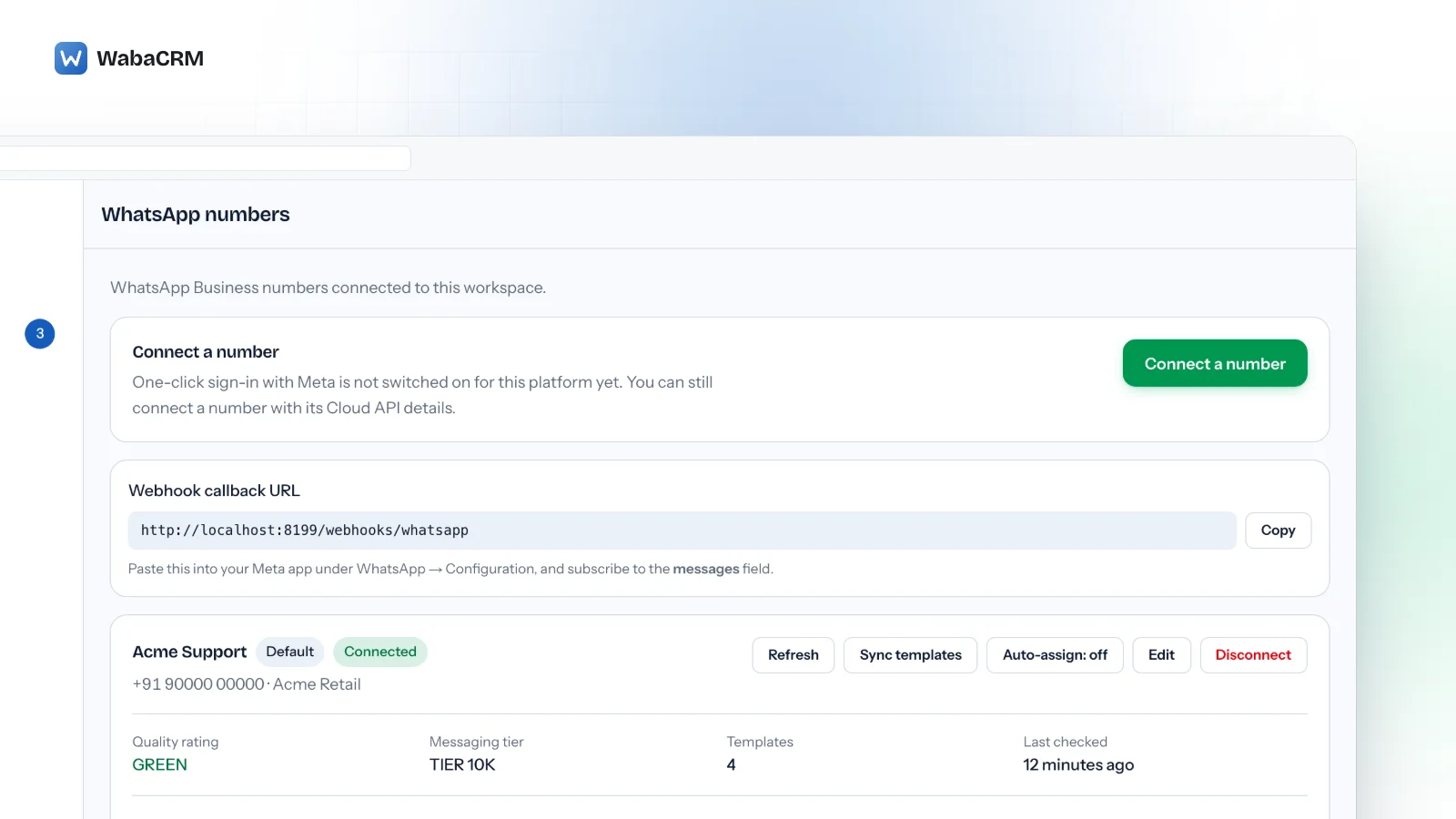
WabaCRM does not price numbers, and a workspace's default setting puts no limit on how many it connects. Its pricing is based on contacts: a one-time ₹999 for 1,000 contacts, then ₹96 per 1,000 contacts per month above that, as set out on the pricing page, so the ceiling on how many numbers you connect is Meta's. Each number can come in through Embedded Signup, coexistence with the WhatsApp Business app, or Cloud API credentials entered by hand, and each appears as its own card on the numbers screen.
Inside a workspace, numbers double as departments. Once a workspace has more than one number, each member's form on the team screen lists them as checkboxes, so a branch's staff can be limited to that branch's chats. With a single number connected, the form says that departments are your WhatsApp numbers and appear once a second one is added.

Team members are unlimited on every plan, which suits the branch structure: adding the staff of a new branch costs nothing, while adding the branch's number spends one of Meta's slots. Spend those slots on numbers customers genuinely need to tell apart.
Every Meta quotation on this page was read from Meta's own documentation on 16 and 17 October 2026. Meta changes that documentation without notice; the linked pages are authoritative and this one is not.
Questions people also ask
How long after business verification does the number cap rise to 20?
Can a Tech Provider such as WabaCRM raise my phone number cap for me?
Is the phone number cap the same thing as the messaging limit?
Does every branch of my business need its own WhatsApp number?
Can the phone number cap go down after it has been raised?
- whatsapp phone number limit
- how many numbers whatsapp business account
- maximum number of phone numbers
- max_phone_numbers_per_business
- business_capability_update
- whatsapp business portfolio