Meta Business Verification in India: Documents and Appeals
The short answer
Meta matches the business details you type against a business record, then matches your uploaded documents against those details, so every artefact has to carry the same legal name and the same address. Meta publishes five document categories rather than an India-specific list, and names four rejection reasons without ranking them — one of which is a website that fails to load or is not HTTPS-compliant. A rejected application may be eligible to appeal, and Meta says a decision can take up to 14 working days.

What documents does Meta accept for business verification in India?
Meta publishes a list of document categories, not a list of Indian documents. Its accepted-documents article says the files you upload "should validate the legal name of your business and your business's official postal address or phone number" (Meta — Upload official documents to verify your business).
Five primary types are named on that page. Here they are, with the Indian paperwork that ordinarily sits inside each one.
| Meta's category (Meta's words) | What it can prove | Indian document that usually fits — our mapping, not Meta's |
|---|---|---|
| Certificate/articles of incorporation | Legal name | Certificate of Incorporation (MCA) |
| Business registration or licence document | Legal name, address | Udyam Registration certificate, shop and establishment licence |
| Government-issued business tax document | Legal name, address | GST registration certificate |
| Business bank statement | Legal name, address | Current account statement in the entity's name |
| Utility bill | Address and phone only | Electricity or landline bill in the entity's name |
Only the tax row's exclusion and the utility row's restriction are stated by Meta; the rest of columns two and three are ours.
Those two restrictions are the ones people trip over. Meta says of the tax category, "Self-filed tax documents are not accepted." And of the last row, "A utility bill is not an acceptable document for legal business name verification" — it counts for address and phone, nothing else.
Open the upload screen and read the list it shows you before you scan anything, because Meta revises these lists and no blog — this one included — is a substitute for the screen in front of you. Meta also requires that documents "are not expired and are issued by the relevant authorities", and that documents in an unsupported language arrive as "English translations with official stamps of a translating agency". Hindi, Bengali and English are all on the supported list.
Checked against Meta's documentation on 28 August 2026.
- What documents does Meta accept for business verification in India?
- Why does Meta reject documents that look completely valid?
- What exactly is Meta matching when it verifies a business?
- Does my GST certificate work as proof of business verification?
- What can a sole proprietor or unregistered business submit?
- Why was my Meta business verification rejected?
- How do I appeal or resubmit after a rejection?
- How does business verification relate to the WhatsApp green tick?
- Do I need to be verified before I can send WhatsApp messages?
- How do I prepare a submission that passes the first time?
Why does Meta reject documents that look completely valid?
Because Meta is not reading your documents the way a bank manager reads them. It is matching strings.
The verification flow asks you to type a legal business name, address, phone number and website, then tries to find that business in a record. Meta's instruction at that step is blunt: "Check that the details you enter exactly match the details of your legal business entity" (Meta — Verify your business in Meta Business Suite). If no record is found you can select My business isn't listed or None of these match, and Meta says you may then be asked to upload official documents — at which point the document has to agree with what you typed.
So a submission fails not because a document is fake or missing, but because two artefacts disagree by a word. The legal business name typed into Security Centre and the entity name printed on the certificate you upload are two strings, and a matcher does not know they are one company. Your Facebook Page name is not part of this particular check — see the FAQ below.
A rejection is often a disagreement between documents you consider interchangeable rather than a judgment that any of them is invalid — but Meta does not publish which of its reasons fires most often, so treat that as a working assumption and not a statistic.
Meta's published rejection article names four reasons and does not itemise name or address mismatches among them. Several vendor help pages assert that mismatches are the single most common cause; Meta's documentation does not rank reasons at all, and it would be dishonest to present that ranking as Meta's.
Checked against Meta's documentation on 28 August 2026.
What exactly is Meta matching when it verifies a business?
Three things, in sequence, and it helps to know which one you are failing.
First, the details you type against a government or commercial record. Meta describes verification as confirming "that your business portfolio ... belongs to a legitimate business or organisation" and says your business "needs to be registered with local authorities" (Meta — About business verification). If a record is found, you confirm it. If none is, Meta says you may be asked to upload documents instead.
Second, your documents against the details you typed — legal name, and postal address or phone number, per the accepted-documents page.
Third, your connection to the business. Meta offers "email, phone, text message, WhatsApp message or domain verification" as ways to confirm that link. The website is in scope whichever route you pick: at the business-details step Meta tells you to make sure your business's website "loads and is HTTPS-compliant", and a site that fails to load is one of the four published rejection reasons.
One consequence is easy to miss. Meta says that if you edit your business details, "you need to complete the verification process again". Correcting an address after approval is not a tidy-up; it restarts the clock.
Does my GST certificate work as proof of business verification?
A GST registration certificate falls inside Meta's "government-issued business tax document" category. Check your own certificate for the legal name and the address Meta wants matched — Meta publishes no India-specific guidance on which certificate to use.
The failure is rarely the certificate. It is that the legal name on a GST certificate is the registered entity name, and the name in Business settings is often the brand. "Tirgiji Tech Solutions Private Limited" and "WabaCRM" are the same company and two different strings.
Meta's fix for that is stated on the verification page in the form of an instruction rather than a remedy: what you enter must exactly match the legal entity. In practice that means either changing the legal name field in Business settings to the entity name printed on the certificate, or uploading a document that carries the name already entered.
Pick one canonical legal name and one canonical address before you begin, then make every field and every uploaded document carry that exact spelling, punctuation included.
Meta's guidance on a related product makes the granularity plain. On the Meta Verified sign-up — a paid subscription, not this process — Meta warns that "even small differences such as 'LLC' vs. no 'LLC', or an apostrophe vs. no apostrophe" can fail the check (Meta — Why did my business detail verification fail during Meta Verified sign-up). Different product, same appetite for exactness.
Nothing here is tax advice, and which registration you hold is a question for your accountant rather than for us.
Checked against Meta's documentation on 28 August 2026.
What can a sole proprietor or unregistered business submit?
This is where the honest answer is uncomfortable. Meta's requirement is registration, not paperwork in general: your business "needs to be registered with local authorities and you'll need an official phone number or postal address".
A proprietor who holds a Udyam Registration certificate, a shop and establishment licence, or a GST registration certificate holds something inside Meta's accepted categories. A proprietor who holds none of those is not facing a document-quality problem, and no amount of rescanning solves it.
A business bank statement in the entity's name is a primary type on Meta's list and is often the document a proprietor actually has. A utility bill helps only with address and phone, and only if the legal business name is printed on it.
One more constraint applies before any of this matters: Meta says you must have full control of the business portfolio to start verification, and Security Centre will show either "Start verification" or "Ineligible for verification". Meta's own reading of the second is that you don't need to complete verification in Security Centre — but that depending on the product you want, you may instead be emailed or notified from another platform to complete it there, so the message is a redirection rather than a refusal.
Why was my Meta business verification rejected?
Meta publishes four reasons and says the list is not exhaustive — its wording is that reasons "include" the following, after noting that it "evaluates a number of factors". Quoted in full, a submission may be rejected for:
- "Submitting, or being suspected of submitting, false or misleading information."
- "Attempting to claim or verify a business portfolio that you don't own or have authorisation to represent."
- "Trying to circumvent Meta's verification review system."
- "Having a website that fails to load, is not HTTPS compliant (does not use a secure connection) or contains a link that leads to an error message."
(Meta — Why was my business verification submission rejected)
The fourth is the one nobody checks, because it has nothing to do with documents and everything to do with a site that was fine last year. An expired certificate, a homepage that 500s, a footer link pointing at a dead page: all of these are inside the published list, and none of them is visible from the upload screen.
The first reason is worth reading carefully too. "Suspected of" is doing real work there — a mismatch a reviewer cannot reconcile can land in that bucket without anyone intending to mislead.
Checked against Meta's documentation on 28 August 2026.
How do I appeal or resubmit after a rejection?
Meta's article says that "if your verification application was rejected, you may be eligible to appeal", and tells you to "visit the Security Centre or the other platform where you began the verification process (e.g. Commerce Manager) to learn more about the status of your business verification submission".
That last clause matters more than it reads. If you started verification because a partner's onboarding flow pushed you there, the status and the appeal may live on that surface rather than in Security Centre, and looking in the wrong place produces the impression that there is no appeal.
On timing, Meta does state a figure: "A decision on your verification submission may take up to 14 working days." Figures quoted elsewhere range widely and contradict each other; the 14 working days above is Meta's own, and it is the only turnaround figure in this article.
There is a faster route, and it is not open to most providers. Meta's partner documentation says that "if you are a Select Solution or Premier Solution Partner, you can submit a client's business for verification on their behalf, which has a much faster turnaround time" (Meta — Partners).
WabaCRM is a Meta-verified Tech Provider, not a Solution Partner of any tier, so we cannot submit your verification for you and would not claim otherwise. If that distinction is new, the difference between a BSP and a Tech Provider is where it is worked through properly.
How does business verification relate to the WhatsApp green tick?
Three different things share the word "verified", and conflating them is how a fortnight gets lost.
| What it applies to | What it gets you | |
|---|---|---|
| Business verification | Your business portfolio | Higher messaging limits, Flows, OBA eligibility, developer features |
| Official Business Account (the "green tick") | One business phone number | What Meta's documentation calls a blue checkmark beside the name in the contacts view |
| Meta Verified | A paid subscription on Page/Instagram | A verified badge and added support |

Business verification is a prerequisite for the green tick, not a substitute for it. Meta's eligibility list for an Official Business Account requires that "the business portfolio that owns the number has been verified through Business Verification", plus registration on the platform "for at least 30 days", two-step verification enabled, and an approved display name (Meta — Official Business Accounts). A denied OBA request cannot be resubmitted for 30 days.
Meta is emphatic about the third row: verifying your business in Meta Business Suite "is different from Meta Verified for businesses and won't give you a verified badge". That sentence appears on four separate help pages.
Business verification is a check on the portfolio; the green tick is a decision about one number. The badge question has its own answer, and what the WhatsApp green tick actually is covers it rather than repeating it here.
Checked against Meta's documentation on 28 August 2026.
Do I need to be verified before I can send WhatsApp messages?
No. You can connect a number and send on an unverified portfolio.
What you cannot do is send at volume. Meta's messaging limits documentation says "newly created business portfolios have a messaging limit of 250", and that "messaging limits are calculated and set at the business portfolio level and are shared by all business phone numbers within a portfolio" (Meta — Messaging Limits). Adding a second number does not add a second allowance. The limit follows the portfolio rather than the software, which is also why it survives a change of provider.
Verification is one of three published paths to 2,000. The others are having your partner verify the business for you if one onboarded you, and delivering 2,000 messages outside customer service windows to unique WhatsApp user phone numbers within a 30-day moving period, using templates with a high quality rating. Past 2,000, Meta raises the limit a level at a time on its own — but only while you are sending high-quality messages and have used at least half your current limit in the last seven days. The mechanics are unpacked in more detail in how WhatsApp broadcast limits actually work.
Some features do gate on it outright. Meta's Flows get-started page says that "to be able to send Flows to your customers you will need to" "Verify your business" and "Maintain a high message quality" (Meta — Flows: Get started).

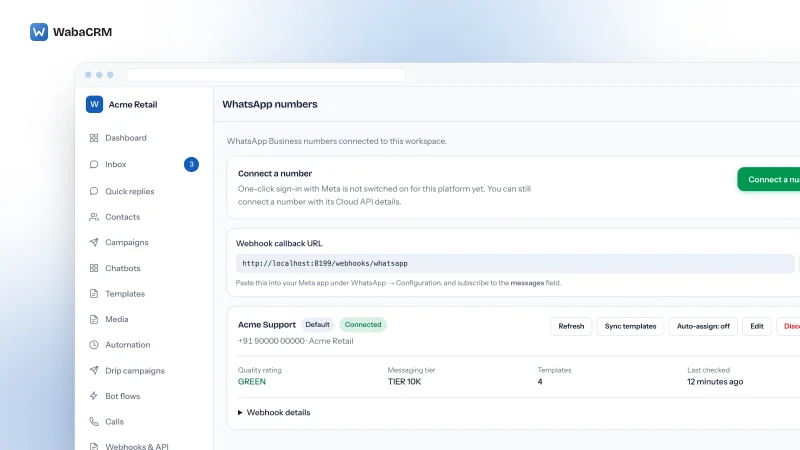
Your current state is readable rather than guessable. The WhatsApp Business Account API exposes a business_verification_status field, and any tool worth using surfaces the messaging tier it reads back from Meta instead of asserting one. Ours reports it on the numbers screen; the point is that it is Meta's answer, not the software's.
Checked against Meta's documentation on 28 August 2026.
How do I prepare a submission that passes the first time?
Decide the canonical pair first: one legal name, one address, both copied character-for-character off a single document you are certain about. Everything else is made to agree with that pair.
Then, in order:
- Put that exact legal name and address into Business settings. Not the brand, not the trading name.
- Choose a document that carries both, ideally the GST registration certificate or the Certificate of Incorporation. A utility bill supports address and phone only.
- Confirm the document is current, issued by an authority, and not self-filed. Scan it legibly and mask any personal identifier Meta does not need — Meta explicitly asks you to cover a national ID number if the document carries one.
- Load your website in a fresh browser. It must resolve over HTTPS, and no linked page may error.
- Confirm you have full control of the portfolio, since anything less will not open the flow.
- Submit, then leave the details alone. Editing them requires completing verification again.
Every one of these steps is about agreement between artefacts, which is why re-uploading a better scan of the same mismatched document changes nothing.
Verification sits on the portfolio and travels with it, so it is worth getting right once, and worth remembering when a portfolio changes hands. It also has nothing to do with what Meta charges you per message; that is a separate meter, covered in WhatsApp Business API pricing in India and in what is and isn't included when people call the API free.
If your account is already restricted rather than merely unverified, verification is not the lever; what to do when a WhatsApp account is restricted is.
Every Meta quotation on this page was read from Meta's own documentation on 28 August 2026. Meta changes that documentation without notice; the linked pages are authoritative and this one is not.
Questions people also ask
Can a sole proprietor get verified by Meta without a company registration?
Does my GST certificate need to match my Facebook Page name?
How many times can I resubmit documents to Meta?
Can my software provider complete Meta business verification for me?
Do I need verification before connecting a number, or after?
Does Meta business verification expire?
- business verification
- meta business suite
- india
- documents
- appeals
- whatsapp business api