Do You Need a Facebook Page for the WhatsApp API?
The short answer
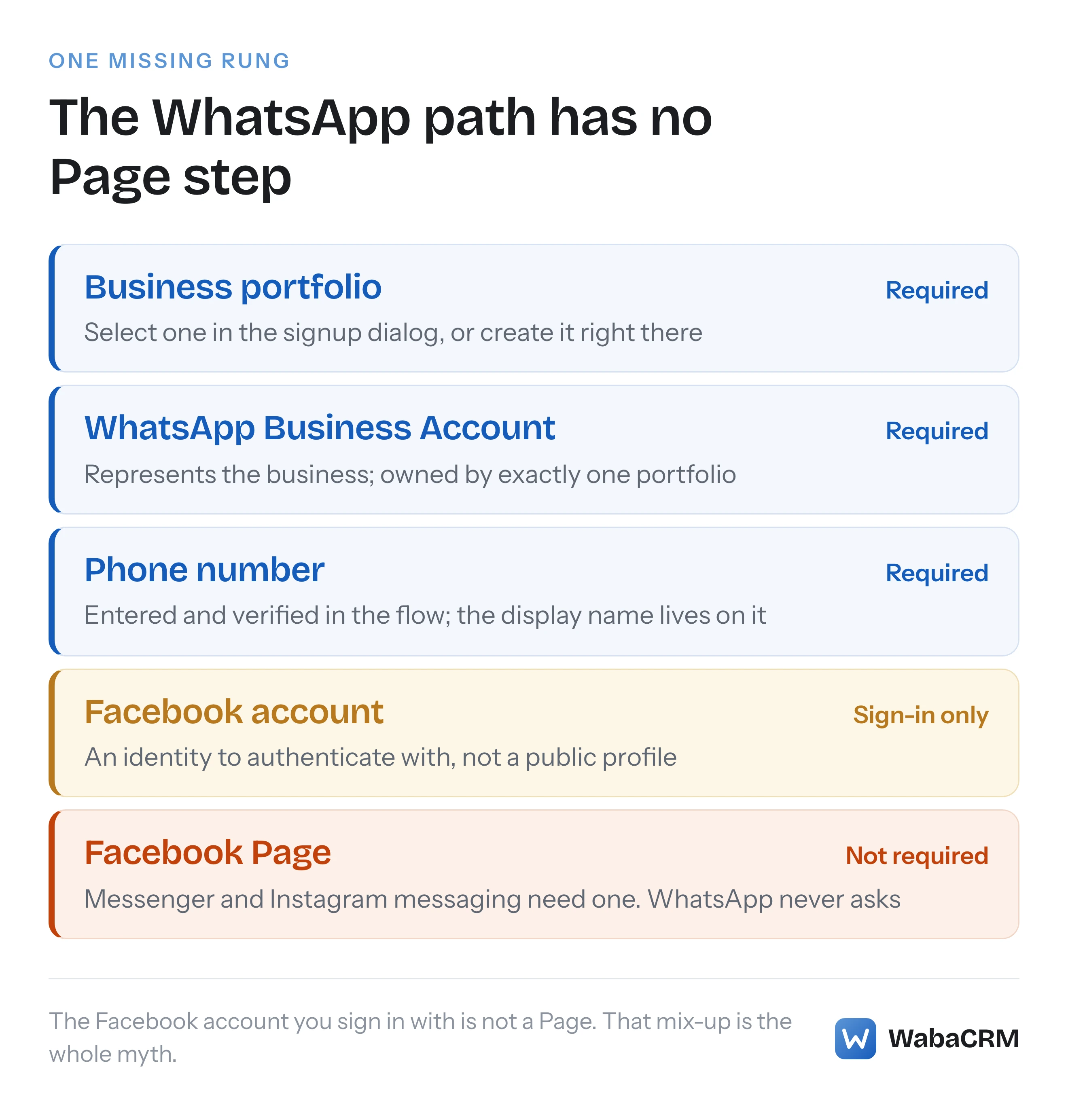
No. Meta's Cloud API get-started page lists a Facebook account or managed Meta account, developer registration and a WhatsApp-enabled test device — no Facebook Page. Embedded Signup asks for a business portfolio, a WhatsApp Business Account and a phone number. Pages belong to Messenger and Instagram messaging, not WhatsApp. Checked 25 September 2026.
Do you need a Facebook Page for the WhatsApp Business API?
No. Meta's onboarding requirements for the WhatsApp Business Platform name a business portfolio, a WhatsApp Business Account (WABA) and a business phone number — and no step, on any of the Meta pages this article cites, asks for a Facebook Page. That is a precise claim about specific pages rather than a sweep of everything Meta has ever published: the Cloud API get-started page, the Embedded Signup overview and the WhatsApp Business Accounts reference were each read on 25 September 2026, and none of the three mentions a Facebook Page as a requirement.
The confusion is understandable, because everything adjacent to the WhatsApp API does involve something Page-shaped. Messenger genuinely requires a Facebook Page. Instagram messaging genuinely requires a professional account. The sign-in at the start of WhatsApp onboarding genuinely is a Facebook login. And business verification genuinely is a Meta review — of legal documents, not of a Page. Four near-misses, each one a real requirement for a neighbouring thing, none of them a Facebook Page requirement for the WhatsApp API itself.
- Do you need a Facebook Page for the WhatsApp Business API?
- What does Meta list as prerequisites for the Cloud API?
- What is a business portfolio, and is it a Facebook Page?
- How do portfolio, WABA and phone number fit together?
- Which objects does Embedded Signup actually ask a customer for?
- Is the Facebook account you sign in with the same as a Page?
- Do Messenger and Instagram need the Page that WhatsApp does not?
- Does Meta business verification involve a Facebook Page?
- Is the green tick connected to a Facebook Page?
- When is a Facebook Page still worth having?
What does Meta list as prerequisites for the Cloud API?
Meta's own get-started page for the Cloud API keeps the list short. The prerequisites it names are a "Facebook account or managed Meta account", developer registration, and a "WhatsApp-enabled device for sending and receiving test messages" (Meta — Cloud API get started). That is the whole list. The setup steps that follow then have you "select an existing business portfolio or create a new one" and connect the app to a WhatsApp Business Account, with the option to "Click Create a WhatsApp Business account and follow the prompts" (Meta — Cloud API get started).
Read that list against what people assume it says. A Facebook account is on it. A business portfolio is on it. A WhatsApp Business Account is on it. A Facebook Page — the public profile that posts to a feed and answers Messenger — is not, anywhere on the page. If you came to this article because a colleague or a vendor onboarding checklist told you to "set up your Facebook Page first", that instruction came from somewhere other than Meta's WhatsApp documentation.
The distinction matters most for businesses that have deliberately never run a Facebook presence: a clinic, a factory, a wholesaler whose customers live entirely on WhatsApp. Nothing about that choice blocks the API. The decision that actually matters for them is whether the API is the right product at all versus the free WhatsApp Business app, which is a question about team size and automation, not about Facebook.
What is a business portfolio, and is it a Facebook Page?
A business portfolio (the object Meta Business Suite manages, historically called a Business Manager account) is a container for a company's assets and the people allowed to touch them. It is administrative plumbing: it has no public URL, no followers, no feed and no inbox. A Facebook Page is the opposite — a public-facing profile whose whole purpose is to be seen and messaged. The two words get collapsed into "our Facebook" in conversation, and that collapse is where most of this confusion starts.
The portfolio is the object the WhatsApp hierarchy actually hangs from. Meta's WhatsApp Business Accounts reference states it as a hard rule:
"A WABA must belong to only one business portfolio." (Meta — WhatsApp Business Accounts)
So the chain is portfolio → WABA → phone numbers. A Facebook Page, if the business has one, sits beside the WABA in the portfolio as a sibling asset. It is not above the WABA, not below it, and not attached to it. That reference page — the page whose job is to define what a WABA is and what owns it — does not mention Facebook Pages at all.
How do portfolio, WABA and phone number fit together?
Meta defines the middle object plainly: "WhatsApp Business Accounts ("WABAs") represent a business on the WhatsApp Business Platform." (Meta — WhatsApp Business Accounts). The WABA is where templates live and where partners are granted access. Underneath it sit the registered phone numbers, and the same page puts documented numbers on how many you get and how the objects may move:
"Meta Business Accounts are initially limited to 2 registered business phone numbers, but this limit can be increased to up to 20." (Meta — WhatsApp Business Accounts)
"You can share a WABA with up to two partners." (Meta — WhatsApp Business Accounts)
"You cannot migrate a WABA from one business to another." (Meta — WhatsApp Business Accounts)
Notice what every one of those rules is about: portfolios, partners, phone numbers. The whole documented shape of the hierarchy is expressible without the word "Page", because a Page plays no structural role in it. The sharing rule is also the one that decides how providers plug in — a platform like WabaCRM connects as one of those partners on a WABA the customer owns, which is the Tech Provider arrangement rather than the reseller one, and that grant too is made at the WABA level, not through any Page.
The display name — the business name a customer sees in place of the raw number — is the detail people most often assume must come from a Page, and it does not. It is entered directly in onboarding, per the Embedded Signup documentation quoted in the next section, and it belongs to the phone number.
Which objects does Embedded Signup actually ask a customer for?
Embedded Signup is the guided popup most businesses now onboard through, and its overview page enumerates exactly what a customer does inside it. They "authenticate their identity using their Facebook or Meta Business Credentials", then "select an existing business portfolio or create a new one", then "select an existing WhatsApp Business account (WABA) or create a new one", then "enter and verify their business phone number (their own, or one you have provided)", and finally "enter a display name that can appear in place of their number in the WhatsApp client" (Meta — Embedded Signup overview).
Four objects: portfolio, WABA, number, display name. No step in that enumeration selects, creates or links a Facebook Page. The flow even provisions the upper objects for you — a business that arrives with nothing but a Facebook login walks out with a portfolio and a WABA created inside the dialog.
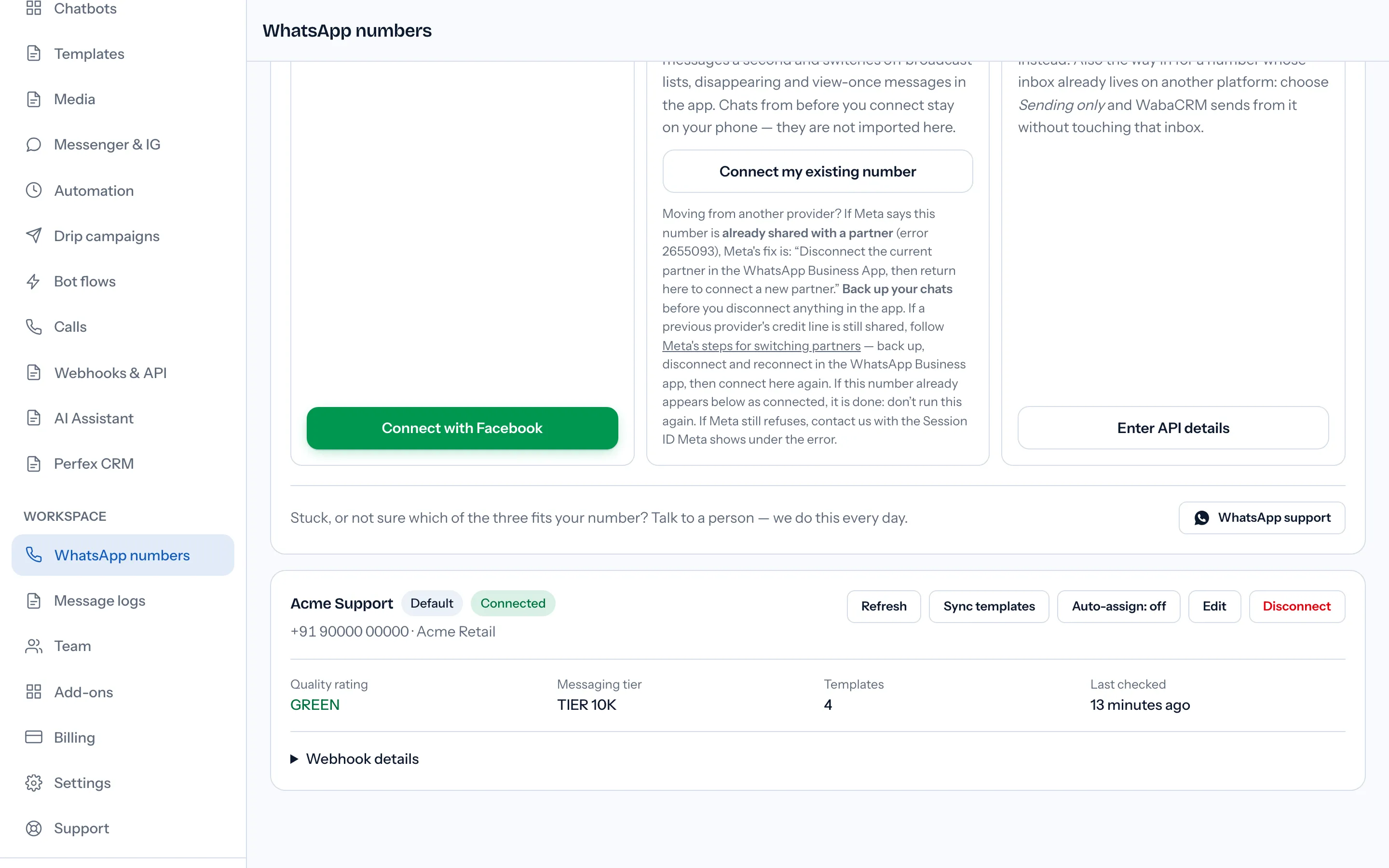
WabaCRM onboards customers through this exact dialog daily, and no customer has ever been asked for a Facebook Page inside it — the flow asks for a portfolio, a WABA and a phone number, precisely as Meta's page describes. The contrast is sharpest inside our own product: the one WabaCRM feature that does require a Facebook Page is the Messenger & Instagram inbox add-on, because those channels are built on Pages — the WhatsApp connection never was.
Is the Facebook account you sign in with the same as a Page?
This is the biggest single source of the myth. The onboarding flow opens with a Facebook login, so people reasonably conclude "WhatsApp API needs Facebook", and "Facebook" in everyday speech means the visible thing — a Page. But the requirement is an account: the get-started page asks for a "Facebook account or managed Meta account", and the signup flow has customers authenticate with "their Facebook or Meta Business Credentials" — an identity, not a publishing surface.
An account and a Page differ in kind, not degree. An account is a login: it proves who you are and carries your roles on business assets. A Page is an asset: a public profile that an account administers. Every Page has admin accounts behind it; most accounts administer no Page at all. The WhatsApp onboarding path needs the first because someone has to be authorised to create a portfolio and grant an app access to a WABA. It has no use for the second, because WhatsApp conversations are addressed to a phone number, not to a profile.
The "managed Meta account" alternative in Meta's own wording is worth noticing too: it exists precisely for people operating in a business context rather than through a personal Facebook profile, which is a further sign that the requirement is about identity and authorisation, not about a social media presence.
Do Messenger and Instagram need the Page that WhatsApp does not?
Yes — and this is where the requirement people half-remember actually lives. Meta's Messenger Platform overview opens with the ownership model stated outright:
"Messenger from Meta lets a business' Facebook Page or Instagram Professional account respond to people who message them" (Meta — Messenger Platform overview)
The same page lists a Facebook Page linked to your app among the requirements, with an Instagram professional account required for the Instagram side. On those channels the Page is the business identity: the conversation is between a person and the Page. On WhatsApp, the business identity is the phone number inside a WABA. Same company, same Graph API underneath, different anchoring object per channel.
Checked against Meta's documentation on 25 September 2026:
| You need | WhatsApp API | Messenger | Instagram DM |
|---|---|---|---|
| Facebook Page | No | Yes | No |
| IG professional account | No | No | Yes |
| Business portfolio + WABA | Yes | No | No |
| Phone number | Yes | No | No |
So the accurate sentence is not "Meta messaging needs a Facebook Page" but "each Meta channel needs its own anchor object, and WhatsApp's is a phone number in a WABA". A business that wants all three channels will end up with a Page and a professional account as well as a WABA — but each is required by its own channel, and none is required by the others.
Does Meta business verification involve a Facebook Page?
No — and this is the third near-miss. Business verification is real, often mandatory as usage scales, and run by Meta. But it verifies the business portfolio against the legal entity behind it: registration documents, the legal name, an address and contact details that can be independently confirmed. It is a paperwork review, not a social media review, and passing it neither requires a Page nor is helped by having a large one. The documents that actually decide it — and the appeal path when it fails — are covered in our walkthrough of Meta business verification in India.
The conflation happens because both things live under Meta Business Suite and both get called "getting verified on Facebook". Keep them apart the same way as before: verification attaches to the portfolio (an administrative object), not to a Page (a public one). A business with no Facebook presence whatsoever can pass business verification, because what Meta is checking is that the company is real, not that it posts.
Is the green tick connected to a Facebook Page?
No. The green tick — the Official Business Account badge on WhatsApp — is a separate, discretionary status applied to a WhatsApp business, with its own review and its own criteria. Nothing in the Embedded Signup flow enumerated above involves it; you onboard, send and scale without it, and no step of obtaining it runs through a Facebook Page. It is the fourth adjacent thing that gets folded into "you need to be verified on Facebook first", and like the other three it is a real thing that is not this thing. What the badge actually changes, what it costs and how it differs from business verification are laid out in our explainer on the green tick, blue tick and Meta Verified.
The practical order for a new business is therefore shorter than most checklists claim: portfolio, WABA, number, display name — all four created inside one dialog if need be — then business verification when Meta or your volumes call for it. A Page appears nowhere in that sequence.
When is a Facebook Page still worth having?
Not for anything in the WhatsApp API path — but "not required" is not the same as "useless", so it is worth being precise about where a Page earns its place.
A Page is the anchor for the other messaging channels. If you want customer conversations from Facebook itself, Messenger requires the Page, and if you want Instagram DMs handled by software, the professional account requirement sits on the same platform overview. A business running WhatsApp for outbound and support but seeing enquiries arrive as Facebook comments and Instagram messages will end up wanting one for those channels' sake. A Page is also, more mundanely, a public presence: somewhere Meta's surfaces can point at your business. None of that touches the WhatsApp Business API connection itself, which will connect, verify and send identically whether the portfolio beside it holds a thriving Page or none at all.
The honest summary: create a Page when a Page-based channel is actually in your plan, and skip it with a clear conscience when WhatsApp is the plan. Meta's own onboarding will never stop you at a "connect your Page" step, because on the pages this article cites, that step does not exist.
Every Meta quotation on this page was read from Meta's own documentation on 25 September 2026. Meta changes that documentation without notice; the linked pages are authoritative and this one is not.
Questions people also ask
Why does WhatsApp API onboarding start with a Facebook login if no Page is needed?
Does deleting a Facebook Page affect a WhatsApp Business Account?
Where do I create a business portfolio if I have never used Meta Business Suite?
Does the WhatsApp display name come from my Facebook Page name?
How many phone numbers can I register without a Facebook Page?
- whatsapp business api without facebook page
- business portfolio
- whatsapp business account
- embedded signup
- meta business suite


