Features Add-ons Pricing Cost calculator Use cases Compare Blog
All articles

Troubleshooting

8 articles.

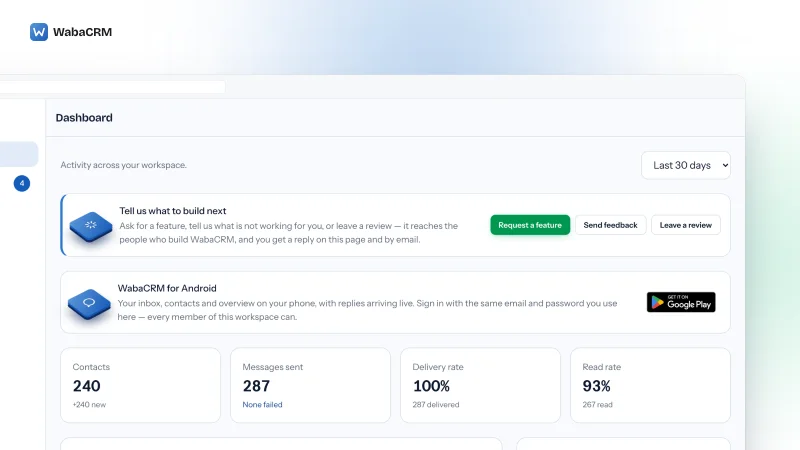
Dashboard of the Acme Retail demo workspace showing cards for contacts, messages sent with none failed, delivery rate and read rate, a message volume chart of sent and received bars, and a list of recent chats.

Troubleshooting

WhatsApp Error 131016 and Code 2: Is the Cloud API Down?

WhatsApp error 131016 and code 2 mean Meta's service is temporarily unavailable. How to confirm an outage, why the status page can stay green, and when to retry.

17 min read

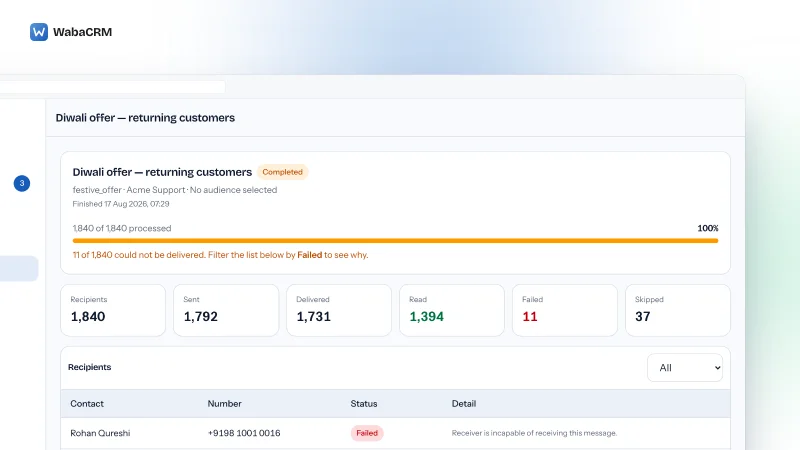
Campaign report for a completed broadcast showing a full progress bar, counters for recipients, sent, delivered, read, failed and skipped, and a recipient table where failed rows read receiver is incapable of receiving this message and skipped rows show opted out.

Troubleshooting

WhatsApp Quality Rating Yellow: What It Costs Now

A yellow WhatsApp quality rating has not cut a messaging limit since 7 October 2025. What Green, Yellow and Red still control, cited to Meta's own pages.

13 min read

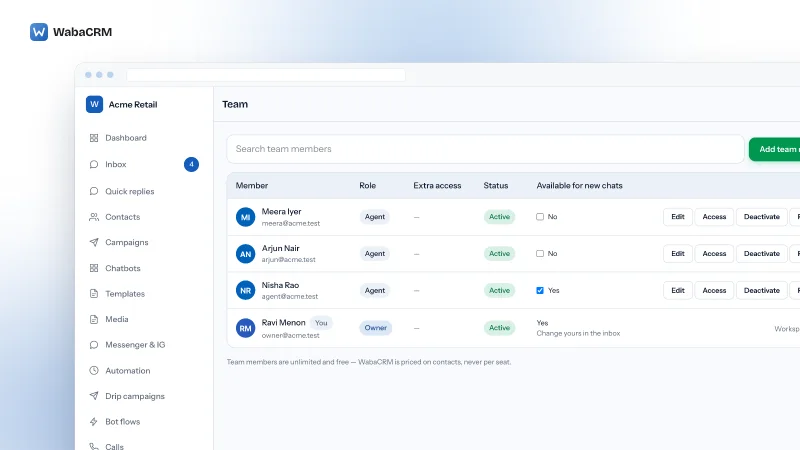
The Team screen of the Acme demo workspace listing members by role, extra access and status, with an Available for new chats column where one agent is ticked Yes, two newer members read No, and the owner's own row reads Yes with a note to change it in the inbox.

Troubleshooting

Assign WhatsApp Chats to Your Team, With Auto-Assign

Agents missing from the assign list, or auto-assign handing nobody chats? Roles decide who can be assigned; one tick decides who auto-assign is allowed to pick.

15 min read

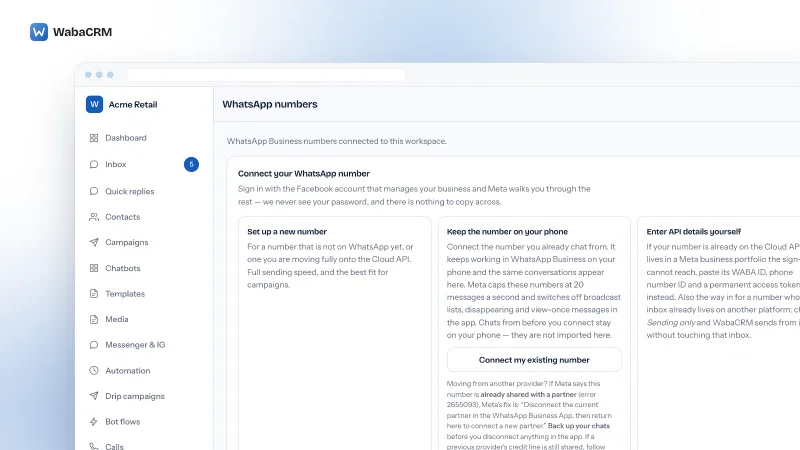
The WabaCRM WhatsApp numbers screen in the Acme Retail demo workspace, with a panel headed Connect your WhatsApp number showing the Set up a new number and Keep the number on your phone cards, the Connect my existing number button, and the start of the error 2655093 note, with the Enter API details yourself card cut off at the right edge.

Troubleshooting

Connect an Existing WhatsApp Number: Error 2655093 and More

Keeping your number on the WhatsApp Business app and adding WabaCRM? What 2655093, 1752206 and the other refusals in Meta's window mean, and each fix.

15 min read

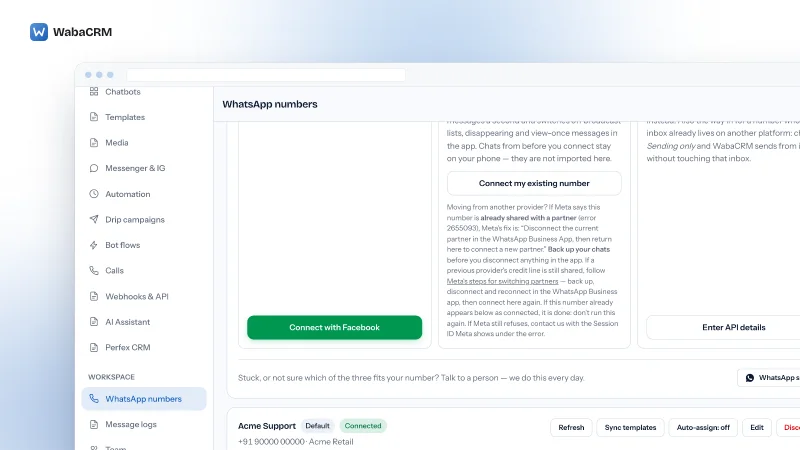
The WabaCRM WhatsApp numbers screen in the Acme demo workspace: the Connect my existing number, Connect with Facebook and Enter API details buttons, and below them the Acme Support card with Default and Connected badges and its Refresh, Sync templates, Auto-assign and Edit buttons, with the red Disconnect button cut off at the right edge.

Troubleshooting

Remove a Number From WabaCRM and Use It in WhatsApp Again

Disconnect stops WabaCRM sending but leaves the number on your WhatsApp Business Account. To use it in the WhatsApp app again, delete it in WhatsApp Manager.

15 min read

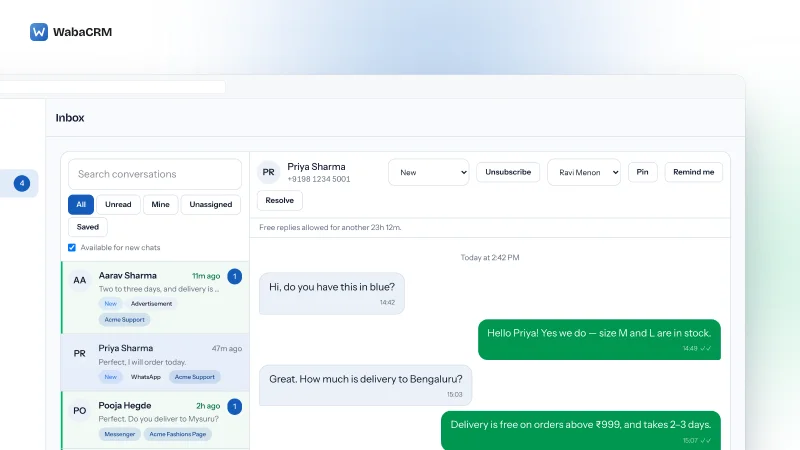
Demo inbox with a Search conversations box, All, Unread, Mine, Unassigned and Saved tabs, an Available for new chats checkbox, a list of customer chats with unread counts and status and source labels, and an open thread with sent and received messages below Assign, Pin, Remind me and Resolve controls.

Troubleshooting

WhatsApp Messages Not Showing in Your WabaCRM Inbox

Messages reach your phone but not the WabaCRM inbox? Refresh the number's card, read Meta's health-check note, filter Message logs to Inbound, then check access.

17 min read

WhatsApp numbers screen in the seeded demo workspace listing one connected number with a Default badge and a green Connected badge, its quality rating, messaging tier and template count, beside Refresh, Sync templates, Edit and Disconnect controls.

Troubleshooting

WhatsApp Error 2388103: Nine Failures Share One Code

Meta lists nine separate rows under WhatsApp error 2388103. Which one you hit, why the same business rule is misread, and when not to migrate at all.

17 min read

Numbers screen listing a connected WhatsApp number with quality rating, messaging tier and template count beside Refresh, Sync templates and Disconnect controls

Troubleshooting

Unsupported Post Request: Object With ID Does Not Exist

Meta's error message won't say whether a WhatsApp object is missing or forbidden. Here's how to tell the difference and read the ids your token can actually see.

16 min read

Other topics

Your customers are already on WhatsApp

Free for your first 1,000 contacts, with no time limit and no card. Setting up the workspace takes minutes; connecting a number takes as long as Meta's own review of it.

Sign up with your company email address. No sales call, no onboarding fee, nothing to schedule.

Why this is safe to point your customer list at

Payments are processed by Razorpay on their own checkout — your card details are never entered on, or stored by, WabaCRM. Every inbound WhatsApp webhook is checked against its signature before it is trusted.

Tech Provider is a Meta platform access tier — not a partnership, a reseller agreement or an endorsement.