WhatsApp Quality Rating Yellow: What It Costs Now
The short answer
A yellow WhatsApp quality rating means Medium quality, based on customer feedback over the past 7 days. Since 7 October 2025 a rating drop no longer downgrades your messaging limit and the Flagged status no longer exists; quality now decides whether your portfolio limit grows and whether templates keep delivering. Checked 25 September 2026.
What does a yellow WhatsApp quality rating mean now?
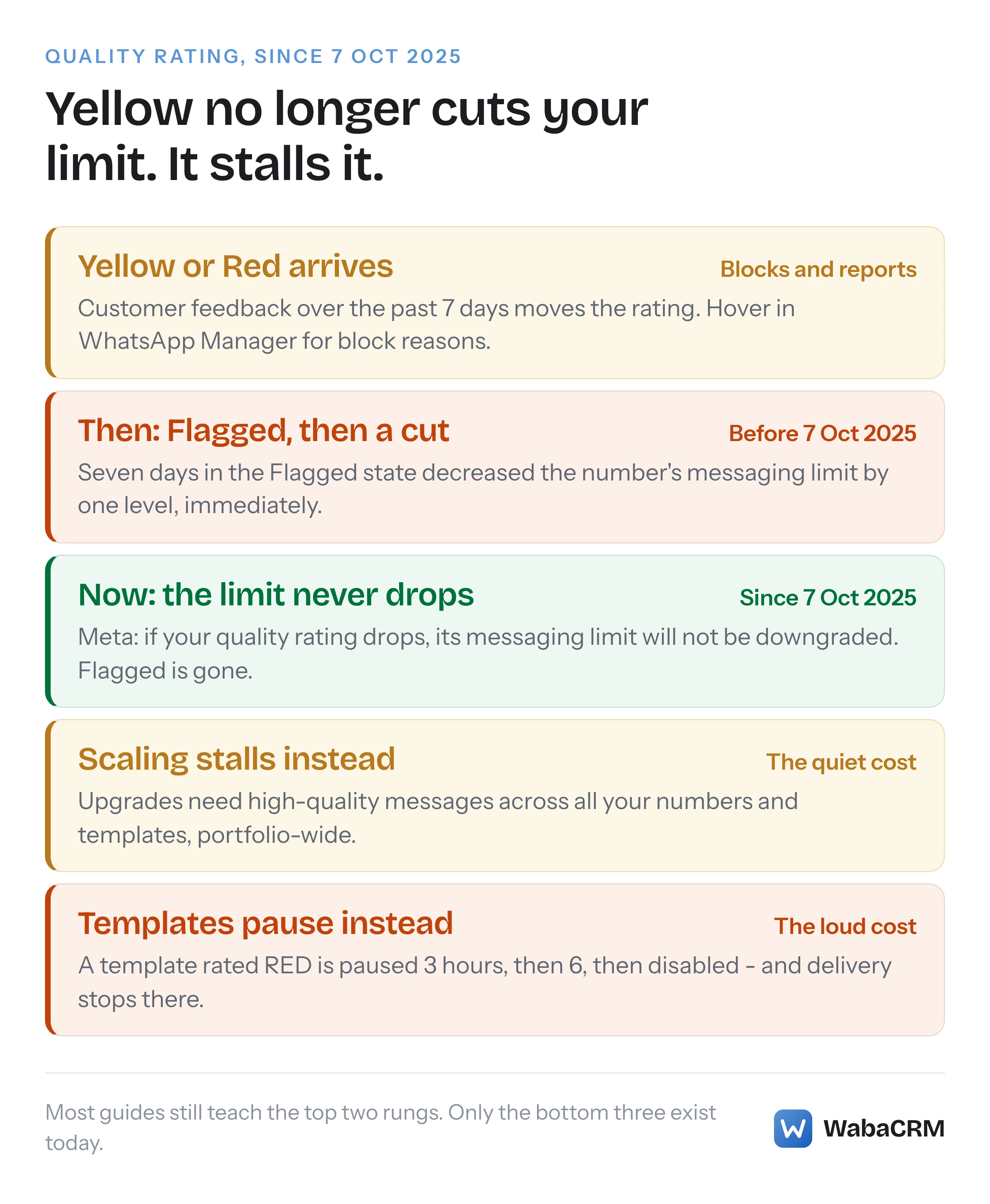
A yellow quality rating means Meta rates your business phone number Medium quality, based on how the people you messaged over the last week reacted. What it no longer means is a countdown to a smaller messaging limit. Meta's page recording the 7 October 2025 changes states it in one sentence:
"If your business phone number quality rating drops, its messaging limit will not be downgraded." (Meta — upcoming changes to messaging limits)
The same page retires the state that used to make yellow frightening: "The Flagged phone number quality state is no longer possible." That is the entire pre-2025 escalation — yellow, then Flagged, then a tier drop — declared dead by the vendor that ran it.
The rating itself survives, and it still costs you something. The cost just moved: from your number's sending ceiling to your portfolio's ability to raise it, and to whether your templates keep delivering at all. Most advice you will find online still bills the old cost.
- What does a yellow WhatsApp quality rating mean now?
- Where does the rating actually come from?
- What did yellow cost you before 7 October 2025?
- Why is most advice about this out of date?
- What does a low rating still cost you?
- Did the API surface change along with the rules?
- How does the rating relate to template pausing?
- How do you watch the rating without living in WhatsApp Manager?
- What should you change when the rating turns yellow?
Where does the rating actually come from?
Meta's Business Help Centre defines the input plainly:
"Your quality rating is a rating based on the recent messages that your customers have received over the past 7 days. This rating is determined by feedback from your customers like the reason they blocked your number and other reporting issues." (Meta — about your quality rating)
The same article maps the colours: "Green: High quality", "Yellow: Medium quality", "Red: Low quality" — shown in the Quality rating column of WhatsApp Manager's Phone numbers panel. It also names the feedback with unusual precision. When a user blocks a business they can choose a reason, and Meta lists the options: No longer needed, Didn't sign up, Spam, Offensive messages, No reason. If your rating is Yellow or Red, hovering over it in WhatsApp Manager shows insights into those block reasons where they are available, and the icon in the Settings column opens a 30-day history showing the lowest score for each day.
Two things follow from the definition. The window is seven days, so the rating is a rolling measurement of your most recent behaviour, not a permanent record — a bad campaign ages out of it. And the input is your recipients' reactions, not Meta's opinion of your content: the same template sent to a warm, consenting list and to a scraped one produces two different ratings, which is why what WhatsApp actually requires from an opt-in is quality-rating advice wearing a policy hat.
What did yellow cost you before 7 October 2025?
Under the old system, limits lived on individual phone numbers, and the quality rating was wired straight into them in both directions. Meta's own before-and-after table records the downgrade rule exactly:
"If your business phone number quality rating has been set to Flagged for the last 7 days, we will decrease its limit by one level, immediately." (Meta — upcoming changes to messaging limits)
And the upgrade rule needed quality too. The pre-change automatic scaling criteria required that "Your business phone number is connected", that "Your business phone number quality rating is Medium or High", and that "In the last 7 days, your business has utilized at least half of your current messaging limit" — all three quoted from the same page.
So the old mechanic every 2024-era guide teaches was real: sustained low quality put a number into Flagged, a week of Flagged cut its tier by one level, and businesses genuinely fell from 10,000 to 1,000 sends a day over a bad fortnight. It is just no longer the system you are running on. The page describing it opens with a banner saying the changes "are now live, and are only here for reference purposes", and limits are now calculated per business portfolio and shared by every number in it — the mechanics of that portfolio pooling are covered in what actually caps a WhatsApp broadcast, so this piece will not repeat them.
| Before 7 Oct 2025 | Since 7 Oct 2025 | |
|---|---|---|
| Flagged state | Possible; 7 days there cut the limit one level | "No longer possible" |
| A rating drop | Could shrink the number's limit | "Will not be downgraded" |
| Scaling test | Number connected, rating Medium or High, half the limit used | High-quality messages across all numbers and templates, half the limit used |
| Upgrade wait | 24 hours after meeting criteria | 6 hours |
Why is most advice about this out of date?
Search for a yellow quality rating today and most of what comes back — vendor helpdesks, agency explainers, and even major cloud providers' own business-messaging documentation — still describes the pre-October-2025 system: yellow as a warning stage, Flagged as the next stop, and a messaging tier downgrade as the penalty. None of that survives on Meta's current pages. The Business Help Centre now carries the discontinuation note directly, and the developer page above states the limit no longer moves down at all.
The practical harm is not that the old advice is embarrassing. It is that a reader following it spends their incident response managing a consequence that cannot happen — watching for a Flagged badge that no longer renders, pre-emptively throttling sends to protect a tier that is not in danger — while missing the consequence that can: a paused template silently dropping every send that relies on it, which is a delivery outage the old guides never mention because it belongs to the new system. If your account genuinely has been restricted rather than down-rated, that is a different track entirely, with its own error codes and its own appeal path, covered in what to do when a WhatsApp Business account is restricted.
What does a low rating still cost you?
Three things, on Meta's current documentation, and none of them is a downgrade.
It stalls your portfolio's growth. The automatic scaling criteria now read: "You are sending high-quality messages across all of your business phone numbers and templates" and "In the last 7 days, your business has utilized at least half of your current messaging limit" — and when both hold, "your portfolio's limit increases by one level within 6 hours" (Meta — messaging limits). Read the first criterion again: it spans all your numbers and your templates. One yellow number in a portfolio of five can now hold back the limit all five share, which is a subtler penalty than the old per-number drop and arguably a wider one.
It gates top-end throughput. For a number to become eligible for 1,000 messages per second, Meta requires among other things that "The business phone number must have a Medium quality rating or higher" (Meta — upcoming changes to messaging limits). Yellow — Medium — still clears that bar. Red does not.
It rides the same feedback that pauses templates. The blocks and reports that turn a number yellow are the signals that pace and pause the templates you send — the consequence that actually stops messages arriving, covered in the next section but one.
Meta also frames Green as a key held rather than a penalty avoided: "You can become eligible for more features when your business maintains a Green quality rating" (Meta — about your quality rating).
Did the API surface change along with the rules?
Yes, and integrations built on the old fields are reading deprecated data. The rating itself still comes back on the phone number object — Meta's own example response shows the field:
{
  "code_verification_status": "VERIFIED",
  "display_phone_number": "15555555555",
  "id": "105954558954427",
  "quality_rating": "GREEN",
  "verified_name": "Support Number"
}
Meta's examples on that page also show "quality_rating": "NA" for a number with no rating yet and "UNKNOWN" on a sandbox number, and the page states that a number's status "reflects their quality rating and current messaging limit" (Meta — business phone numbers). In WabaCRM's own production sweeps the field arrives as the literal strings GREEN, YELLOW and RED on live numbers.
The limit moved off the number, though. The messaging limits page opens with a deprecation: "The messaging_limit_tier field, which used to return a business phone number's messaging limit, has been deprecated. Request the whatsapp_business_manager_messaging_limit field instead" (Meta — messaging limits).
The webhook is the sharper trap, because its name promises more than it now delivers. Meta's reference for phone_number_quality_update says it fires when "A business phone number's throughput level changes", and documents exactly two event values: ONBOARDING and THROUGHPUT_UPGRADE (Meta — phone_number_quality_update webhook). No downgrade event, no flagged event. A handler waiting on this webhook to alert you to a rating drop will wait forever; the colour change itself has to be polled.
| Surface | Old shape | Current shape |
|---|---|---|
| Limit field | messaging_limit_tier on the number |
whatsapp_business_manager_messaging_limit on the portfolio |
| Webhook limit value | current_limit and old_limit |
max_daily_conversations_per_business; the old pair removed February 2026 |
| Quality drop event | Rating changes surfaced per number | No downgrade event documented; poll quality_rating |
How does the rating relate to template pausing?
The two systems share their input and protect each other, and Meta's template pausing page draws the line between them explicitly:
"If a message template reaches the lowest quality rating (a status of Active - Low quality in WhatsApp Manager, or a quality_score of RED via API), it will automatically be paused for a period of time to protect the quality rating of phone numbers that have used the template." (Meta — template pausing)
Read that closely: templates carry their own per-template rating, a paused template exists to protect the number's rating, and the pause escalates — three hours on the first instance, six on the second, disabled on the third. While paused, the API rejects sends of that template outright. So the modern shape of "my quality dropped and now messages are not arriving" is usually not the number at all; it is one template paused or being paced, which has its own diagnostic trail through held_for_quality_assessment statuses and PAUSED webhooks, covered in why an approved template can be accepted and never arrive.
The same page then closes the loop back to the number: "Pausing will initially not impact the business phone number from which the message template was sent," but "if a business consistently sends message templates that reach a Low quality status, the phone number may eventually be impacted." That is the honest, current version of what a yellow number signals — not an imminent tier cut, but the same feedback stream that is already pausing your templates, one level down.
One caution the other direction: a messaging limit that does fall is not this system at all. That is policy enforcement, and a template category change is one documented way it happens — a separate track with a separate remedy.
How do you watch the rating without living in WhatsApp Manager?
Meta gives you the rating in two places: the WhatsApp Manager column, which someone has to remember to open, and the quality_rating field on the phone number, which software can read on a schedule. The second is the one that catches a drop the day it happens. WabaCRM's hourly health check reads each connected number's quality rating from the Graph API and shows it on the numbers screen next to the messaging tier Meta reports, so a Yellow arrives as a change on a screen your team already watches — and a quality downgrade emails the workspace's owners and admins once per condition rather than once per hour.
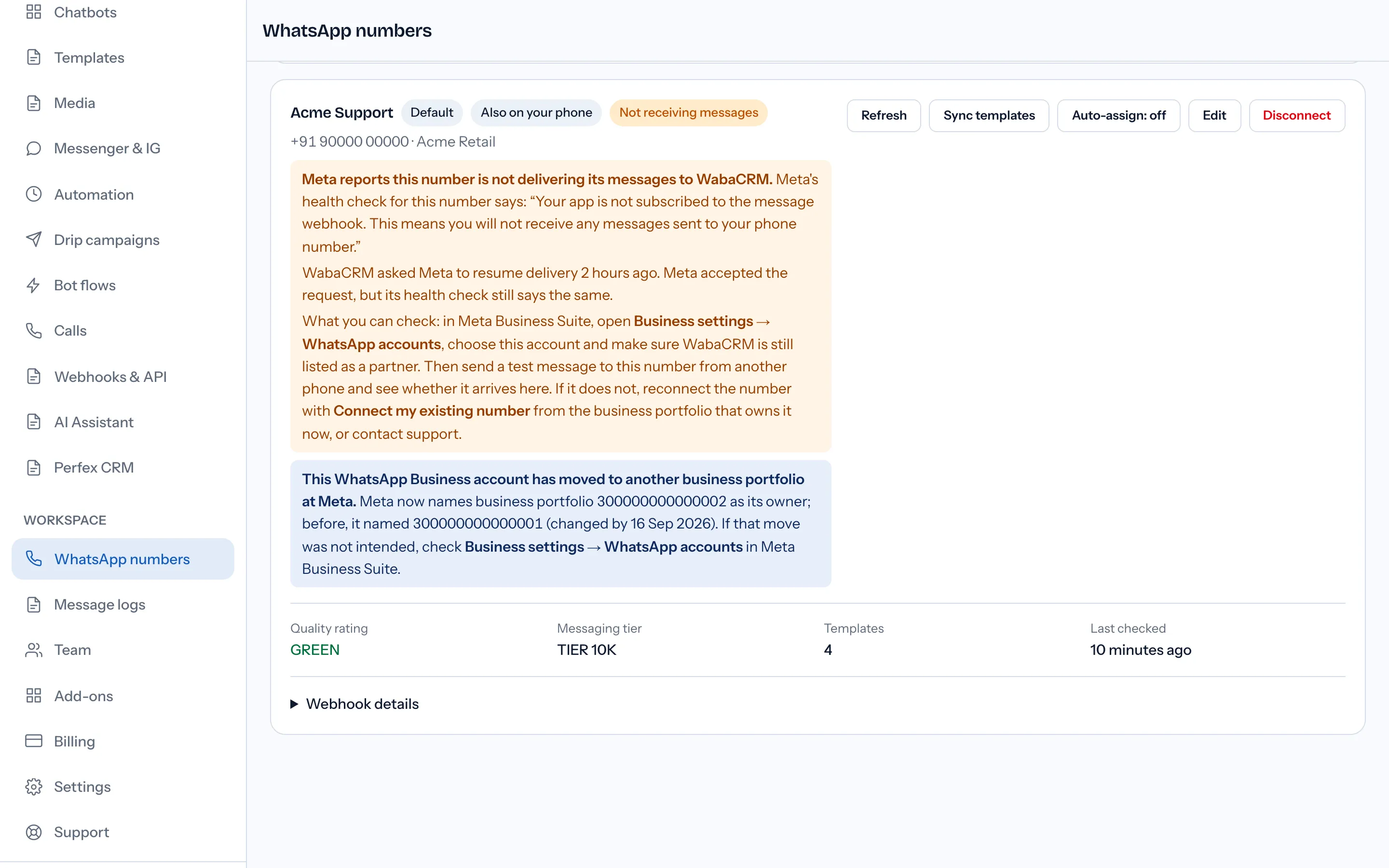
Whatever tool does the watching, the thing worth alerting on has changed. Under the old system the alert that mattered was "the limit dropped". Under the current one it is "the rating left Green" — because that is your earliest warning that scaling has stalled and that templates fed by the same signals may be next — plus "a template was paused", which is the event that actually stops delivery.
What should you change when the rating turns yellow?
Work from the block reasons, because they are the rating's raw material. Hover over the rating in WhatsApp Manager and read the insights if they are offered; pull the 30-day history and find the day the score fell; then match it to the send that caused it in your own campaign records.
Then act on the audience before the content. A yellow rating is recipients telling Meta they did not want the message, and the fastest repair is to stop messaging the people most likely to say so again: recipients who have never replied, lists collected without a clear opt-in, and anyone who has already opted out — a consent record your sending tool should be enforcing per send, not per campaign launch. Frequency matters for the No longer needed block reason; consent hygiene for Didn't sign up; content and targeting for Spam.
What you should not do is the old playbook. There is no Flagged countdown to outrun, no tier to protect by halting all sending for a week, and no appeal to file — the rating is not an enforcement action, so there is nothing to appeal. Let the seven-day window do its work on a cleaner audience, watch the template-level ratings alongside the number's, and treat Green not as the absence of trouble but as the state Meta says makes you "eligible for more features" — including the automatic scaling your portfolio's limit now depends on.
Every Meta quotation on this page was read from Meta's own documentation on 25 September 2026. Meta changes that documentation without notice; the linked pages are authoritative and this one is not.
Questions people also ask
Is the Flagged phone number status gone for good?
Can my WhatsApp messaging limit still be reduced at all?
How quickly does the rating move after a bad campaign?
Does the quality rating still affect throughput?
What do the block reasons behind a low rating tell you?
- whatsapp quality rating
- quality rating yellow
- whatsapp number flagged
- messaging limits
- phone number quality


