This Account Can't Create or Send Business Broadcasts
The short answer
Meta does not document that exact wording. Its Help Center says access to business broadcasts can be suspended, temporarily or permanently, for breaking the Meta Terms for Business Broadcasts, and that the feature runs only in eight countries, needs a payment method once free messages are used, and is closed to government and political entities (checked November 2026).
Why does WhatsApp say "this account can't create or send business broadcasts"?
Because Meta has stopped your WhatsApp Business app account from using business broadcasts, either for a period or for good, and the notice's own reason line says the account's activity broke Meta's terms for the feature. Meta's Help Center articles on the feature do not quote the notice, but its Help Center and terms do document the conditions that block the feature, and there are only a handful.
Business broadcasts are the paid bulk-messaging feature inside the WhatsApp Business app. In some countries the same feature is still called marketing messages, and Meta's Help Center opens each of its articles with the same line: "Marketing messages is now business broadcasts in some countries." (WhatsApp Help Center — About business broadcasts). The feature is not the old broadcast list, and it is not the WhatsApp Business Platform. Mixing the three up is how most advice about this notice goes wrong.
The full notice, as one Android user transcribed it in a public complaint in November 2025, reads:
This account can't currently create or send WhatsApp business broadcast messages.
Activity on this account doesn't comply with Meta's Terms for WhatsApp Marketing
Messages. You'll be able to create and send business broadcast messages again on
WhatsApp after: Nov 20, 10:43. To prevent this, follow our best practices for
creating a high-quality experience.
That text comes from a user's complaint on Şikayetvar, not from Meta, and the wording varies between versions of the app. Two parts of it matter: the reason (activity that does not comply with Meta's terms) and the date. The rest of this page is about the reasons Meta does document, in the order worth checking them.
- Why does WhatsApp say "this account can't create or send business broadcasts"?
- What are WhatsApp business broadcasts, exactly?
- Which conditions can block business broadcasts?
- Is this a temporary or a permanent suspension?
- What does Meta count as non-compliant activity?
- Are business broadcasts available in my country?
- Can a missing payment method cause this?
- What if Meta refused one broadcast rather than the account?
- Does coexistence stop business broadcasts?
- When is the WhatsApp Business Platform the better route?
Prefer to watch? The narrated explainer below walks through the same argument, with Meta's own words on screen, in under two minutes.
Read the transcript
Your WhatsApp Business app says this account can't create or send business broadcasts. Here is what Meta documents about it, and what it leaves out. Meta does not document that wording. It says access can be suspended, temporarily or permanently, for breaking its terms, and the feature runs in eight countries. A dated suspension, the wrong country, or a political organisation blocks the account. No payment method, or a refused draft, blocks a send. Coexistence is not listed. Breaking Meta's terms may result in temporary or permanent suspension. So read the notice for a date. A date means the feature returns on its own. Meta publishes no standard length, no spam threshold, and no appeal route. The notice cites account activity, so editing the current draft will not lift it. Business broadcasts are permitted in eight countries only: Brazil, Colombia, India, Indonesia, Mexico, Pakistan, Peru and the United Arab Emirates. Your location is whatever Meta's records say. Government and political entities are barred. Once free messages run out, you need a payment method and funds. A refused draft comes with guidance to try again. Coexistence is often blamed, but Meta's table says broadcast lists are disabled while marketing messages see no change. Look at the account blockers instead. The Platform has its own rules: templates outside the window, opt-in from every recipient, and a limit starting at 250. It is no way past a policy problem. Read the notice for a date, then send only to people who asked to hear from you. The full article has every quote and a checker.
What are WhatsApp business broadcasts, exactly?
They are paid messages sent from the WhatsApp Business app to many people at once, to contacts who have not necessarily saved your number. Meta's terms describe them as features "that allow businesses to send paid messages to their Customers" (Meta Terms for Business Broadcasts on the WhatsApp Business App).
Three facts set them apart from anything else WhatsApp offers:
- They live in the app only. "Sending business broadcasts is exclusively on the WhatsApp Business app." (WhatsApp Help Center — How to create and send a business broadcast)
- They are reviewed before they leave. "To help keep WhatsApp users safe, your business broadcasts are subject to review by Meta before you send them in WhatsApp chats." (same page)
- They are billed per delivery. "With business broadcasts, you pay for each message that is delivered to a recipient you chose within five days of being sent." (WhatsApp Help Center — About business broadcasts)
The free period is over for most accounts. The same article says: "If you've never sent a business broadcast, your trial ended on April 30, 2026. Any unused credits have expired."
Which conditions can block business broadcasts?
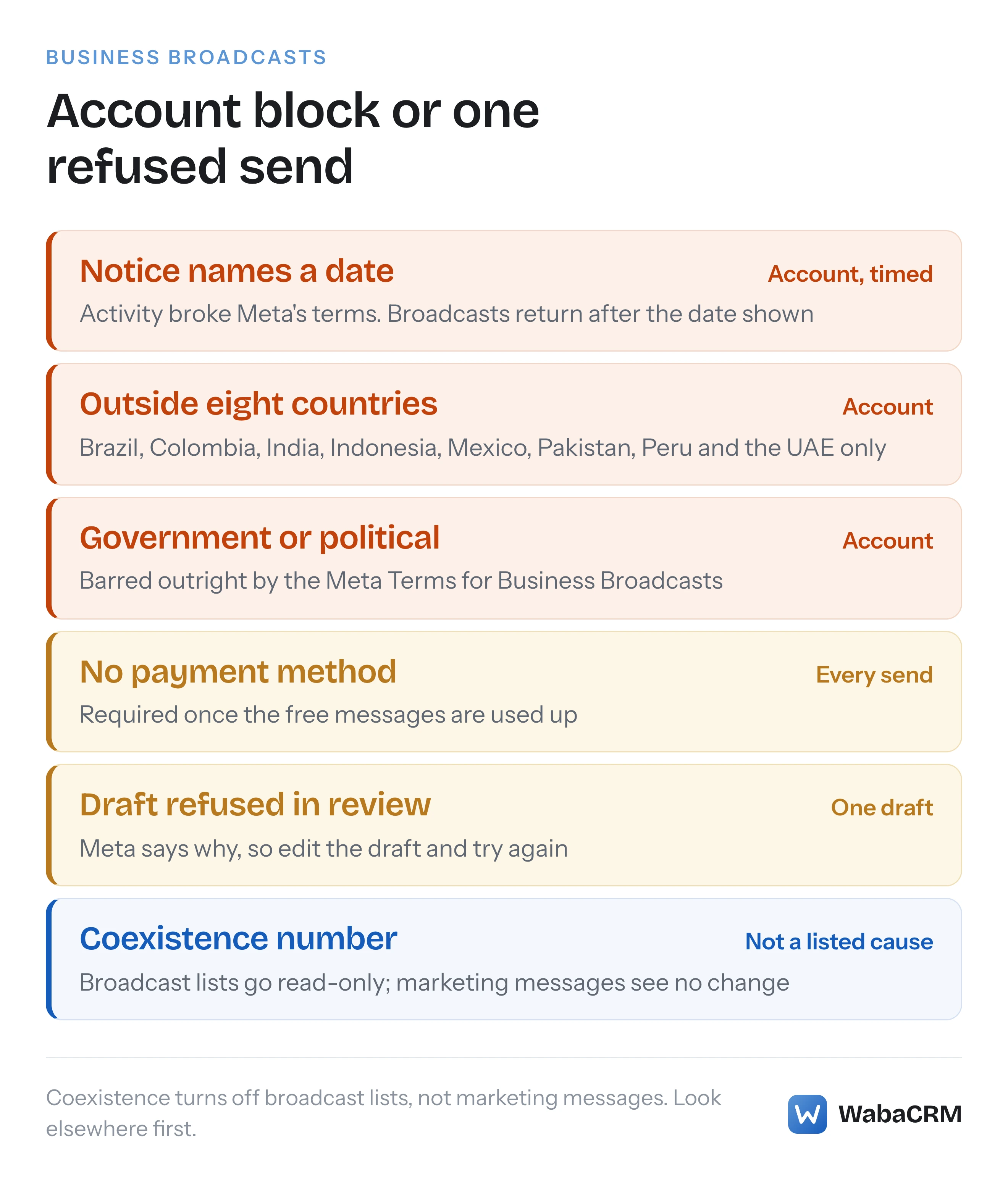
Five, on the Meta pages read for this article. Three block the account itself; two block sending until something about the message or the money changes. The table sorts them.
| What blocks you | Scope | Where Meta says so | What to do |
|---|---|---|---|
| Terms violation | Account, temporary or permanent | Help Center, create and send | Wait for the date, fix the practice |
| Outside a Permitted Territory | Account | Territorial Limitations page | Nothing in the app |
| Government or political entity | Account | Meta Terms for Business Broadcasts | Nothing in the app |
| No payment method after free messages | Every send | Help Center, pricing | Add a payment method and funds |
| Draft not approved in review | One draft | Help Center, review | Edit the draft and try again |
The political bar is written into the terms. Business broadcasts "may not be used by certain categories of entities", which the terms call Government & Political Entities and say "include, without limitation, government entities; political entities (including political parties, politicians, political candidates and political campaigns)" (Meta Terms for Business Broadcasts).
A notice that says "this account" is about one of the first three. A refusal that appears while you are reviewing a draft is about one of the last two.
Is this a temporary or a permanent suspension?
Meta allows for both and publishes no rule for which applies. The Help Center's wording is:
"Failure to comply with the Meta Terms for Business Broadcasts on the WhatsApp Business App, which incorporate the WhatsApp Business Terms of Service, may result in temporary or permanent suspension of your account's access to the business broadcast feature." (WhatsApp Help Center — How to create and send a business broadcast)
The terms themselves give Meta wider room still: "Meta may immediately suspend your access to Business Broadcasts or the WhatsApp Business App or terminate this Agreement at any time and for any reason permissible by applicable law" (Meta Terms for Business Broadcasts).
So read the notice for a date. In the November 2025 example, the notice named one six days after the complaint was posted. A date is a timed suspension and the feature comes back on its own. No date means Meta has not committed to anything, and none of the Meta pages read for this article describe an appeal or review route for this feature. The user in that complaint contacted support from inside the app and reports receiving automated replies only.
Notice what the reason line says and what it does not. "Activity on this account" is about what the account sent, not about the draft on screen. Editing the current message will not lift it.
What does Meta count as non-compliant activity?
The Help Center ties the feature to spam reports and consent:
"WhatsApp will be monitoring reports of messages marked as spam. Businesses must provide all necessary data disclosures and notices (such as maintaining a privacy policy or labeling business broadcasts) and secure all necessary rights, consents, and permissions (for example, opt-in) to communicate with its customers via WhatsApp as stated in the WhatsApp Business Terms of Service." (WhatsApp Help Center — How to create and send a business broadcast)
It adds that businesses "must also honor and comply with all customer requests to stop or opt-out of receiving certain or all types of WhatsApp messages from the business."
Meta does not publish a threshold: no spam-report rate, no block count, no number of broadcasts per day that triggers a suspension. Anything you read giving a figure is not from Meta. What the text does make clear is the direction. Sending to a phone's whole address book, including people who never asked to hear from you, is the pattern the feature's own audience screen makes easiest and the one its rules forbid. The audience picker offers "pre-populated lists with your full contact list from your address book", which is a convenience, not a consent record.
If you were suspended, the practical fix is to cut the audience to people who have asked for messages, give every broadcast an obvious way to stop receiving them, and send less often. The opt-in rules WhatsApp actually enforces apply here exactly as they do on the API.
Are business broadcasts available in my country?
Possibly not, and this is the block most people never consider because the button still appears. Meta's terms say: "You may only use Business Broadcasts if you are located in a Permitted Territory" (Meta Terms for Business Broadcasts). The list lives on a separate page, last updated on 30 April 2026:
"'Permitted Territories' means Brazil, Colombia, India, Indonesia, Mexico, Pakistan, Peru, and the United Arab Emirates." (Meta — Territorial Limitations for Certain Messaging Products)
The older marketing messages feature in the app has a longer list on the same page, twenty countries including Australia, Saudi Arabia, Singapore and Turkey. That is why one business can still see marketing messages while another, a border away, sees business broadcasts or nothing.
Two details catch people out. First, your country is not what you type: "For purposes of this Agreement, your location is as determined by Meta's data and records." Second, the pricing page is wider than the permission. Meta publishes rate cards in sixteen currencies and says business broadcasts are "available in additional currencies through a USD-based exchange rate conversion" (WhatsApp Help Center — About pricing for business broadcasts). A currency on that list does not put your country on the permitted one.
Can a missing payment method cause this?
It blocks sending, but it is not the account-level suspension. Meta's wording:
"After you've used your free messages, you need to add a payment method and available funds to your account in order to send additional messages." (WhatsApp Help Center — How to create and send a business broadcast)
The pricing article is blunter: "In order to send business broadcasts, you need to add a payment method." Price depends on who receives it: "Pricing for business broadcasts is based on the country code of each message recipient." (WhatsApp Help Center — About pricing for business broadcasts)
Free messages come from subscriptions. "Subscribe to one of our subscription products, like Meta One or Meta Verified to get free messages and other benefits." (WhatsApp Help Center — About business broadcasts). A separate article notes that "Some businesses have access to additional business broadcasts as part of their Meta Verified subscription. This is a trial feature and may not be available to you yet." (WhatsApp Help Center — How to manage your business broadcasts). A subscription changes what you pay. Meta does not say it changes whether you are allowed to send.
The checker below sorts your situation using only the conditions quoted on this page.
Which business broadcast blocker applies to you?
Answer what you know. The questions are in the order the blockers take priority.
Does the notice name a date when broadcasts work again?
Is your business in Brazil, Colombia, India, Indonesia, Mexico, Pakistan, Peru or the UAE?
Are you a government body, party, politician or campaign?
Is a payment method with funds on the account?
Was only one draft refused, with a note on what to change?
What if Meta refused one broadcast rather than the account?
Then it is review, and the fix is in the draft. Meta's review article says: "You'll be notified if a draft message is not approved to send, with guidance for how to update it and try again." (WhatsApp Help Center — Why is Meta reviewing my marketing messages?). It also says what review looks at: Meta reviews messages "only to make sure they don't contain anything that might be harmful to Meta, WhatsApp or our users", and "cannot access any information or details of the audience you choose".
The terms describe the same power in legal language: Meta "may review the messages you send using Business Broadcasts and prevent them from being sent" if it decides the content breaks the agreement, presents a security risk or breaks the law (Meta Terms for Business Broadcasts). A refused draft is not a suspension. A run of them, though, is account activity, and that is exactly what the suspension notice cites.
Does coexistence stop business broadcasts?
Not according to Meta's own table, and this is where much of the advice online is wrong. Coexistence keeps a number in the WhatsApp Business app while connecting it to the WhatsApp Business Platform. Meta's onboarding page lists what changes in the app afterwards. For broadcast lists the answer is: "Broadcast lists will be disabled. Business will not be able to create new Broadcast lists. Existing Broadcast lists will become read-only." For "Messaging tools (for example, marketing messages, greeting message, away message, quick replies, labels)" the answer is "No change." (Meta — Onboard WhatsApp Business app users)
So connecting through coexistence turns off the old broadcast lists, which only ever reached people who had saved your number, but Meta does not list it as a reason marketing messages or business broadcasts stop. The table names marketing messages; it does not use the words "business broadcasts". If you see the account notice on a coexistence number, the cause is one of the three account blockers above, not the connection. Our coexistence guide covers the rest of what changes on the phone.
When is the WhatsApp Business Platform the better route?
When you have outgrown a phone, or when the app feature is not offered where you are. The Territorial Limitations page names Ads Manager, the app's marketing messages and business broadcasts; it does not mention the Cloud API at all. The Platform has its own rules instead, and they are stricter in some ways:
- Templates only, outside the window. "Template messages are the only type of message that can be sent to WhatsApp users outside of a customer service window." (Meta — Template fundamentals). Each template is approved before use.
- Opt-in from every recipient. Businesses may contact people if "they have given their mobile phone number" and the business has "received opt-in permission from the recipient confirming that they wish to receive subsequent messages or calls from a particular business" (Meta — Get opt-in for WhatsApp).
- A messaging limit. "Newly created business portfolios have a messaging limit of 250", counted in unique people per 24 hours outside a customer service window and raised in steps (Meta — Messaging limits).
What the Platform does not offer is a way past a policy problem. If people reported your broadcasts as spam in the app, the same messages sent as templates will be reported too, and on the Platform that feeds template quality and the limit. Meta does not publish whether an app suspension is taken into account there. Fix the audience first. Our comparison of the WhatsApp Business app and the API goes through who needs which, and what actually caps a WhatsApp broadcast explains the limit in detail.
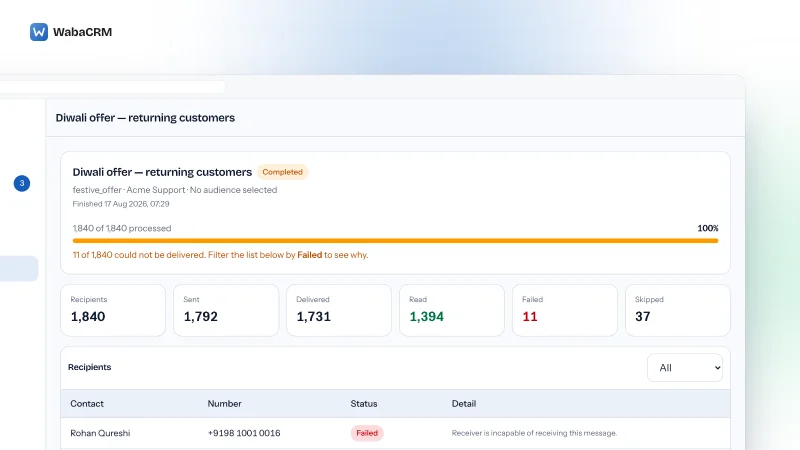
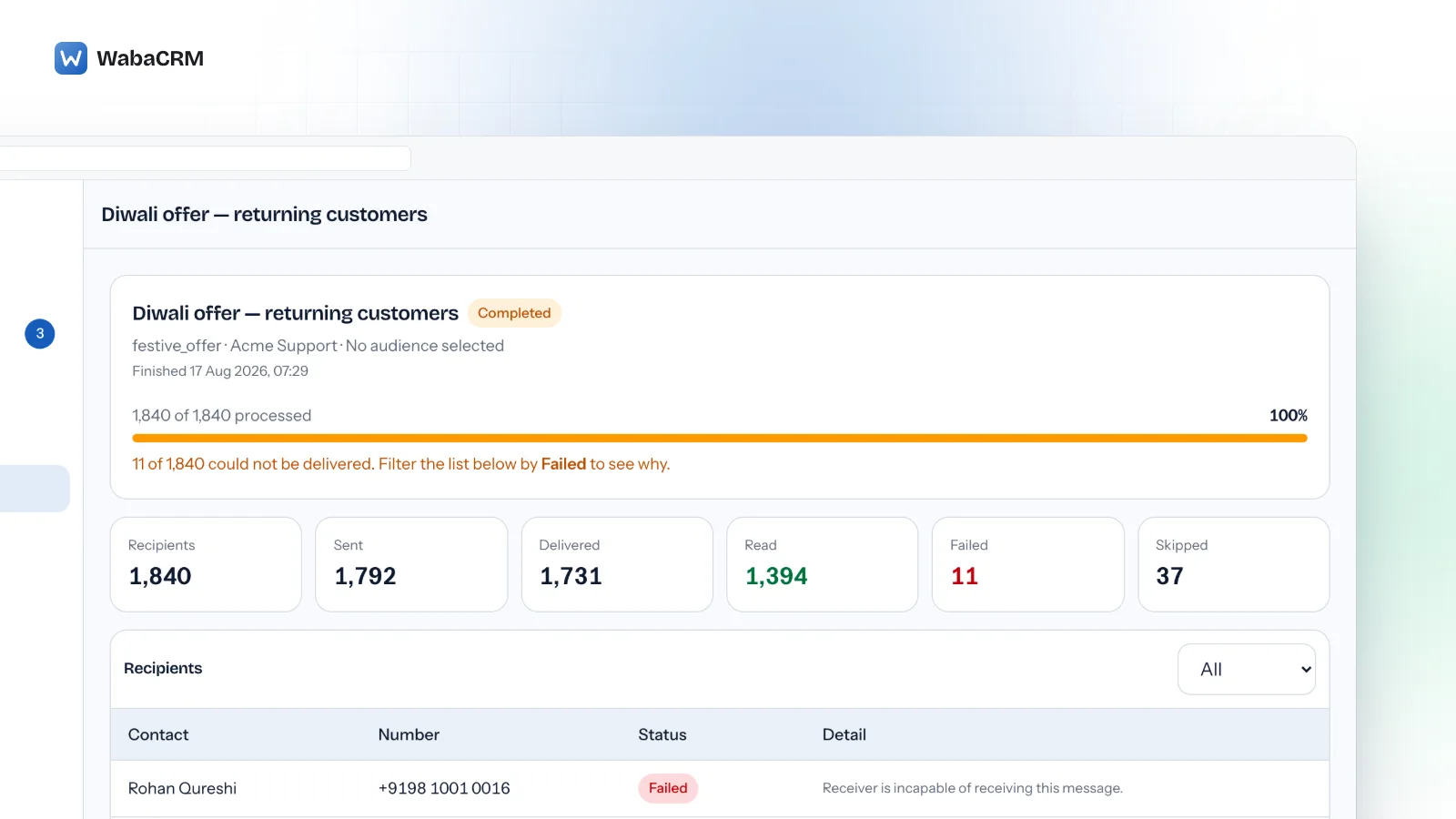
A campaign on the Platform is an approved template, an audience and a send time, sent through your own WhatsApp Business Account. In WabaCRM the campaigns list shows each one with its status, its progress and how many messages were sent and read, and a campaign can be paused or cancelled while it sends.

Two behaviours matter for anyone coming from a suspension. Consent is checked again for every recipient as the message goes out, so somebody who replies STOP part-way through a campaign stops receiving it. And Meta's message fees are billed by Meta to your own account: WabaCRM is a Meta-verified Tech Provider, not a Meta Business Partner, and adds nothing to them. The pricing page covers what WabaCRM itself charges.
The two-minute walkthrough below shows a campaign from the template-only rule through the audience filter, the per-recipient consent check, the progress and failure counts, and pausing one mid-flight.
Whichever route you take, the audience is the thing Meta's text keeps returning to: people who asked to hear from you, and a way for them to stop.
Every Meta quotation on this page was read from Meta's own documentation on 6 November 2026. Meta changes that documentation without notice; the linked pages are authoritative and this one is not.
Questions people also ask
How long does a WhatsApp business broadcast suspension last?
Which countries can use business broadcasts in the WhatsApp Business app?
Does adding a payment method lift a business broadcast restriction?
Can I still use broadcast lists if business broadcasts are suspended?
Will moving to the WhatsApp Business API get round a broadcast suspension?
- this account can't create or send business broadcasts
- whatsapp business broadcasts not working
- whatsapp business app broadcast blocked
- whatsapp business broadcast suspended
- whatsapp marketing messages not available