WhatsApp Marketing Template Limit: 550 or 1,024 Characters?
The short answer
Meta's documentation gives a WhatsApp template body a maximum of 1,024 characters, a text header and footer 60 each, and most button labels 25. It states no 550-character or 10-emoji cap, though Meta says body limits vary by format and tag and emojis may be limited. Error 2388040 means a field exceeded its limit (checked October 2026).
What is the character limit for a WhatsApp marketing template body?
Meta's documentation gives a WhatsApp marketing template body a maximum of 1,024 characters, and no Meta documentation page I could find mentions 550. The custom marketing template reference describes the body field in two short lines:
"Template body text. Variables are supported. Maximum 1024 characters." (Meta — Custom marketing templates)
The general components page agrees: "Body text string. Supports multiple parameters. Maximum of 1024 characters." (Meta — Template components). So does the utility template reference. If those were the only pages, this would be a one-line answer.
They are not the only pages. Meta's template review page has a heading called "Character limits and text format", and under it sits the sentence that keeps the 550 question alive:
"The body component will have different character limits depending on the format and tag of the template. The number of emojis allowed in the body component may also be limited." (Meta — Template review)
Meta does not say which formats, which tags, what the different limits are, or how many emojis. It publishes one number, admits there are others, and stops. That gap is where the 550-character figure lives: in community forum answers, vendor help centres and vendor changelogs, all of them confident and none of them citing a Meta document that states it. Everything below was read on 16 October 2026, and the dates matter, because the vendor pages contradict each other and some contradict themselves over time.
- What is the character limit for a WhatsApp marketing template body?
- Where did the 550-character limit for marketing templates come from?
- Is the 550-character cap still enforced on marketing templates?
- What does error 2388040, Character limit exceeded, actually tell you?
- What are Meta's character limits for headers, footers and buttons?
- Is error 132005 the same problem as 2388040?
- Do Hindi text and emojis use up more of the template limit?
- Is a utility template body capped at 512 characters?
- How should you write a WhatsApp template body so it passes first time?
Where did the 550-character limit for marketing templates come from?
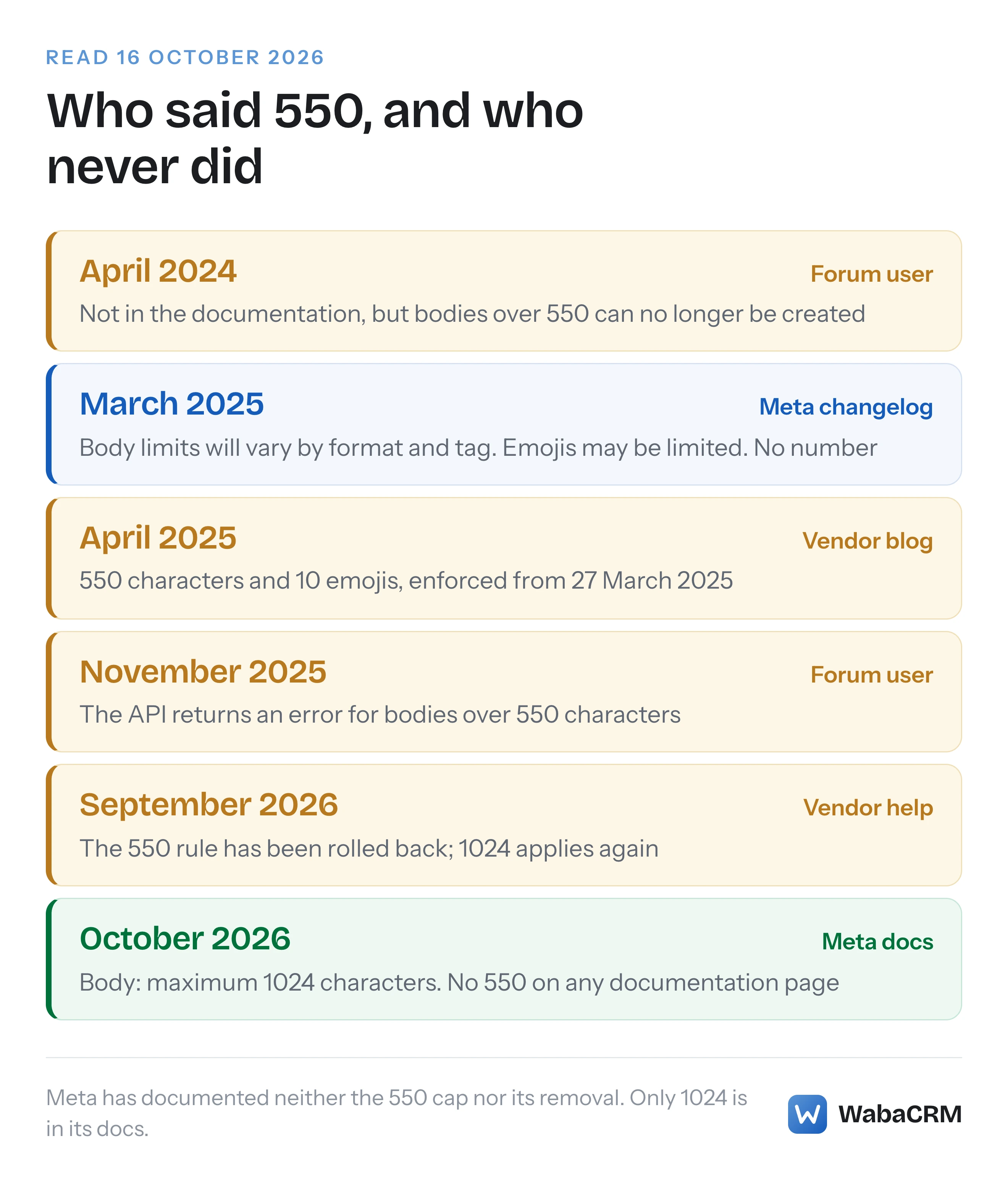
It came from developers and vendors reporting what Meta's API refused, not from any Meta document. The earliest public trace I found is in Meta's own developer community forum, in a thread titled "Is there a way to increase the character limit for marketing templates in the API beyond the new reduced limit(550 characters)?" (Meta Developer Community thread). The page's timestamps put the question on 1 April 2024, and the next day another developer asked where the limit was published. A reply later that month, from a forum user rather than from Meta's documentation, was frank:
"The limit is not currently written in the documentation, but it is no longer possible to create templates with more than 550 characters in the message body."
So the figure was circulating almost a year before Meta's changelog said anything about varying limits. When Meta did write about them, it was a changelog entry dated 27 March 2025, titled "Updates to character and emoji limits in Templates":
"These changes will impact the character limits and emoji usage in the body component, depending on the format and tag of the template." (Meta — WhatsApp changelog)
The entry says it "applies across all Templates on the Business Messaging API, and is not specific to MM Lite API (also applies on Cloud API)", and its two key updates repeat the template review wording: body limits "will vary based on the template format and tag", and "The number of emojis allowed in the body component may also be limited." There is no number in it. The MM Lite API it mentions is the product since renamed the Marketing Messages API, which our piece on the MM Lite rename and its payloads covers.
Vendors attached numbers to that entry within weeks. A Karix blog post, which describes itself as written in April 2025, carries the heading "From March 27, 2025, New Character and Emoji Limits Have Been Enforced for Marketing and Utility Templates" and lists "Maximum characters per template body: 550 (including variables)" and "Maximum emojis per template: 10". Netcore's documentation, with page metadata showing an update in July 2026, still lists marketing templates at "550 Characters | 10 emojis max | Enforced by Meta". In November 2025 a developer added to the forum thread: "The API is returning an error when trying to create templates more than 550 Characters."
Every one of those is an observation of behaviour. None links to Meta stating 550, because I could not find a Meta documentation page that does.
Is the 550-character cap still enforced on marketing templates?
Nobody can show you from Meta's documentation, because Meta never documented the cap and has never documented removing it. The changelog contains no entry rolling back the 27 March 2025 change. Searching its full text on 16 October 2026 found no "550" anywhere, "emoji" only in the March 2025 entry, and no rollback of any template limit.
The vendor record now points both ways. Wati's help centre, in an article dated September 2026, says "Meta previously introduced a rule that restricted marketing templates to a maximum of 550 characters or 10 emojis" and that "This rule has since been rolled back", adding that "Marketing templates once again support up to 1024 characters". Netcore's documentation, as above, still calls 550 enforced. Neither cites Meta for its position. Both may be describing what their own API calls returned at different times, which is the only evidence anyone outside Meta has.
That makes the honest answer narrow. The published ceiling is 1,024. A cap below it has been reported for long enough, by enough independent people, that you should not assume a 900-character marketing body will pass. And the only way to know for your own Messaging account today is to submit the template and read Meta's answer. If it is refused for length, Meta says the response itself should tell you which field and which limit, which is the next section.
What does error 2388040, Character limit exceeded, actually tell you?
Error 2388040 means Meta refused to create a template because one of its fields is too long. Meta lists it under "Template creation errors" on its error reference:
"A field in your template has exceeded the maximum character limit allowed." (Meta — WhatsApp error codes)
The suggested fix is the useful half: "Refer to the error message for specific details on the affected field and its corresponding character limits." In other words, Meta's position is that the API response names the field and the limit, even though the reference page names neither. If a 2388040 reaches you as a bare code, something between Meta and you has thrown the message away. Read the raw response before you start trimming text, because the field at fault may be the footer or a button label, not the body you suspected.
Two things are worth being precise about. First, 2388040 is a creation error. Wati's article says that over the old limit "message delivery failed with error code 2388040", but Meta files the code under template creation, which is the point at which a refusal costs you a resubmission rather than an undelivered message. Second, this row is the whole of what Meta's error reference says on the subject: on 16 October 2026 the word "character" appeared three times on that page, and all three were in this one row, its title included.
A refusal at creation is not one of the template statuses that come later, such as REJECTED after review or PAUSED for quality, which our guide to every status a WhatsApp template can be in lists. Nothing was created, so there is nothing to appeal.
What are Meta's character limits for headers, footers and buttons?
Meta publishes a figure for every text field except the exceptions it admits to. These are the ones on its pages as read on 16 October 2026:
| Field | Meta's published limit | Where Meta states it |
|---|---|---|
| Body | 1,024 characters | Components, marketing, utility |
| Text header | 60 characters, 1 parameter | Components |
| Footer | 60 characters | Components, marketing, utility |
| URL, quick reply, phone label | 25 characters | Components, marketing |
| Phone number on a button | 20 characters | Components |
| URL on a button | 2,000 characters | Components |
| Copy code example | 20 characters | Components |
| Template name | 512 characters | Marketing, utility |
| Buttons per template | 10, at most 2 URL | Components |
Two details on those pages trip people up more than the numbers. The marketing reference describes each button label as "Maximum 25 characters. Alphanumeric characters only", so an emoji or a symbol in a button label is outside what Meta documents, whatever a preview tool lets you type. And the components page says of a text header: "Do not use Markdown special characters in this component." Asterisks for bold belong in the body, not the header.
Variables have their own rules, separate from length: Meta's review page lists "too many variable parameters relative to the message length" among common rejection reasons, and the naming of those parameters is its own trap, covered in our piece on error 132000 with named parameters.
Is error 132005 the same problem as 2388040?
No. 2388040 refuses a template when you create it; 132005 refuses a message when you send it. They sit in different sections of Meta's error reference and point at different causes:
| Code | When it fires | Meta's description | Meta's suggested fix |
|---|---|---|---|
| 2388040 | Creating a template | "A field in your template has exceeded the maximum character limit allowed." | Read the error message for the field and limit |
| 132005 | Sending a template | "Translated text is too long." | Check the translation in WhatsApp Manager |
Meta's solution for 132005 is entirely about translation: "Check the WhatsApp Manager to verify that your template has been translated." Vendor help desks describe it differently. ChatDaddy's article labels the code "Template Hydrated Text Too Long", a phrase that appears nowhere on Meta's error reference, and explains it as "After inserting your variables, the final message text exceeds the character limit." If that reading is right, the cause is the text after your values are filled in, which is a send-time problem no review could have caught.
Meta's own numbers make that harder to reason about, not easier. A changelog entry from 6 October 2022 says "Text parameters (components.parameters.text) for message templates that only use a body component (components.type:body) can now total up to 32,768 characters." None of the Meta pages read for this article sets that figure beside the 1,024-character body limit, or says how the two interact. In practice, treat each variable value as part of the length budget and keep long free text, such as an address or an item list, out of body parameters.
Do Hindi text and emojis use up more of the template limit?
Meta does not say, and that silence matters most for Indian templates. None of the Meta pages read for this article says whether a "character" means a Unicode code point, a UTF-16 unit, a byte or a visible letter, and those give different answers for the same text. A short Hindi body with one emoji shows how far apart they are:
const body = 'नमस्ते {{1}}, आपका ऑर्डर भेज दिया गया है 🎉';

[...body].length;                                    // 42 code points
body.length;                                         // 43 UTF-16 units
new TextEncoder().encode(body).length;               // 99 UTF-8 bytes
[...new Intl.Segmenter('hi', { granularity: 'grapheme' })
  .segment(body)].length;                            // 31 visible characters
Those four numbers come from running that snippet in Node. The spread between 31 and 99 is the uncertainty you carry into every Devanagari template, because Meta has not said which of them it measures. If a bilingual template runs anywhere near 1,024 by your own count, treat it as close enough to the edge that a refusal should not surprise you.
The same caution applies to the emoji question, where Meta's only words are that the number allowed "may also be limited". The figure of 10 that circulates comes from the same vendor reports as 550. A template that relies on a dozen emojis is betting on a limit nobody at Meta has written down.
Is a utility template body capped at 512 characters?
Not according to Meta. Netcore's documentation says that "Starting October 1, 2025, non-compliant templates will be blocked at creation stage with descriptive error messages" and lists utility and authentication templates at 512 characters. Read closely, it describes that 512 as a cap "enforced by Netcore" in its own editor, which it says follows a limit enforced by Meta. Meta's utility template reference, updated 17 June 2026, says of the body: "Template body text. Variables are supported. Maximum 1024 characters." (Meta — Utility templates)
The only 512 on Meta's utility page is the template name: "Maximum 512 characters. Lowercase, alphanumeric characters and underscores only." Netcore does not say which Meta limit it is following, so whether the name field is where its figure came from is a guess I would not make. What can be said is that Meta's March 2025 changelog entry describes changes to "the body component of marketing templates", although its first line says it "applies across all Templates on the Business Messaging API", so Meta's wording does not settle whether utility is included. A utility body that keeps to Meta's category rules, which our explainer on why Meta moves templates from utility to marketing sets out, has 1,024 characters on Meta's own page.
How should you write a WhatsApp template body so it passes first time?
Design to Meta's published ceilings, leave a margin where Meta admits exceptions, and read the creation response rather than guessing. In practice that means five habits:
- Keep marketing bodies well short of 1,024. If the message genuinely needs the room, split it: a document header carries a PDF, since Meta says "Media headers can be an image, video, gif, or a document such as a PDF", and a URL button can open the full text on your site.
- Write button labels to 20 characters, which satisfies both the 25 on template pages and the 20 Meta lists for Direct Send, and keep them alphanumeric.
- Use no more than three buttons unless you mean to. Meta says that if a template has more than three buttons, "two buttons appear in the delivered message, and WhatsApp replaces the remaining buttons with a See all options button."
- Do not resubmit identical wording. Meta rejects a template "submitted with the same wording in the body and footer of an existing template".
- Count non-Latin text conservatively and submit long bilingual templates early, before a campaign depends on them.

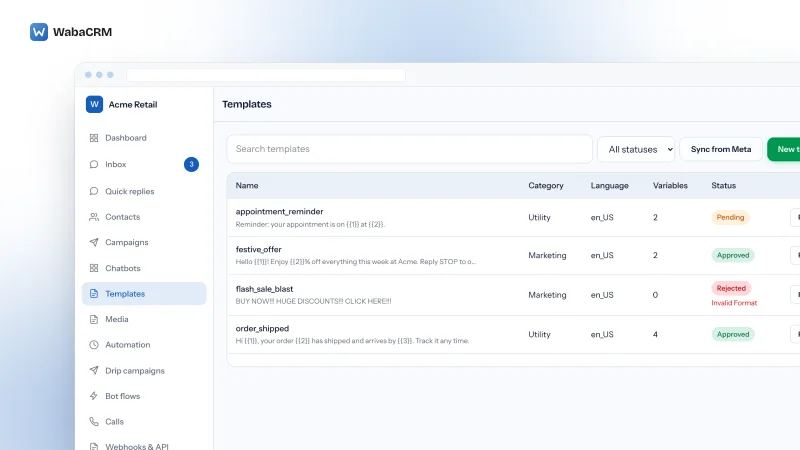
WabaCRM's template builder holds every field to Meta's published ceilings before anything is sent: a running count against 1,024 beside the body, and caps of 60 for a text header and footer and 25 for a button label. When Meta refuses a template anyway for a reason that is not about the account, the builder shows Meta's own explanation with its error code beside the Send for review button, so a 2388040 arrives with whatever field and limit Meta named rather than as a bare number. The list above is where the result lands: pending, approved or rejected, with Meta's reason under the status.
Every Meta quotation on this page was read from Meta's own documentation on 16 October 2026. Meta changes that documentation without notice; the linked pages are authoritative and this one is not.
Questions people also ask
Do variable placeholders count toward the 1,024-character body limit?
Can Meta raise the character limit for one template?
Why does my template show only two buttons when I added four?
Does a longer template body cost more to send?
Does Direct Send use the same text limits as ordinary templates?
- whatsapp marketing template 550 characters
- whatsapp template character limit
- whatsapp error 2388040
- whatsapp template emoji limit
- whatsapp error 132005