Can You Use WhatsApp Web With the WhatsApp Business API?
The short answer
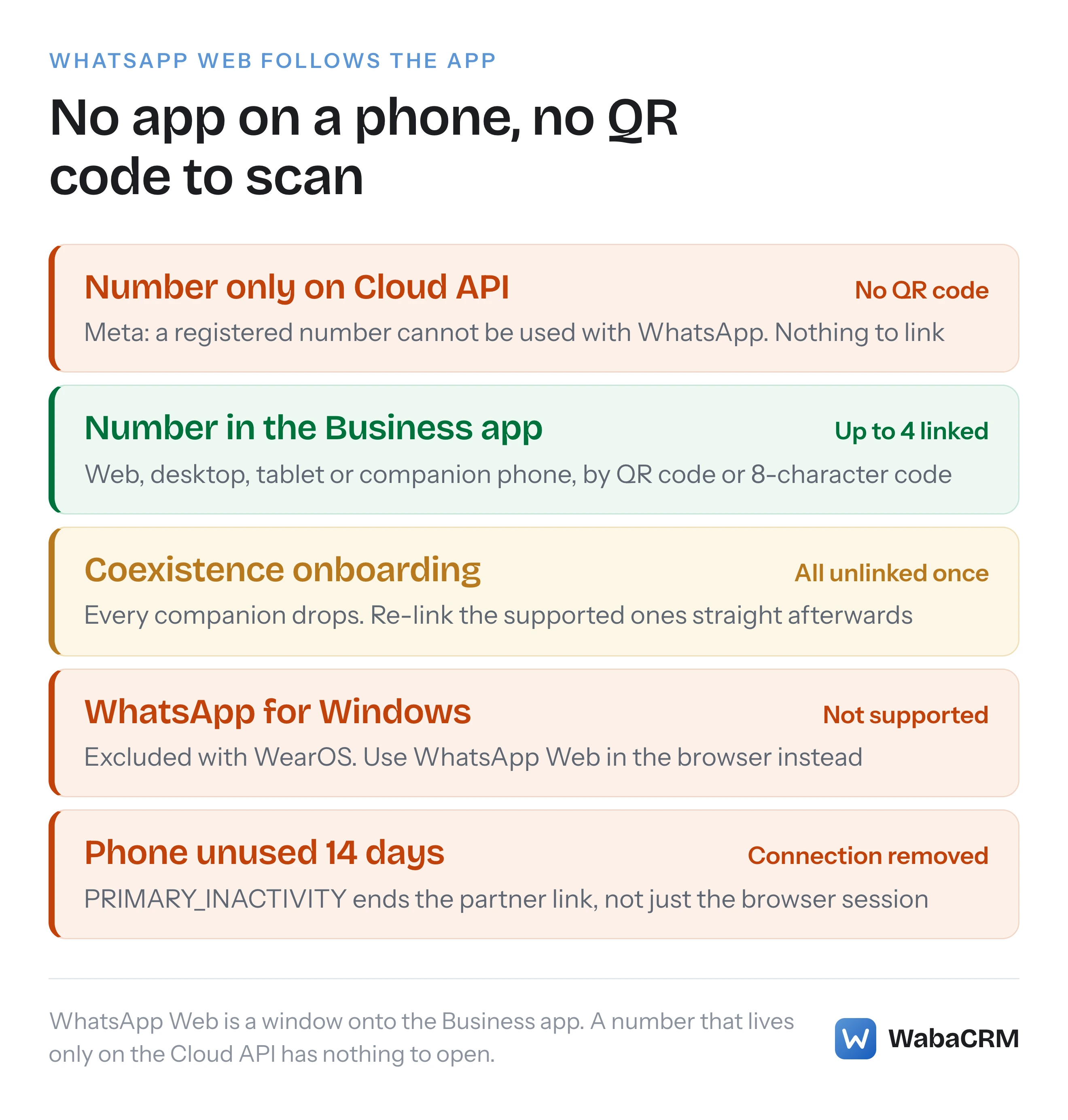
Not on a number that lives only on the Cloud API. Meta says a registered number "cannot be used with WhatsApp", so there is no app to scan a QR code. A coexistence number stays in the WhatsApp Business app, which keeps up to four linked companions, WhatsApp for Windows excepted (checked November 2026).
Can you use WhatsApp Web with the WhatsApp Business API?
Not on a number that lives only on the Cloud API: Meta says a registered number "cannot be used with WhatsApp", so there is no app on a phone to scan the QR code. Yes on a coexistence number, because it stays in the WhatsApp Business app, and the app can link WhatsApp Web, the Mac desktop app and companion phones again after onboarding, with WhatsApp for Windows the notable exception.
Most pages ranking for "WhatsApp Business Web" skip the part that decides it: WhatsApp Web is not a product of its own. It is a window onto a WhatsApp Business app account on a primary phone, so whether your team can open it depends on where the number lives, not on which provider you chose. Meta's Help Center says it in one line:
"Use WhatsApp Business on Web, Desktop, and other devices by linking them to your phone. You can use up to four linked devices and one phone at a time." (WhatsApp Help Center — About linked devices on the WhatsApp Business app)
Take the phone out of the picture and the four linked devices go with it.
- Can you use WhatsApp Web with the WhatsApp Business API?
- Why is there no QR code to scan for a Cloud API number?
- Which desktop clients can stay linked to a coexistence number?
- Does a reply typed in WhatsApp Web reach the API?
- What happens when a customer writes from WhatsApp for Windows?
- Can you log in to WhatsApp Business Web with a phone number instead of a QR code?
- Can a team that only uses WhatsApp Web lose the API connection?
- What does a team use instead of WhatsApp Web on an API number?
- Which WhatsApp Web setup fits your team?
Prefer to watch? The narrated explainer below walks through the same argument, with Meta's own words on screen, in under two minutes.
Read the transcript
Can your team still open WhatsApp Web once a number is on the WhatsApp Business API? The answer depends on where the number lives. Not on a number that lives only on the Cloud API. A coexistence number stays in the Business app, which keeps up to four linked companions. WhatsApp Web is a window onto the Business app on a phone. No app, no QR code. Coexistence unlinks companions once, and refuses the Windows app. Meta says a registered number can still take calls and texts, but cannot be used with WhatsApp. So there is no phone to scan the QR code. Meta supports every companion except WhatsApp for Windows and WhatsApp for WearOS. All are unlinked once at onboarding, so plan a QR scan on every laptop. A reply typed in WhatsApp Web reaches the API as an echo. A customer writing from WhatsApp for Windows does not. Meta says check the Business app. WhatsApp Web can link with your phone number and an eight-character code instead. The code is typed into the app, so an API-only number cannot use it. Meta lists about fourteen days of primary device inactivity as a reason a coexistence number is disconnected. A laptop on WhatsApp Web does not count. On an API number, your team works in a shared inbox, each person with their own login. WabaCRM allows unlimited team members on every plan. WhatsApp Web follows the app, not the API. The full article has a short checker that tells you which setup fits your team.
Why is there no QR code to scan for a Cloud API number?
Because the QR code is scanned by the WhatsApp Business app, and a Cloud API number does not have one. Meta's own linking steps start on the device you want to add and end on the primary phone:
"Download and open WhatsApp Business on the device you want to link. You'll see a QR code to be scanned by your primary phone." (WhatsApp Help Center — How to link a device with QR code on the WhatsApp Business app)
For WhatsApp Web the instruction is the same shape: "Go to web.whatsapp.com on your desktop browser" and scan the code with your phone (WhatsApp Help Center — About WhatsApp Web).
Now read what Meta says happens to a number when it is registered for the Cloud API:
"Registered numbers can still be used for everyday purposes, such as calling and text messages, but cannot be used with WhatsApp." (Meta — Business phone numbers)
The same page runs the rule in the other direction too: "Numbers already in use with WhatsApp cannot be registered unless they are deleted first." So a number moved onto the Cloud API through Embedded Signup or entered as manual credentials has no WhatsApp account on any handset: no primary phone, no Linked devices menu, no session for web.whatsapp.com to attach to. Nothing is broken when the QR code never pairs. It is the documented consequence of the move, and the Help Center says the same from the app's side: "You'll still need to register your WhatsApp Business account and link new devices with your phone."
Which desktop clients can stay linked to a coexistence number?
Coexistence is the one arrangement where a number is on the Cloud API and still lives in the WhatsApp Business app, so it is the one arrangement where WhatsApp Web survives. Meta's coexistence documentation keeps the app's four companions:
"Businesses can link up to four WhatsApp "companion" clients to their WhatsApp Business app account on other devices" (Meta — Onboard WhatsApp Business app users)
and then names exactly two it will not support:
"All companion clients are supported, except for WhatsApp for Windows and WhatsApp for WearOS." (Meta — Onboard WhatsApp Business app users)
Read that list for what it does not say. The Mac desktop app is not an exception. WhatsApp Web in a browser is not an exception, and that includes a browser running on a Windows PC, because the browser client and the WhatsApp for Windows app are two different companions. If someone on your team searches "WhatsApp Business for Mac" before you switch, the answer is that it stays usable. If someone lives in the Windows app, move them to web.whatsapp.com in their browser before onboarding.
| Client | Number on the app only | Coexistence number | Cloud API only |
|---|---|---|---|
| WhatsApp Web in a browser | Linked device | Re-link after onboarding | Not possible |
| WhatsApp desktop app on a Mac | Linked device | Re-link after onboarding | Not possible |
| WhatsApp for Windows app | Linked device | Not supported | Not possible |
| Shared inbox on the API | Not possible | Yes | Yes |
Whichever clients you keep, all of them drop once on the way in:
"Once a business customer onboards to Cloud API with an existing WhatsApp Business app account and number, all companion apps will be unlinked from the account, and the business can then re-link any supported companion apps." (Meta — Onboard WhatsApp Business app users)
Plan for a QR scan on every laptop the afternoon you connect. The rest of what changes in the phone app is in what stops working under coexistence.
Does a reply typed in WhatsApp Web reach the API?
Yes, on a supported companion. This is the part that makes a mixed team workable: somebody answering from WhatsApp Web does not create a blind spot in the platform the rest of the team uses. Meta's documentation says:
"Onboarded businesses are still able to use the WhatsApp Business app and supported companion devices to send and receive messages. Each time a business sends a message with one of these apps, it triggers an smb_message_echoes webhook, which you must digest and display in the contact message thread history in your app." (Meta — Onboard WhatsApp Business app users)
The webhook reference on the same page describes the echo as "a message sent by a business customer to a WhatsApp user with the WhatsApp Business app or supported companion device". So a reply typed in a browser tab is delivered to the API as an echo, not lost.
Two consequences are worth knowing before you rely on it. The word "supported" is load-bearing: the Windows app was never in the list, so its replies have no place in that sentence. And an echo is a record of something already sent. It does not route, assign or claim the conversation, so two people can still answer the same customer at once, one in a browser and one in the shared inbox. In WabaCRM an echoed reply appears in the thread labelled "From WhatsApp on the phone", the same label whether it was typed on the handset or in WhatsApp Web.
What happens when a customer writes from WhatsApp for Windows?
This is the sentence most coexistence explainers read as a rule about your own team, and it is not. Meta's text is about the WhatsApp user on the other end:
"WhatsApp users who use an unsupported companion client to message an onboarded business can do so, but the message will not trigger messages webhooks, so the business won't be able to mirror the message in their own app." (Meta — Onboard WhatsApp Business app users)
A customer writing to you from their own WhatsApp for Windows install reaches your phone, and their message never reaches the API in the normal way. The reverse is covered too:
"Messages sent from an onboarded business (by any means) that are viewed in an unsupported companion device will appear with placeholder text, instructing the WhatsApp user to view the message in their primary device." (Meta — Onboard WhatsApp Business app users)
What your platform sees instead is error 131060, which Meta lists as expected for coexistence numbers, including this case: "Unsupported companion device: A WhatsApp user with an unsupported companion device sends or receives a message to or from your business." Meta's remedy is a person, not a retry: "If you receive this webhook, instruct the business to check the WhatsApp Business app for the message." Keep the handset reachable for exactly this reason. Meta does not publish how many customers use an unsupported companion, so nobody can tell you how often it will happen.
Can you log in to WhatsApp Business Web with a phone number instead of a QR code?
Yes, on WhatsApp Web only, and only for a number that is in the WhatsApp Business app. The Help Center describes a phone-number route that replaces the camera with a typed code:
"You can now link a device using your WhatsApp Business primary account phone number and a one-time code." (WhatsApp Help Center — How to link a device using a phone number and the WhatsApp Business app)
The same article limits it: "Note: This feature is currently only available on WhatsApp Web." On web.whatsapp.com you choose Link with phone number, enter the business number, and "You'll see an 8-character code on the screen". That code is then entered on the primary phone, from a notification or from Linked devices, then Link a device, then Link with phone number instead.
So "WhatsApp Business login with phone" is still a login through the phone. The code is typed into the app, which needs exactly what the QR code needs, and fails on a Cloud API-only number for the same reason. One more line from that article saves a confused afternoon: "If you're already signed into WhatsApp Web with a WhatsApp Messenger account, you'll need to log out to proceed."
Can a team that only uses WhatsApp Web lose the API connection?
Yes. On the app alone, an idle phone costs you the linked devices: they "will log out if your phone is unused for over 14 days" (WhatsApp Help Center — About linked devices). On a coexistence number the same idle phone costs more, because Meta lists it among the reasons the partner connection itself ends. The account_update webhook's PARTNER_REMOVED event can carry a disconnection_info.reason, and two of the documented values are about devices:
COMPANION_INACTIVITY  (companion device inactive for approximately 30 days)
PRIMARY_INACTIVITY    (primary device inactive for approximately 14 days)
Both are quoted from Meta's coexistence onboarding page. A team that works from WhatsApp Web and a shared inbox, with the phone left in a drawer, can therefore lose the API side of the number, not just a browser session. Meta does not define activity on the primary device beyond the word "inactive", and says no more about the companion reason than the line above, so the safe habit is to open the WhatsApp Business app on the handset every few days.
What does a team use instead of WhatsApp Web on an API number?
A shared inbox: a web application connected to the number through the Cloud API, where each person signs in with their own account. The difference from WhatsApp Web is structural rather than cosmetic. A linked device is another screen on one person's WhatsApp account, with no notion of who is typing. A shared inbox holds people, so a conversation can be assigned to one of them, filtered to the chats that are theirs, and kept away from colleagues who should not read it.

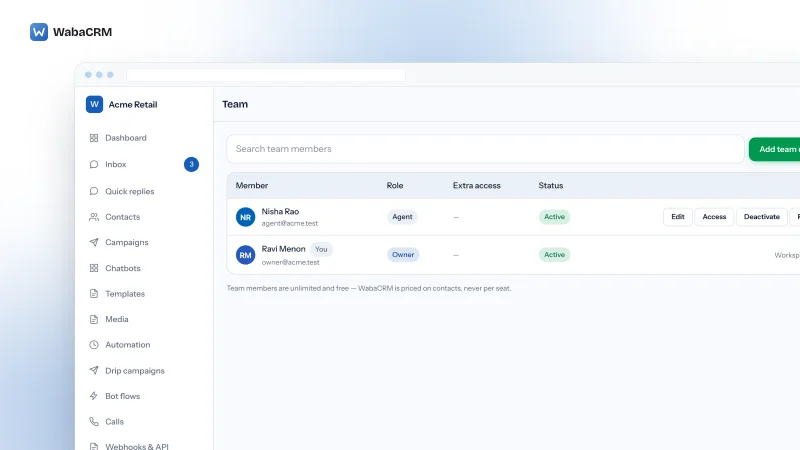
In WabaCRM that is the inbox in the browser, plus the Android app for the same inbox on a phone, covered in the WhatsApp Business API mobile app guide. It works the same whether the number arrived by Embedded Signup, by coexistence or by manual credentials, and team members are unlimited on every plan (pricing). The two-minute walkthrough below shows one queue for the whole team, the filters, an open thread, the 24-hour reply window on screen, assigning a chat to a colleague and the composer.
How seat-based pricing changes once a team grows past a few people, and how access can be walled per number, is the subject of the shared inbox guide. This page only needs one point from it: on an API number, the browser tab your team opens is the platform, not web.whatsapp.com.
Which WhatsApp Web setup fits your team?
The choice is not "app or API" in the abstract. It is three practical questions, and the answers are all on Meta's pages quoted above. The app on its own allows the phone and four linked devices, and the Help Center adds that "By subscribing to Meta Verified, you can connect up to 10 devices" (WhatsApp Help Center — How to link a device with QR code). Anything that needs the API, such as templates sent to people outside the 24-hour window, campaigns or automation, needs the number on the Cloud API, either fully or through coexistence. The comparison of the two products in detail is in WhatsApp Business app vs API.
Which WhatsApp Web setup works for you?
Answer three questions. The result only sorts facts quoted on this page.
Where does the number live today?
How many people answer customers?
Do you need templates, campaigns or automation?
Pick one answer in each row to see the setup that fits.
WhatsApp Web is not available for this number. Meta says a number registered for the Cloud API cannot be used with WhatsApp, so the team works in a shared inbox in the browser, one login per person.
Use the WhatsApp Business app and link WhatsApp Web or the desktop app: one phone plus up to four linked devices. Open the phone at least every 14 days.
The app allows up to 10 devices with a Meta Verified subscription. If you would rather give each person their own login, connect the number with coexistence and use a shared inbox.
Connect the number with coexistence. It stays in the app, up to four companions re-link after onboarding (not WhatsApp for Windows), and the rest of the team works in a shared inbox. Keep the phone active: Meta lists 14 days of primary inactivity as a disconnection reason.
Put the number on the Cloud API and run the team from a shared inbox. There will be no WhatsApp Web for this number, because a registered number cannot be used with WhatsApp.
If the answer is coexistence, the setup steps and the requirements Meta sets are in the WhatsApp coexistence guide. If the answer is the app on its own, nothing here should push you off it: for one owner and a couple of colleagues, linked devices are the cheapest shared inbox there is.
Every Meta quotation on this page was read from Meta's own documentation on 6 November 2026. Meta changes that documentation without notice; the linked pages are authoritative and this one is not.
Questions people also ask
Can I scan the WhatsApp Web QR code with a number that is on the Cloud API?
Does WhatsApp Business on a Mac keep working after coexistence is turned on?
Why did WhatsApp Web log out when we connected our number to the API?
Is there a WhatsApp Business web login for a Cloud API number?
Can WhatsApp Web alone keep a coexistence number connected to the API?
- whatsapp business web
- whatsapp business web login qr code
- whatsapp business for mac
- whatsapp business login with phone
- whatsapp cloud api linked devices