Can a Landline or Toll-Free Number Use the WhatsApp API?
The short answer
Yes. The WhatsApp Cloud API does not require a mobile line: a landline, toll-free or VoIP number you own can qualify if it has a country and area code and can receive voice calls or SMS. Meta rates all three "Not Recommended" for SMS codes but "Standard" for voice, so request the code by VOICE (checked October 2026).
Can I use a landline number for the WhatsApp Business API?
Yes. A landline, a toll-free line or a VoIP number can be registered on the WhatsApp Cloud API, provided you own it, it has a country and area code, and it can actually receive the verification code. That last condition is the hard part, because Meta rates landlines, toll-free lines and VoIP numbers "Not Recommended" for receiving the code by SMS and "Standard" for receiving it by voice call.
Meta lists four eligibility conditions on its business phone numbers page, and none of them says "mobile":
Eligible phone numbers must:
- be owned by you
- have a country and area code (short codes are not supported)
- be able to receive voice calls or SMS
- have scaled capabilities
The words that matter for an office line are "voice calls or SMS". A landline that cannot receive an SMS still qualifies, as long as it can receive a call. So the real question is never whether the number is allowed. It is whether the verification code will reach a human being who can type it in.
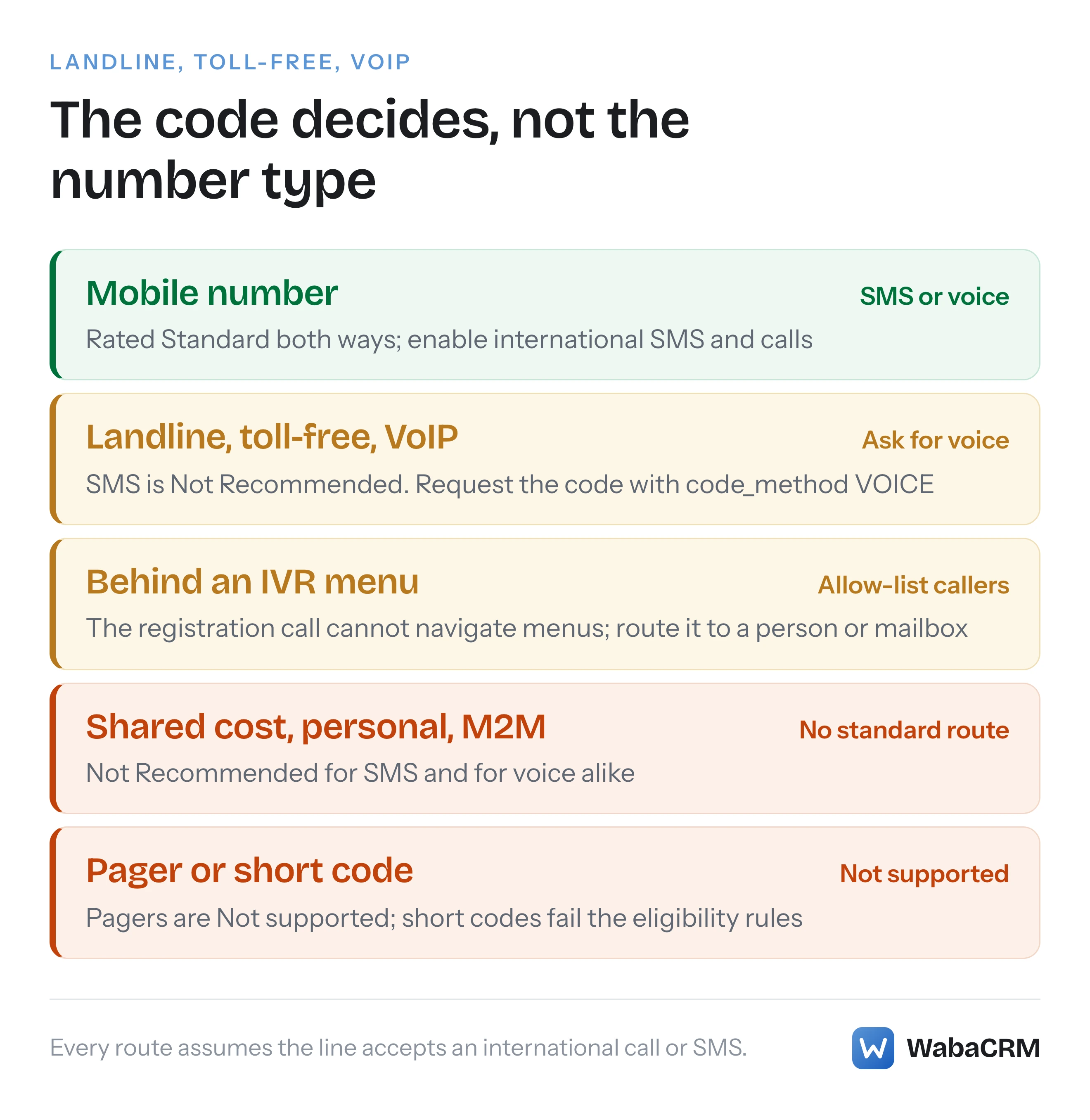
That reframing points at three ways a landline registration can go wrong: the code is requested by SMS and never arrives, the registration call lands in a phone menu it cannot navigate, or the line refuses calls from abroad. The diagram below shows which number types face which of those gates.
- Can I use a landline number for the WhatsApp Business API?
- How does Meta grade each phone number type for SMS and voice codes?
- Why does a landline get Standard for voice but Not Recommended for SMS?
- How do you ask for the verification code by voice call instead of SMS?
- Can a 1-800 toll-free number behind an IVR receive the registration call?
- Why might a landline or 1800 line miss the WhatsApp code?
- Do you have to delete your WhatsApp account to put the number on the API?
- Is there a waiting period after deleting the WhatsApp account?
- Which number types will not work on the WhatsApp Cloud API?
- What should you check before choosing a number for the API?
How does Meta grade each phone number type for SMS and voice codes?
Meta grades eleven number types separately for an SMS code and a voice code, and only a mobile number is rated "Standard" for both. Every other type that Meta supports at all is rated "Not Recommended" for SMS, and most of them "Standard" for voice.
The table sits on the same page as the eligibility list, and Meta introduces it like this:
"This table categorizes phone number types and evaluates their suitability for receiving OTPs via SMS, international phone calls, and flash calls. It provides likelihood assessments for successful delivery based on number type and carrier characteristics." (Meta — Business phone numbers)
Here are its rows, with Meta's own descriptions and ratings copied exactly, read on 16 October 2026 from the version of the page marked "Updated: May 21, 2026". Meta's fifth column, "Actions", is covered in the sections below.
| Phone type | Meta's description | SMS OTP | Voice OTP |
|---|---|---|---|
| Mobile (recommended) | Assigned to mobile devices/SIMs | Standard | Standard |
| Fixed line | Assigned to physical locations (landline) | Not Recommended | Standard |
| Freephone | Toll-Free, recipient pays | Not Recommended | Standard |
| Premium rate | Higher charges for special services | Not Recommended | Standard |
| Shared cost | Cost shared between caller and recipient | Not Recommended | Not Recommended |
| Universal access | Reachable globally for customer service | Not Recommended | Standard |
| Personal number | Assigned to individuals, not tied to device | Not Recommended | Not Recommended |
| VoIP | Internet telephony, not tied to physical line | Not Recommended | Standard |
| Inbound only | Only accept incoming calls/messages | Not Recommended | Standard |
| Pager | Assigned to pagers (rare) | Not supported | Not supported |
| M2M/IoT | Machine-to-machine, smart devices | Not Recommended | Not Recommended |
Three things in that table are easy to misread. First, "Not Recommended" and "Not supported" are different words and Meta uses them differently: only the pager row says "Not supported". Second, a toll-free line ("Freephone") is graded exactly like an ordinary landline, so a toll-free 1800 number is not a special case in the table at all; it becomes one only because of the IVR that usually sits in front of it. Third, the introduction mentions flash calls, but there is no flash-call column. Meta grades SMS and voice, and says nothing per type about flash calls.
Why does a landline get Standard for voice but Not Recommended for SMS?
Because the table measures delivery of the code, not permission to register. Meta calls its ratings "likelihood assessments for successful delivery", so "Not Recommended" for SMS is Meta rating the text message carrying the code as a poor bet for that kind of line, not refusing the line.
Meta does not explain the reasoning behind each rating, and this page does not invent one. What the ratings tell you to do is plain enough. On any row where the SMS column reads "Not Recommended" and the voice column reads "Standard", request the code by voice and leave SMS alone.
Meta's own help article for WhatsApp Manager makes the same link in plainer language:
"Different kinds of phone numbers can affect how feasible it is to receive one-time passwords via text message, international phone calls and flash calls." (Meta Business Help Centre — Connect your phone number)
Note the phrase "international phone calls" in both places. Meta describes the voice route as an international call, which matters for the next three sections.
How do you ask for the verification code by voice call instead of SMS?
In WhatsApp Manager you pick the method on the screen where you enter the number; through the WhatsApp Cloud API you set code_method to VOICE on the Request Code endpoint. Either way, the choice is yours to make, and SMS is not the only option.
The Help Centre walkthrough for adding a number in WhatsApp Manager includes the step:
"Enter the phone number for your business and choose how you'd like to verify your number. Then, click Next." (Meta Business Help Centre — Connect your phone number)
On the API, Meta documents code_method as "Required" with the supported options SMS and VOICE (Meta — Business phone numbers). Meta's own example requests SMS. For a landline, the same call with the method changed looks like this. The first request asks WhatsApp to phone the number with the code; the second submits the code you heard, digits only:
curl -X POST 'https://graph.facebook.com/v26.0/<PHONE_NUMBER_ID>/request_code?code_method=VOICE&language=en_US' \
  -H 'Authorization: Bearer <SYSTEM_USER_ACCESS_TOKEN>'

curl -X POST 'https://graph.facebook.com/v26.0/<PHONE_NUMBER_ID>/verify_code?code=123830' \
  -H 'Authorization: Bearer <SYSTEM_USER_ACCESS_TOKEN>'
Two details in Meta's documentation are worth knowing before you start. Meta's sample SMS shows the code with a hyphen, "WhatsApp code 123-830", but the code parameter wants it as "Verification code, without the hyphen." (Meta — Registering business phone numbers). And if the number is already verified, asking again fails:
"If the phone number has already been verified, calling the request_code endpoint returns HTTP 400 with error code 136024. Check the code_verification_status field before calling this endpoint." (Meta — Business phone numbers)
Changing method after a failed SMS is an intended use. The Request Code API reference lists "Switching between SMS and voice verification methods" among its use cases (Meta — Request Code API reference). Verification is also not registration: after verify_code succeeds you still call /register with a six-digit PIN, and that endpoint has its own attempt limit, covered in the WhatsApp 131045 and 133016 registration loop.
Can a 1-800 toll-free number behind an IVR receive the registration call?
Yes, but only if you plan for it. Meta says plainly that the registration call cannot get through a phone menu, so a toll-free number that answers with "press 1 for sales" has to route that one call straight to a person or a mailbox.
Meta gives toll-free numbers their own section on the business phone numbers page:
"These numbers are usually behind an Interactive Voice Response (IVR) system. A WhatsApp registration call cannot navigate an IVR. Phone numbers behind an IVR system can be registered, but must be able to accept calls from international numbers and be able to redirect the SMS message or voice call to a real person." (Meta — Business phone numbers)
It then gives a three-step procedure, quoted in full because the middle step is the one that matters when an allow list is impossible:
- "WhatsApp shares with you one or two phone numbers that the registration call will come from."
- "Create an allow list for these numbers. If you are unable to create an allow list for these numbers, add the phone number to your WhatsApp account hierarchy through the associated Messaging account and open a Direct Support ticket asking for the registration call phone numbers and include the phone number you are trying to register in the ticket."
- "Redirect the registration call to an employee or a mailbox to capture the registration code."
And the section ends with the condition that decides the outcome: "Phone numbers behind an IVR system that are unable to receive registration calls are not supported."
Read those steps against the table's "Actions" column and there is a tension worth noticing. For a fixed line, Meta's action reads "Enable International reception of SMS/Calls, ensure line is ready for incoming calls and disable call forwarding or IVR features". For a freephone number it says to "check that line is ready for incoming calls and disable call forwarding or IVR features". The IVR section, meanwhile, lets the IVR stay and has you redirect the one call. Both instructions aim at the same result, a live person or a recording device on the line when WhatsApp calls. Choose whichever your telephony provider can actually do: switch the menu off for the duration, or route the allow-listed caller around it.
Why might a landline or 1800 line miss the WhatsApp code?
The cause Meta's table points to first is international reception: its instructions assume the code may arrive from an international number. Every action Meta lists for a fixed line, a freephone number and the other supported non-mobile types begins with receiving international SMS or calls.
The wording varies by row, but the instruction does not. The fixed-line action starts "Enable International reception of SMS/Calls". The freephone, premium rate, shared cost, universal access, personal number and inbound-only rows all start "Ensure with Phone provider that the number is able to receive International SMS/Calls". Even the mobile row starts "Enable International reception of SMS/Calls" (Meta — Business phone numbers).
Meta cannot see how your line is configured, so this check is yours. Before requesting a code, ask the carrier or whoever manages the PBX two questions: can this number receive a call from an international number, and where does such a call land? If the answer is "the menu", go back to the previous section.
There is also a quieter failure that the code endpoint will not explain. Meta's Request Code reference says only that "Additional rate limiting may be enforced for verification code requests to prevent abuse" and that codes "expire after a short time period. Multiple failed attempts may result in temporary blocking." (Meta — Request Code API reference). Meta gives no number for any of those limits. Repeatedly requesting SMS codes to a line that can never display them is the surest way to find out what the limit is.
Do you have to delete your WhatsApp account to put the number on the API?
Only if the number is already in use with WhatsApp. Meta will not register such a number until the WhatsApp account on it is deleted, and that deletion cannot be undone. A landline that has never been on WhatsApp has nothing to delete.
The rule is one sentence on the business phone numbers page:
"Numbers already in use with WhatsApp cannot be registered unless they are deleted first. If your number is banned on WhatsApp and you wish to register it, it must be unbanned via the appeal process first." (Meta — Business phone numbers)
The word "deleted" links to WhatsApp's own account-deletion article, which adds the conditions. Deletion is permanent ("Deleting your account is irreversible, this action can't be reversed even if you delete WhatsApp by accident."), and it has to be done from the phone that owns the account: "You'll need to be logged into the account you wish to delete, and account deletion can only be performed from your primary device, not from any linked devices." The Android version of the article also lists "Delete your Google Account backup." among the consequences (WhatsApp Help Center — How to delete your account).
If the number is in the WhatsApp Business app rather than personal WhatsApp, there is an alternative to deleting it. Meta's Embedded Signup can onboard a number that stays in the WhatsApp Business app:
"You can configure Embedded Signup to allow business customers to onboard using their existing WhatsApp Business app account and phone number." (Meta — Onboard WhatsApp Business app users)
That path applies only to the WhatsApp Business app, which must be "version 2.24.17 or higher" on the same page, and it carries its own trade-offs, set out in WhatsApp coexistence: keep your number, add the API. A number on a personal WhatsApp account has no such route.
Once registered, the line keeps working as a phone. Meta says registered numbers "can still be used for everyday purposes, such as calling and text messages, but cannot be used with WhatsApp Messenger (“WhatsApp”)."
Is there a waiting period after deleting the WhatsApp account?
Not a long one that Meta publishes. The Meta pages that govern this give no waiting period between deleting a consumer or WhatsApp Business app account and registering the number; the only wait they document between a deletion and a registration is five minutes, attached to error 133015.
The WhatsApp deletion article does contain a long period, and it is easy to misread: "It may take up to 90 days from the beginning of the deletion process to delete your WhatsApp information." (WhatsApp Help Center — How to delete your account). That sentence is about erasing your data. It says nothing about when the number becomes available to the Business Platform. The same article carries one period that matters if the old phone is gone: an account you cannot delete because you no longer have the number or device "will still be removed automatically", and "Deactivated WhatsApp accounts are deleted 30 days after deactivation."
The five-minute wait is error 133015 on Meta's error-code reference: "The phone number you are attempting to register was recently deleted, and deletion has not yet completed." with the remedy "Wait 5 minutes before re-trying the request." (Meta — WhatsApp error codes). Meta's wording does not say which kind of deletion it means, a WhatsApp app account or a number removed from the platform, so if a registration straight after a deletion returns 133015, the documented remedy is simply to wait five minutes and retry. I searched the business phone numbers page, the error-code reference and the deletion article for any other delay between deleting an app account and registering the number, and found none. Waiting periods quoted elsewhere are not on Meta's pages.
If a registration then fails on a PIN rather than a delay, that is a different problem with its own fix, set out in resetting a lost two-step PIN for error 133005.
Which number types will not work on the WhatsApp Cloud API?
Short codes and pagers are refused outright, and three more types are rated "Not Recommended" for both code routes. Those three are not formally barred, but Meta's table gives you no delivery method it expects to work.
The outright refusals come from two places. The eligibility list says a number must "have a country and area code (short codes are not supported)", and the pager row reads "Not supported" in all three of its columns, including the Actions column, where every other row offers advice. The IVR section adds a conditional refusal: a number behind an IVR that is "unable to receive registration calls" is "not supported".
The rows rated "Not Recommended" for both SMS and voice are:
- Shared cost, "Cost shared between caller and recipient".
- Personal number, "Assigned to individuals, not tied to device".
- M2M/IoT, "Machine-to-machine, smart devices", where the action is to "Ensure device and SIM are allowed for incoming International SMS/calls".
For a business choosing a number today, the practical reading is simple. If the number you have in mind falls in one of those rows, choose a different one rather than spending verification attempts on it.
The fourth eligibility condition, "have scaled capabilities", deserves a footnote. On Meta's page it links to a Help Centre article about scaling a WhatsApp Business account, the paths that raise messaging limits and the registered-number cap. It is a property of the account, and nothing in that article refers to the type of line.
What should you check before choosing a number for the API?
Check five things before the first code request: that the business owns the number, that it is not live on WhatsApp, that it can take an international call, that the call will reach a person, and which method you will request. Each one is cheaper to settle in advance than to discover by failed attempts.
| Check | Why it matters | Where Meta says so |
|---|---|---|
| You own the number | First eligibility condition | Business phone numbers page |
| Not live on WhatsApp | Must be deleted first, irreversibly | Business phone numbers page |
| International calls allowed | Every action starts with international reception | Number-type table |
| Call reaches a person | A registration call cannot navigate an IVR | 1-800 and toll free section |
| Request VOICE, not SMS | SMS is Not Recommended for non-mobile types | Number-type table |
If the number is already registered with another provider, none of this applies; that is a migration, and its failure modes are catalogued in the nine failures behind error 2388103.
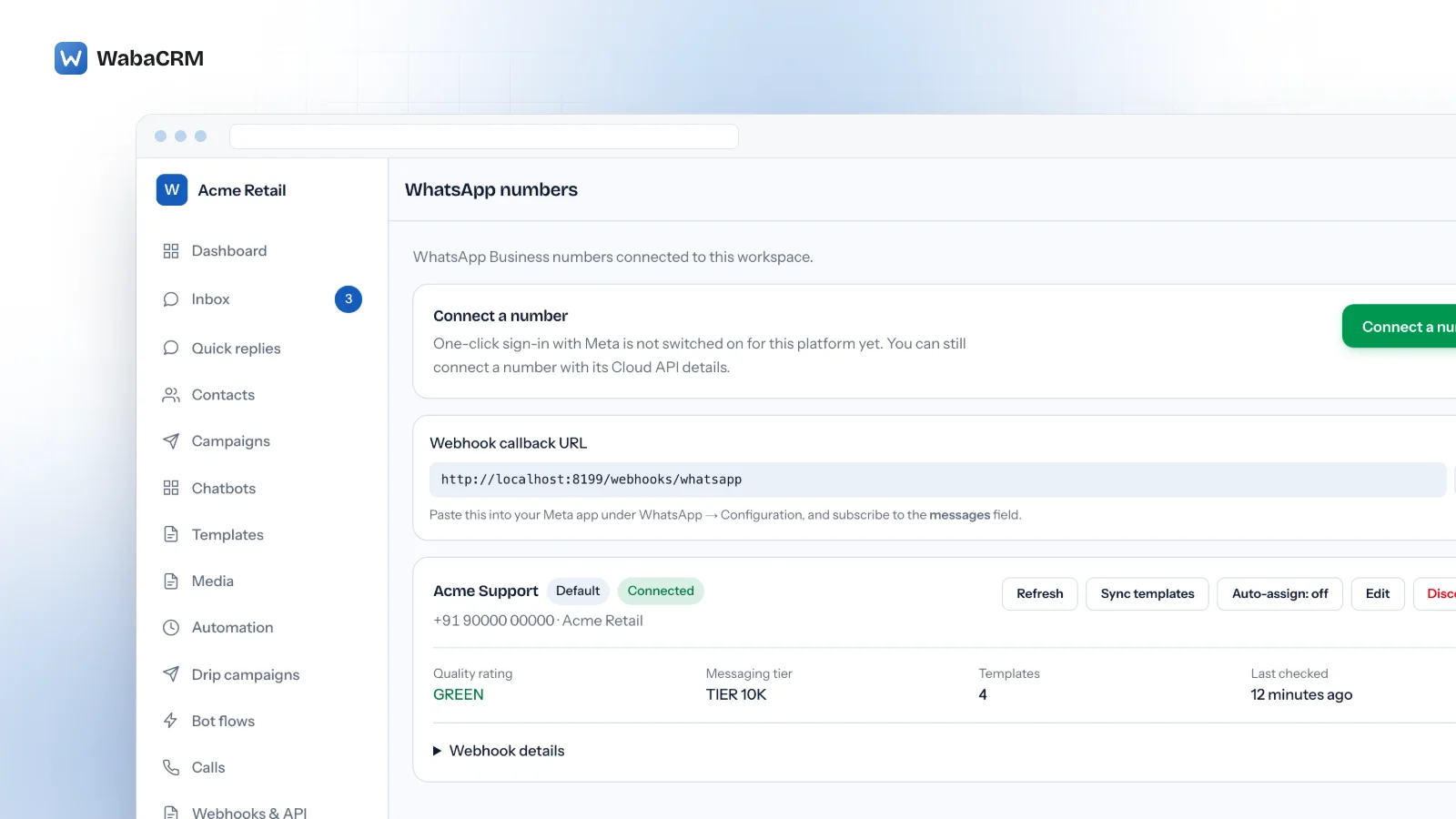
On WabaCRM, a number is connected from the WhatsApp numbers screen by one of three routes: Embedded Signup, coexistence for a number that stays in the WhatsApp Business app, or manual Cloud API credentials for a number already registered elsewhere. The verification call itself is always Meta's. Meta's Help Centre notes that with Embedded Signup "you'll be asked to set up and verify your phone number as part of the sign-up flow", which is why everything above has to be settled at the telephone end before that window opens.

A connected number then shows its quality rating, messaging tier and template count on the same card, whatever kind of line sits underneath it. Meta's table grades only the delivery of the verification code and says nothing about how each type behaves after registration, which is why that one call deserves the planning. If you are weighing the cost of running the number rather than the line itself, WabaCRM's pricing is per contact, and Meta's message charges are billed by Meta to your own account.
Every Meta quotation on this page was read from Meta's own documentation on 16 October 2026. Meta changes that documentation without notice; the linked pages are authoritative and this one is not.
Questions people also ask
Can I keep taking ordinary phone calls on a landline after registering it on the API?
Does a VoIP or virtual number work on the WhatsApp Cloud API?
Can the WhatsApp registration call be answered by a voicemail box?
How many times can I request a WhatsApp verification code before Meta blocks it?
Will customers see my landline number on my WhatsApp business profile?
- whatsapp business api landline
- toll free number whatsapp api
- 1800 number whatsapp business
- whatsapp api voice verification
- virtual number whatsapp business api