WhatsApp Cloud API Typing Indicator Marks the Chat Read
The short answer
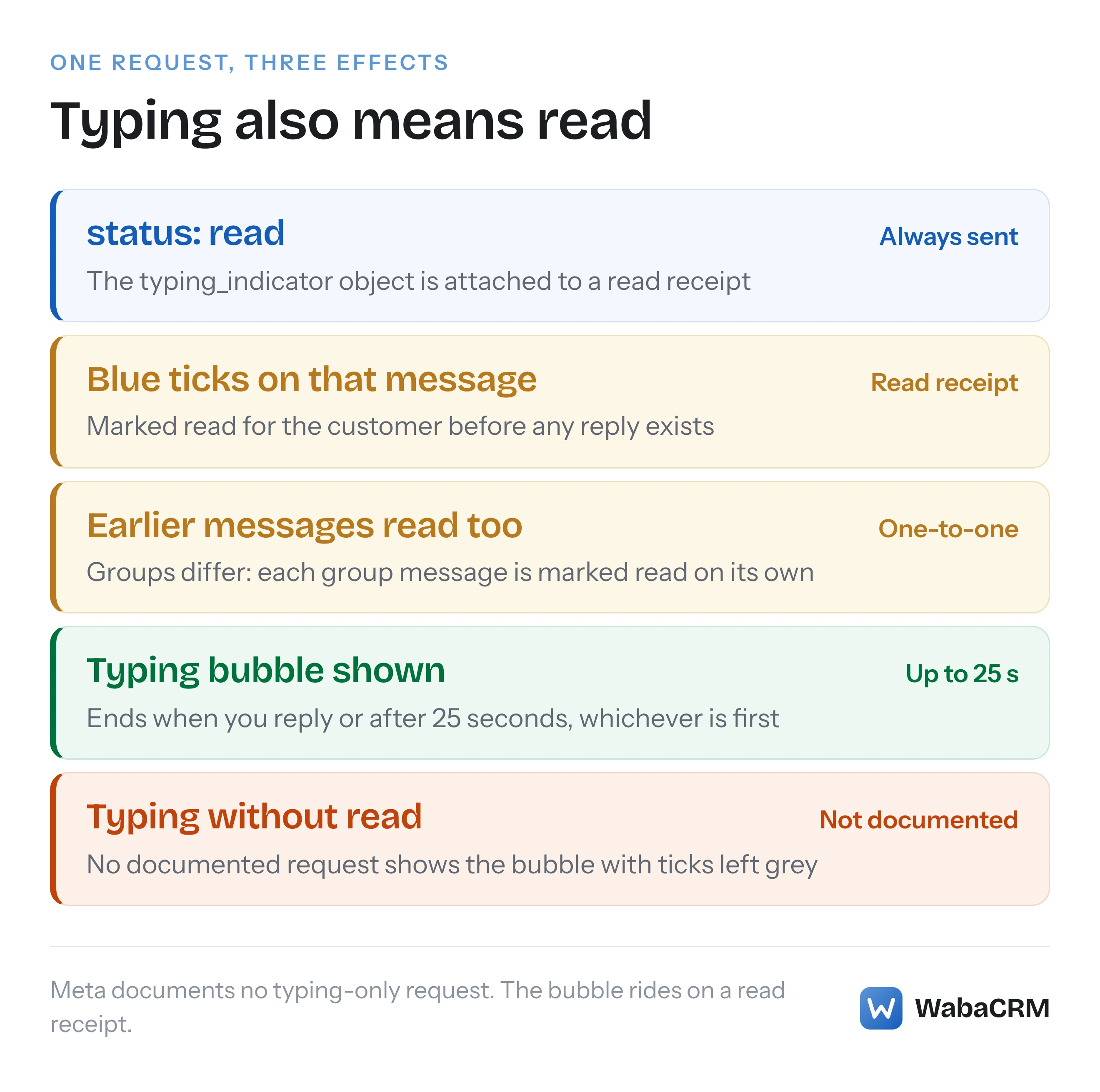
The WhatsApp Cloud API has no typing-only call. Meta documents the typing indicator as a POST to /{Phone-Number-ID}/messages carrying "status": "read" and a typing_indicator object, so the message is also marked read (blue ticks), earlier messages in a one-to-one chat are marked read too, and the bubble ends at your reply or after 25 seconds (checked October 2026).
How do you show a typing indicator with the WhatsApp Cloud API?
You send a read receipt with a typing_indicator object attached. The WhatsApp Cloud API has no separate typing call: the documented request is a POST to /{Phone-Number-ID}/messages carrying "status": "read", the customer's message_id, and "typing_indicator": {"type": "text"}. One request marks the message read and starts the typing bubble.
Meta's typing indicators page says so in its first sentence:
"When you get a messages webhook indicating a received message, you can use the message.id value to mark the message as read and display a typing indicator so the WhatsApp user knows you are preparing a response. This is good practice if it will take you a few seconds to respond." (Meta — Typing indicators)
"Mark the message as read and display a typing indicator" is the part most implementations skim past. It has four consequences that are easy to discover in production rather than in testing: you cannot show "typing…" without sending blue ticks, a read receipt in a one-to-one chat covers every earlier message too, the bubble lasts 25 seconds at most, and a typing bubble followed by silence is worse than no bubble at all.
The request in full, as Meta documents it:
curl -X POST 'https://graph.facebook.com/<API_VERSION>/<WHATSAPP_BUSINESS_PHONE_NUMBER_ID>/messages' \
  -H 'Authorization: Bearer <ACCESS_TOKEN>' \
  -H 'Content-Type: application/json' \
  -d '{
    "messaging_product": "whatsapp",
    "status": "read",
    "message_id": "<WHATSAPP_MESSAGE_ID>",
    "typing_indicator": { "type": "text" }
  }'
A successful call answers {"success": true} and nothing else. The feature is not new: Meta's changelog entry for 8 April 2025 reads "Added typing indicators so you can let WhatsApp users know that you are preparing a response." (Meta — WhatsApp changelog)
- How do you show a typing indicator with the WhatsApp Cloud API?
- Why does the WhatsApp typing indicator also mark the message as read?
- Does marking one WhatsApp message read mark the whole chat read?
- How long does the WhatsApp Cloud API typing indicator last?
- What does the customer see when you send read and typing together?
- Can you mark a WhatsApp message read without showing typing?
- When is a typing indicator worth sending from a bot or agent?
- What errors and limits apply to the read and typing request?
- Does a typing indicator or read receipt cost anything on WhatsApp?
- How should a bot time the typing indicator around a slow reply?
Why does the WhatsApp typing indicator also mark the message as read?
Because Meta built it on top of the read receipt and documents no other way to send it. The typing indicator is an optional object on the mark-as-read request, not a request of its own.
The Message API reference makes the pairing explicit in the name it gives its own example: "Send typing indicator and read receipt" (Meta — WhatsApp Cloud API, Message API reference). The example body is the same four fields as the curl above: message_id, messaging_product, "status": "read" and typing_indicator. Nowhere on that reference, or on the typing indicators page, is there a body that carries typing_indicator without status. We read both on 17 October 2026. The typing page's parameter table lists only the access token, the API version, the business phone number ID and the message ID, and text is the only type value either page shows.
The request also names no recipient. There is no to field. Meta describes the message ID as the one "assigned to the messages.id property in received message messages webhooks", so the chat is identified by a message the customer sent you. That has a practical edge: you can only show typing in a conversation where you hold an inbound message ID, which means a typing bubble is always also a statement that you have read what they wrote.
For most bots that is fine, because the reply is coming anyway. For a business that deliberately keeps ticks grey until a person has looked at a message, it is a real trade, and the honest choice may be to skip the indicator.
Does marking one WhatsApp message read mark the whole chat read?
In a one-to-one chat, yes. Meta's mark-as-read page says it directly, alongside the time limit:
"Mark incoming messages as read within 30 days of receipt. When you mark a message as read, the API also marks earlier messages in the conversation as read." (Meta — Mark messages as read)
Groups behave differently, and the difference is recent. Since May 2026 the same page has carried a note: "For group messages, mark each message as read individually. Marking one message does not mark earlier messages in the group as read." Meta's changelog dates that to 14 May 2026, describing it as "Updated mark messages as read documentation. Businesses can now mark group messages as read using the same Messages API endpoint."
The rule for a one-to-one chat is therefore simple. A customer who sends three messages in a row, "hi", "is this in stock", "in blue?", produces three webhooks with three IDs. Send the read and typing request with the newest ID and all three turn blue. Send it with the first and the later two stay grey, while the bubble suggests you are answering a conversation you have only partly read. If your webhook handler fires once per inbound message, debounce it and act on the last one.
| Chat type | Marking one message read | Typing indicator documented? |
|---|---|---|
| One-to-one | Also marks earlier messages read | Yes |
| Group | Marks only that message | Not mentioned |
How long does the WhatsApp Cloud API typing indicator last?
Twenty-five seconds at most, and less if you reply sooner. Meta states both conditions in one sentence:
"The typing indicator will be dismissed once you respond, or after 25 seconds, whichever comes first. To prevent a poor user experience, only display a typing indicator if you are going to respond." (Meta — Typing indicators)
Your reply is the normal way the bubble ends: the customer's screen swaps "typing…" for the message. The 25-second limit is the safety net when your reply is slow, and the page offers no parameter to change it.
What the page does not cover is sending the request again inside those 25 seconds. It does not say whether a second request restarts the timer, extends it, or is ignored. Sending it twice is a reasonable experiment, but it is undocumented behaviour, and a design that depends on keeping the bubble alive for a minute is building on something Meta never promised. If a reply genuinely takes longer than 25 seconds, a short holding message ("Checking that for you, one moment") is the dependable way to tell the customer you are still there.
What does the customer see when you send read and typing together?
Blue ticks on what they sent you, and a typing bubble in the chat. Those are the same two signals they would see if a person on the other end opened the chat and started typing.
WhatsApp's help centre describes the blue ticks in the plainest terms: two blue check marks mean "The recipient has read your message." (WhatsApp Help Center — How to check read receipts) Meta uses the same language for the other direction, in the status webhook it sends about your own messages: "read — Indicates the message was displayed in an open chat thread in the WhatsApp user’s device," with the note "WhatsApp UI equivalent: Two blue checkmarks." (Meta — Status messages webhook reference) Meta calls both directions by the same word, read: the receipt your server sends is the business-side counterpart of the blue ticks a customer's app produces when they read you.
One caveat is worth carrying into any logic built on ticks. WhatsApp's help centre lists, among the reasons blue ticks may be missing, "You or your recipient might have disabled read receipts in the privacy settings." Meta's typing indicators page says nothing about what a customer with read receipts switched off sees when you send the request. Do not assume the bubble appears for them, and do not assume it does not.
Can you mark a WhatsApp message read without showing typing?
Yes. Leave out the typing_indicator object and the same request becomes a plain read receipt. The reverse is the request people want and cannot make: a typing bubble with the ticks left grey.
| Request body | Customer sees | Response |
|---|---|---|
status: read |
Blue ticks | success: true |
status: read plus typing_indicator |
Blue ticks and a typing bubble | success: true |
typing_indicator alone |
Not documented | Not documented |
The plain read receipt is the right tool more often than the typing version. A human agent who opens a chat but will not answer for ten minutes should not trigger a typing bubble that dies after 25 seconds. A bot that answers in well under a second gains nothing from one either, because the reply arrives before the customer could notice the bubble.
Both versions return the same {"success": true}, which is also how they differ from a send. A send through the same endpoint returns a messages array with a new wamid, as in Meta's text-message example (Meta — Text messages). A read receipt returns no ID, so there is no delivery to track.
When is a typing indicator worth sending from a bot or agent?
When a reply is definitely coming and will take a few seconds to arrive. Meta's own guidance is two sentences long: it is "good practice if it will take you a few seconds to respond", and "only display a typing indicator if you are going to respond."
| Situation | Send it? | Why |
|---|---|---|
| Keyword bot answering at once | Rarely | The reply ends the bubble almost immediately |
| AI agent drafting for several seconds | Yes | The case Meta describes |
| Agent opens a chat to read it | Read receipt only | No reply is certain yet |
| Message arrives after hours | No | Blue ticks and no answer look like being ignored |
| Reply will take over 25 seconds | Add a holding message | The bubble ends at 25 seconds regardless |
The AI case is the one the feature was built for. A model drafting a reply from a knowledge base can take several seconds, and a customer staring at grey ticks for that long wonders whether anyone is there. A bubble that appears the moment the request is accepted and is replaced by the answer is the best experience the platform offers. The cases to avoid are the ones where the bubble makes a promise the system might not keep: a handover to a human who may be offline, a reply that depends on a slow external system, or a message your bot may decide not to answer at all.
If your automated replies come from an AI agent, how a WhatsApp AI agent answers from your own documents covers the drafting side, and the typing indicator is the piece that covers the wait.
What errors and limits apply to the read and typing request?
Three are documented: the message ID must be valid, it must belong to a message received within the last 30 days, and an invalid one is refused with error 131009. Meta's mark-as-read page puts the error this way:
"If you mark a message as read with an invalid message ID, the API returns error code 131009 (“Parameter value is not valid”). Provide a valid wamid from a received message as the message_id." (Meta — Mark messages as read)
The common ways to hit it are passing the ID of a message you sent rather than one you received, passing your own database's internal ID instead of the wamid, and replaying an old webhook long after the 30 days have passed. All three come from the same mistake: treating "a message ID" as interchangeable when only an inbound wamid will do.
Some things are not documented, and are worth knowing as gaps rather than discovering as surprises:
- The 24-hour customer service window. Neither the typing page nor the mark-as-read page ties the request to it. The 30-day limit is the only time limit either states. In practice you send the indicator immediately after a message arrives, when the window is open anyway; the separate rules for what you can send afterwards are in error 131047 and the 24-hour window.
- Rate limits. Neither page gives a limit specific to read receipts or typing indicators.
- Groups. The read half is documented for groups, as above. The typing half is not mentioned.
If inbound webhooks are not arriving at all, there is no message ID to use, and the indicator cannot be sent. That problem sits upstream, and why a verified webhook can still receive nothing is the place to start.
Does a typing indicator or read receipt cost anything on WhatsApp?
Meta's pricing page bills delivered messages from businesses to users and does not mention read receipts or typing indicators at all. Its rule is: "Meta charges by category–market, and only for messages from businesses to users," and "Businesses are only charged when a message is delivered. Meta does not charge for messages sent." (Meta — Pricing on the WhatsApp Business Platform)
We searched that page on 17 October 2026 for typing and read receipts and found neither. A read receipt is a status update on a message the customer sent, not a message from the business, and its response carries no message ID that could be delivered or priced. Read that as the absence of a charge on Meta's published page rather than as a promise from Meta, and check the page again if your volumes make it matter.
The real cost of the indicator is not money. It is the expectation it creates. A bubble that appears and then vanishes with no reply, or blue ticks on a message nobody answers for an hour, cost goodwill that no pricing page lists.
How should a bot time the typing indicator around a slow reply?
Decide whether you will reply first, then send the indicator with the newest inbound ID, then reply within 25 seconds or send a holding message. The order is the whole design.
- Receive the webhook and store the
wamid. Keep the newest inbound ID per conversation, because a customer's burst of messages produces several. - Decide whether a reply is certain. An opt-out keyword, an out-of-hours rule or a handover to a person who may be offline all mean no indicator.
- Send
status: readwithtyping_indicator, using the newest ID, as soon as the decision is made. - Generate the reply. If it will run past about 20 seconds, send a short holding message so the customer is not left with a bubble that has just disappeared.
- Send the reply. It dismisses the bubble.
In outline:
const latest = newestInboundWamid(conversationId);
if (!willReply(conversationId)) return;            // no promise you cannot keep

await post(`/${phoneNumberId}/messages`, {
  messaging_product: 'whatsapp',
  status: 'read',
  message_id: latest,
  typing_indicator: { type: 'text' },
});

const draft = draftReply(conversationId);         // may take several seconds
const early = await Promise.race([draft, sleep(20_000).then(() => null)]);
if (early === null) await sendHoldingMessage(conversationId);

await sendText(conversationId, await draft);       // dismisses the bubble
A note on our own product, so nobody reads this page as describing it. When this was written in October 2026, WabaCRM sent Meta neither read receipts nor typing indicators. Opening a conversation in the inbox clears its unread count inside WabaCRM only, and keyword bots and AI replies go out without a typing bubble. The customer's ticks stay grey until a reply arrives, which is the conservative end of the trade this article describes.
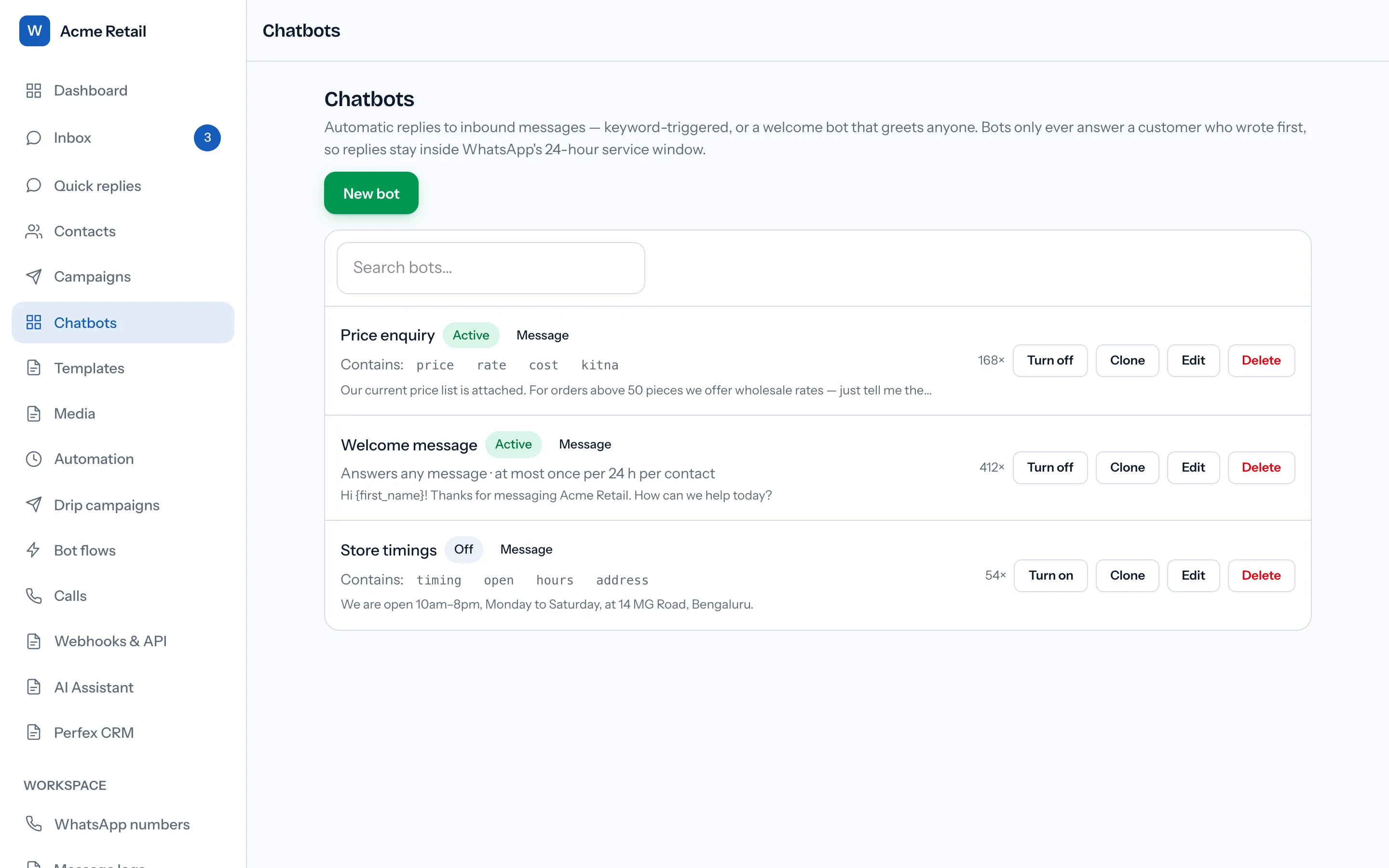
For a team where people answer as well as bots, the same choices apply per agent: a plain read receipt when someone opens a chat, and a typing bubble only when a reply is on its way. How a team shares one number is covered in the WhatsApp shared inbox, and building keyword replies in the first place in the WhatsApp chatbot builder guide.
Every Meta quotation on this page was read from Meta's own documentation on 17 October 2026. Meta changes that documentation without notice; the linked pages are authoritative and this one is not.
Questions people also ask
Can I show a typing indicator before sending a WhatsApp template?
Does the WhatsApp typing indicator work in group chats through the API?
Will a customer who turned off read receipts still see the typing bubble?
What happens if I send the typing indicator and then never reply?
Which message ID should a bot use for the typing indicator?
- whatsapp cloud api typing indicator
- typing_indicator whatsapp api
- whatsapp api mark message as read
- whatsapp typing indicator 25 seconds
- whatsapp api blue ticks


