Send WhatsApp Messages From Google Sheets (Apps Script)
The short answer
Google Sheets sends WhatsApp messages by calling the WhatsApp Cloud API from Apps Script's UrlFetchApp: one approved template per row, a system user access token in script properties, and a status column so reruns skip sent rows. Google allows 20,000 URL Fetch calls a day on consumer accounts and 6 minutes per execution (checked October 2026).
How do you send WhatsApp messages from Google Sheets?
You send WhatsApp messages from Google Sheets by having Apps Script read each row and call the WhatsApp Cloud API's Messages endpoint with UrlFetchApp, one approved template message per row. Four things make it last longer than an afternoon: a system user access token instead of the dashboard's, a status column the script writes after every send, batches that finish inside Google's six-minute limit, and a time-driven trigger that picks up where the last run stopped.
Scripts copied from older tutorials tend to be written for a single test. They send from the dashboard's test number, with the token the dashboard shows on its API setup panel, in a loop that runs from row two to the last row in one go. Each of those choices fails at a different point, and none of the failures looks like the cause. A token dies overnight. A run stops at row 340 with no message in the sheet. A number in column A reaches somebody in another country.
The sections below build the sender in the order those failures arrive: token, code, permission, Google's quotas, batching, phone numbers, then what the status column can and cannot tell you.
- How do you send WhatsApp messages from Google Sheets?
- Why does a Google Sheets WhatsApp script stop working after a day?
- Which access token should an Apps Script project use?
- What does the Apps Script code for one template send look like?
- Which WhatsApp messages can a sheet send to people who have not written first?
- How many WhatsApp messages can Google Sheets send in a day?
- How do you send more rows than one six-minute run allows?
- Why does a number from the sheet reach the wrong person?
- What do Meta's error codes mean in the sheet's status column?
- Does a 200 response mean the customer received the message?
- Can the sheet send through WabaCRM instead of calling Meta directly?
Why does a Google Sheets WhatsApp script stop working after a day?
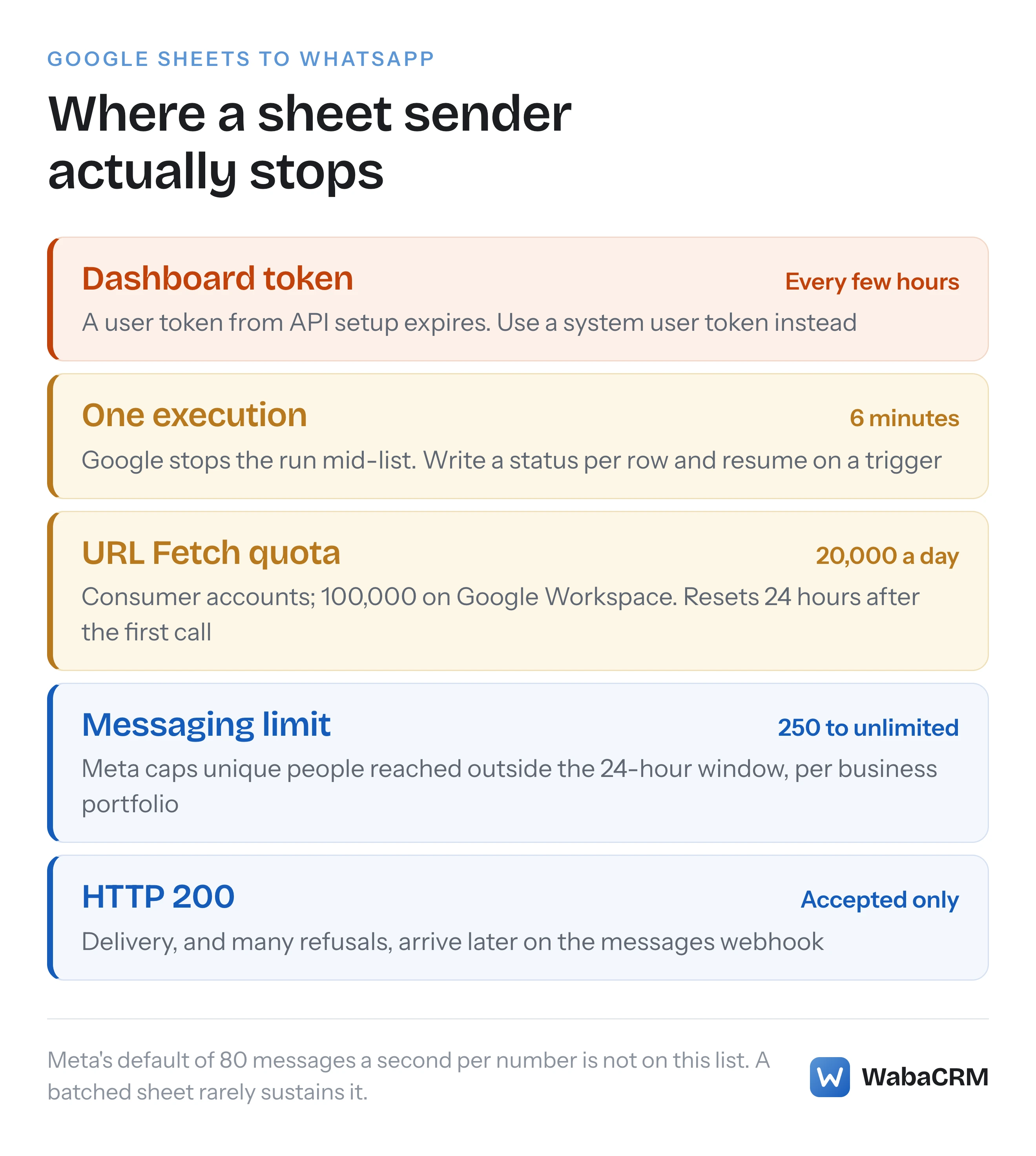
Usually because it is running on a user access token from the App Dashboard, and those are built to expire. Meta's access tokens guide says the API setup panel "always generates a new User access token whenever you visit it", and gives the reason not to build on one:
"This is because user access tokens expire quickly, so you have to keep generating a new one every few hours." (Meta — Access Tokens Guide)
When it goes, every row fails with error 190, which Meta's error table gives as "Your access token has expired." (Meta — WhatsApp error codes). A script that worked yesterday and refuses every row this morning has not broken. It has done what the token was designed to do.
The tutorials that taught this pattern are part of the problem. One such tutorial, dated 20 May 2022, tells readers the dashboard's temporary token "will be valid for 23 hours", calls Graph API v13.0, and has them pick a template category called "Account Update". Meta's current guide puts the token's life at "every few hours", and the category no longer exists: Meta's template fundamentals now say "Each template must be categorized as authentication, marketing, or utility." (Meta — Template fundamentals). It also sends from the test number Meta provides, which by the tutorial's own account reaches at most five recipient numbers, each verified with a code, so a sheet that works for the owner's phone fails for every customer.
The three kinds of WhatsApp token, and how each one dies, are compared in what error 190 means and how to get a permanent token.
Which access token should an Apps Script project use?
A system user access token, generated in your business portfolio's Business settings. Meta's guide is direct about who should use one:
"If you are a direct developer, meaning only you or your business accesses your own data, use a System User access token." (Meta — Access Tokens Guide)
and why: "The main advantage of these tokens is that they are long-lived and can represent automated services within your business that don’t require any user input." A sheet that sends at 7am with nobody at the keyboard is exactly that.
The steps on the same page, in short: open Business settings, then System Users, add one with an Admin or Employee role, assign your app to it with the Manage app permission, then click Generate token. In that window Meta asks you to "choose a token expiration preference, and assign your app these three Graph API permissions": business_management, whatsapp_business_management and whatsapp_business_messaging.
One step catches people who set up a system user from older instructions. An employee system user needs access to two accounts, not one. Meta's guide says you must grant business asset access "for both accounts the system user needs to work with: the WhatsApp account and the Messaging account", and adds: "Access to the Messaging account alone is not sufficient." Miss one and the API answers with error code 200, which Meta takes care to say is "not to be confused with HTTP status code 200".
Then keep the token out of the sheet. In the Apps Script editor, open Project Settings and add it under Script properties, then read it at run time:
const token = PropertiesService.getScriptProperties().getProperty('WA_TOKEN');
Meta also asks you not to parse it: "Do not parse, decode, or make assumptions about the format of an access token — treat it as an opaque string."
What does the Apps Script code for one template send look like?
One POST to /<PHONE_NUMBER_ID>/messages with a template object, sent through UrlFetchApp.fetch with muteHttpExceptions switched on. This builds the request for one row, using a template with two named body parameters:
const PHONE_NUMBER_ID = '123456789012345'; // from WhatsApp Manager
const GRAPH = 'https://graph.facebook.com/v26.0';

function buildRequest_(row, token) {
  // row: [phone, name, trackingId, status, messageId]
  return {
    url: GRAPH + '/' + PHONE_NUMBER_ID + '/messages',
    method: 'post',
    contentType: 'application/json',
    headers: { Authorization: 'Bearer ' + token },
    muteHttpExceptions: true,
    payload: JSON.stringify({
      messaging_product: 'whatsapp',
      recipient_type: 'individual',
      to: toE164_(row[0]),
      type: 'template',
      template: {
        name: 'order_dispatched',
        language: { code: 'en' },
        components: [{
          type: 'body',
          parameters: [
            { type: 'text', parameter_name: 'customer_name', text: String(row[1]) },
            { type: 'text', parameter_name: 'tracking_id', text: String(row[2]) }
          ]
        }]
      }
    })
  };
}
The shape follows Meta's own send example for a utility template, where each named value is an object with type, parameter_name and text (Meta — Utility templates). A template created with positional {{1}} placeholders takes the same objects without parameter_name, in order. Get that wrong and Meta answers 132000, which how Meta counts template parameters explains, including why a correct-looking count can still fail.
Three details in that code are deliberate:
muteHttpExceptions: true. Google's reference says that when this is true "the fetch doesn't throw an exception if the response code indicates failure, and instead returns the HTTPResponse. The default is false." (Google — Class UrlFetchApp). Leave it false and the first refused row throws, the run stops, and Meta's error body never reaches your sheet.String()around every cell. A sheet hands back numbers and dates as numbers and dates. Meta wants text values.language.codemust match the template exactly. A template approved asen_USand sent asenis answered with 132001, "The template does not exist in the specified language or the template has not been approved."
Which WhatsApp messages can a sheet send to people who have not written first?
Only approved templates. Meta's template fundamentals put it in one sentence:
"Template messages are the only type of message that can be sent to WhatsApp users outside of a customer service window." (Meta — Template fundamentals)
The window is the 24 hours after a customer writes to you. Meta's service messages page says "When a WhatsApp user messages you or calls you, a 24-hour timer called a customer service window starts", and "When the window closes, you can only send pre-approved template messages." (Meta — Service messages). A list in a spreadsheet is almost never a list of people who wrote in the last day, so a sheet sender should send templates and nothing else. A plain "type": "text" row to anyone outside the window comes back as 131047: "More than 24 hours have passed since the recipient last replied to the sender number."
Outside a free entry point window, which only a conversation started from a click-to-WhatsApp ad can open, every delivered template is charged. Meta's pricing page says rates vary by "the message category" and "the recipient WhatsApp phone number’s country calling code", and that "Businesses are only charged when a message is delivered." (Meta — Pricing on the WhatsApp Business Platform). Category matters twice: it decides the rate, and a marketing template sent to many people runs into limits that a genuine order update does not.
Is a phone number in a spreadsheet permission to message it?
No. A phone number is half of what Meta asks for. Its opt-in page sets out both halves:
"Businesses may contact people on WhatsApp if: (a) they have given their mobile phone number; and (b) businesses have received opt-in permission from the recipient confirming that they wish to receive subsequent messages or calls from a particular business." (Meta — Get opt-in for WhatsApp)
A sheet built from a lead form, an old customer register or a purchased list has part (a) in column A and nothing about part (b). Add the evidence as columns of its own, such as where and when each person agreed and to what, and make the script skip any row without them. The same page also says "Our systems will rate limit businesses if the business’s quality is low for a sustained period of time", so a send to people who never asked for it can cost the number more than the messages themselves. What an opt-in has to say, and what to keep so it can be proved, is covered in what WhatsApp actually requires from an opt-in.
How many WhatsApp messages can Google Sheets send in a day?
As many as the tightest of four limits allows, and on a new business portfolio that is usually Meta's, not Google's. Google sets three of them. Its quotas page, last updated 3 September 2026 when we read it, gives the figures and the rule for when they reset:
"Quotas are per user and reset 24 hours after the first request." (Google — Quotas for Google Services)
| Limit | Set by | Figure (read October 2026) | What it stops |
|---|---|---|---|
| URL Fetch calls | 20,000 a day consumer, 100,000 Workspace | Every send after it, for the day | |
| Script runtime | 6 minutes per execution | One run, mid-list | |
| Triggers total runtime | 90 minutes a day consumer, 6 hours Workspace | Triggered runs, for the day | |
| Messaging limit | Meta | 250 unique people per 24 hours, new portfolio | Templates to further new people |
Google adds that "If you exceed a quota or limitation, your script throws an exception and execution stops," and that "All quotas are subject to elimination, reduction, or change at any time, without notice."
Meta's limit counts people, not messages. Its messaging limits page defines them as "the maximum number of unique WhatsApp user phone numbers your business can deliver messages to, outside of a customer service window, within a moving 24-hour period", and says "Newly created business portfolios have a messaging limit of 250", rising to 2,000 through a scaling path and then automatically to 10,000, 100,000 and unlimited (Meta — Messaging Limits). The limit sits on the business portfolio and is shared by all of its numbers, so a second number does not double it.
Meta's throughput limit is not on that table, deliberately. The throughput page says Cloud API supports "up to 80 messages per second (mps) by default" for each registered business phone number (Meta — Throughput). A script that waits for each batch to come back before sending the next is unlikely to sustain that. The exception is a number also in use with the WhatsApp Business app, which the same page says has "a fixed throughput of 20 mps"; if 130429 starts appearing in the status column, make the batch smaller.
How do you send more rows than one six-minute run allows?
Send in small concurrent batches, stop well before six minutes, record every result as you go, and let a trigger run the function again until no row is left without a status. UrlFetchApp.fetchAll issues several requests at once and, in Google's words, "Makes multiple requests to fetch multiple URLs using optional advanced parameters", returning an array of responses, one for each input request:
const BATCH = 20;                     // requests per fetchAll
const BUDGET_MS = 4.5 * 60 * 1000;    // stop well inside Google's 6 minutes

function sendPending() {
  const lock = LockService.getScriptLock();
  if (!lock.tryLock(1000)) return;    // the previous run is still going
  try {
    const started = Date.now();
    const token = PropertiesService.getScriptProperties().getProperty('WA_TOKEN');
    const sheet = SpreadsheetApp.getActive().getSheetByName('Send');
    const rows = sheet.getDataRange().getValues();
    const pending = [];
    for (let i = 1; i < rows.length; i++) {
      if (!rows[i][3]) pending.push(i); // column D, status, still empty
    }
    for (let p = 0; p < pending.length; p += BATCH) {
      if (Date.now() - started > BUDGET_MS) break; // the trigger does the rest
      const chunk = [], requests = [];
      pending.slice(p, p + BATCH).forEach(i => {
        try { requests.push(buildRequest_(rows[i], token)); chunk.push(i); }
        catch (e) { sheet.getRange(i + 1, 4).setValue('error ' + e.message); }
      });
      if (!requests.length) continue;
      const replies = UrlFetchApp.fetchAll(requests);
      replies.forEach((res, k) => {
        let body = {};
        try { body = JSON.parse(res.getContentText()); } catch (e) {}
        const ok = res.getResponseCode() === 200;
        const status = ok ? 'accepted'
          : 'error ' + (body.error ? body.error.code : res.getResponseCode());
        const id = ok ? body.messages[0].id : '';
        sheet.getRange(chunk[k] + 1, 4, 1, 2).setValues([[status, id]]);
      });
      SpreadsheetApp.flush();
    }
  } finally {
    lock.releaseLock();
  }
}

function installTrigger() {
  ScriptApp.newTrigger('sendPending').timeBased().everyMinutes(5).create();
}
Google's trigger builder only accepts certain intervals: "n must be 1, 5, 10, 15 or 30." (Google — Class ClockTriggerBuilder). Run installTrigger once by hand.
The parts that matter more than they look:
- The status column is the cursor. A row with anything in column D is never sent again. That is also why the result is written immediately after each batch rather than at the end: a run that dies after Meta accepted twenty requests, but before the sheet recorded them, sends those twenty again on the next run.
- The lock stops two runs overlapping. A five-minute trigger and a run that takes four and a half minutes are close enough to collide, and two runs reading the same empty status cells send the same rows twice.
- Count every request against the quota. Google's quota page lists URL Fetch calls without saying how
fetchAllis counted, so plan as if each request inside it is one call. - Remove duplicate numbers first. Twenty rows for the same customer in one batch is what Meta's error 131056 describes: "Too many messages sent from the sender phone number to the same recipient phone number in a short period of time."
- Mark errors, do not retry them blindly. A 132000 or 132001 will fail identically on every attempt. Fix the template or the row, clear the status cell, and let the next run pick it up.
Why does a number from the sheet reach the wrong person?
Because the number reached Meta without a plus sign, and Meta filled in a country code you did not intend. Meta's service messages page says:
"We highly recommend that you include both the plus sign and country calling code when sending a message to a customer. If the plus sign is omitted, your business phone number’s country calling code is prepended to the customer’s phone number. This can result in undelivered or misdelivered messages." (Meta — Service messages)
Meta's own worked example uses a business in India, country calling code 91, sending to a customer on a +1 number. +1 (631) 555-1234 reaches +16315551234, the correct number. 1 (631) 555-1234, missing only the plus, goes to +9116315551234, which Meta marks "Potentially wrong number".
Spreadsheets make this worse. A cell typed or imported as a number cannot hold a plus sign or a leading zero, so a column that looked right when somebody pasted it in becomes bare digits by the time the script reads it. Decide the rule once, in code, rather than trusting the cell. For a sheet of Indian mobile numbers:
function toE164_(cell) {
  const d = String(cell).replace(/\D/g, '');     // drop +, spaces, dashes
  if (d.length === 10) return '+91' + d;          // 98765 43210
  if (d.length === 11 && d[0] === '0') return '+91' + d.slice(1); // 098765...
  if (d.length === 12 && d.startsWith('91')) return '+' + d;      // 91987...
  throw new Error('Unrecognised number: ' + cell);
}
Throwing on anything else is the point. A number the rule cannot read is better reported in the status column than guessed at, which is what the try around buildRequest_ in sendPending is for: one bad cell marks its own row with error Unrecognised number and the rest of the batch still goes. Without it, the first unreadable number would stop every run at the same row.
What do Meta's error codes mean in the sheet's status column?
They mean only what came back on the HTTP response, which is not every refusal Meta will make. Meta's error codes page says:
"Cloud API errors are returned either synchronously as a Graph API response, asynchronously via Webhook, or sometimes through both methods." (Meta — WhatsApp error codes)
The codes a sheet sender meets most often are below. Meta's error codes page does not say which of them arrive on the response and which only on the webhook (we checked on 17 October 2026), so a code that never appears in your status column may simply have gone the other way:
| Code | What Meta means | Usual cause in a sheet |
|---|---|---|
| 190 | Access token has expired | Dashboard user token |
| 200 | No asset access, or no token sent | System user lacks asset access |
| 132001 | Template missing in that language, or not approved | en sent for an en_US template |
| 132000 | Parameter count does not match the template | Blank cell, or named versus positional |
| 131047 | More than 24 hours since the recipient replied | A text message instead of a template |
| 131056 | Too many messages to the same recipient | Duplicate rows for one number |
| 130429 | Throughput limit reached | Sending faster than the number allows |
Write the code into the sheet, not the message text. Meta recommends you "build your app’s error handling logic around code values and details payload properties", and warns that titles "will eventually be deprecated". The error_data.details string is worth a second column when you are diagnosing a template.
Does a 200 response mean the customer received the message?
No. A 200 means Meta took the request. The service messages page says so in as many words:
"This response only indicates that the API successfully accepted your request — it does not indicate successful delivery of your message. You receive delivery status via messages webhooks instead." (Meta — Service messages)
That is why the code above writes accepted, never sent or delivered. The id it stores, the wamid.… string, is the key that later delivery, read and failure events carry. A refusal that arrives that way, such as a number that is not on WhatsApp or a marketing template Meta held back, never touches your sheet unless something receives the webhook and writes it back. Receiving Meta's webhooks needs a public HTTPS endpoint that passes Meta's verification, which this article does not cover.
One more field can appear on a successful send. When a template is being paced, the response includes message_status, which Meta says "is only included in responses when sending a template message that uses a template that is being paced." Store it if it is there. A new template sent to a large sheet is exactly the case pacing exists for, and what pacing does to a freshly approved template explains why accepted messages can trickle out over hours.
Can the sheet send through WabaCRM instead of calling Meta directly?
Yes. If the number is connected to WabaCRM, the same script can call WabaCRM's API instead of Meta's, and the Meta token stays out of Apps Script altogether. The call is one request per row:
UrlFetchApp.fetch('https://wabacrm.com/api/v1/messages', {
  method: 'post',
  contentType: 'application/json',
  headers: { Authorization: 'Bearer ' + token, Accept: 'application/json' },
  muteHttpExceptions: true,
  payload: JSON.stringify({
    to: '919876543210',
    template_id: 12,
    template_params: ['Asha', 'DL-4471']
  })
});
It answers 201 with the message's data.id, finds or creates the contact and conversation, and GET /api/v1/messages/{id} later reports delivered, read or failed, with Meta's error code when Meta gave one. The full field list, where template ids come from and every refusal are in sending a WhatsApp template to a new number through the API.

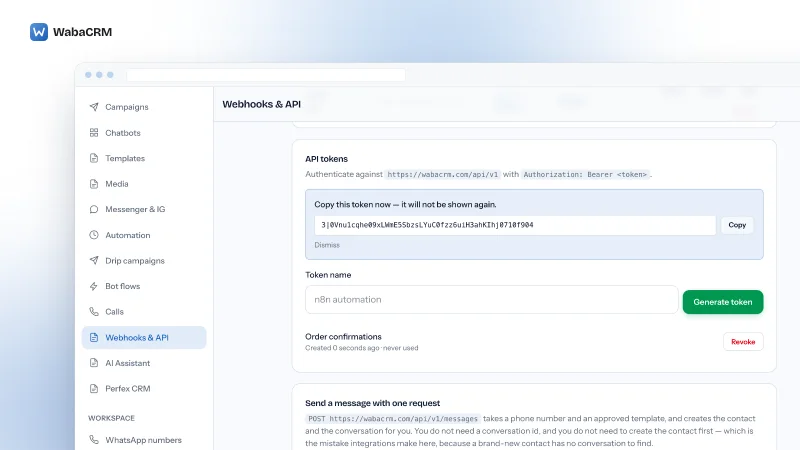
The REST API at /api/v1 works on every plan. What the optional Webhooks & API add-on sells is named integration tokens issued from that screen, the in-app API reference, and signed webhook forwarding, which is the piece that can push delivery results to an endpoint you run. See the pricing page for how add-ons are sold. Two rules carry over from the Meta version. Requests are limited to 120 a minute for each member, so keep batches small and let a one-minute trigger do the pacing. And send an Idempotency-Key with each row — the row's own identifier is a good one — so a retry after a timeout replays the first answer rather than messaging the customer again. How the same API pairs with n8n or Zapier instead of Apps Script is in the WhatsApp Business API with n8n, Zapier and Make.
Every Meta quotation on this page was read from Meta's own documentation on 17 October 2026. Meta changes that documentation without notice; the linked pages are authoritative and this one is not.
Questions people also ask
Can Google Sheets send a WhatsApp message automatically when a new row is added?
Can I send images or PDFs from Google Sheets through WhatsApp?
Is it safe to keep the WhatsApp access token in a spreadsheet cell?
Does a Google Workspace account let the script send more WhatsApp messages?
How much does it cost to send WhatsApp messages from Google Sheets?
- send whatsapp message from google sheets
- google apps script whatsapp cloud api
- urlfetchapp whatsapp template
- whatsapp api google sheets bulk
- google sheets whatsapp automation