WhatsApp Media URLs Expire in 5 Minutes
The short answer
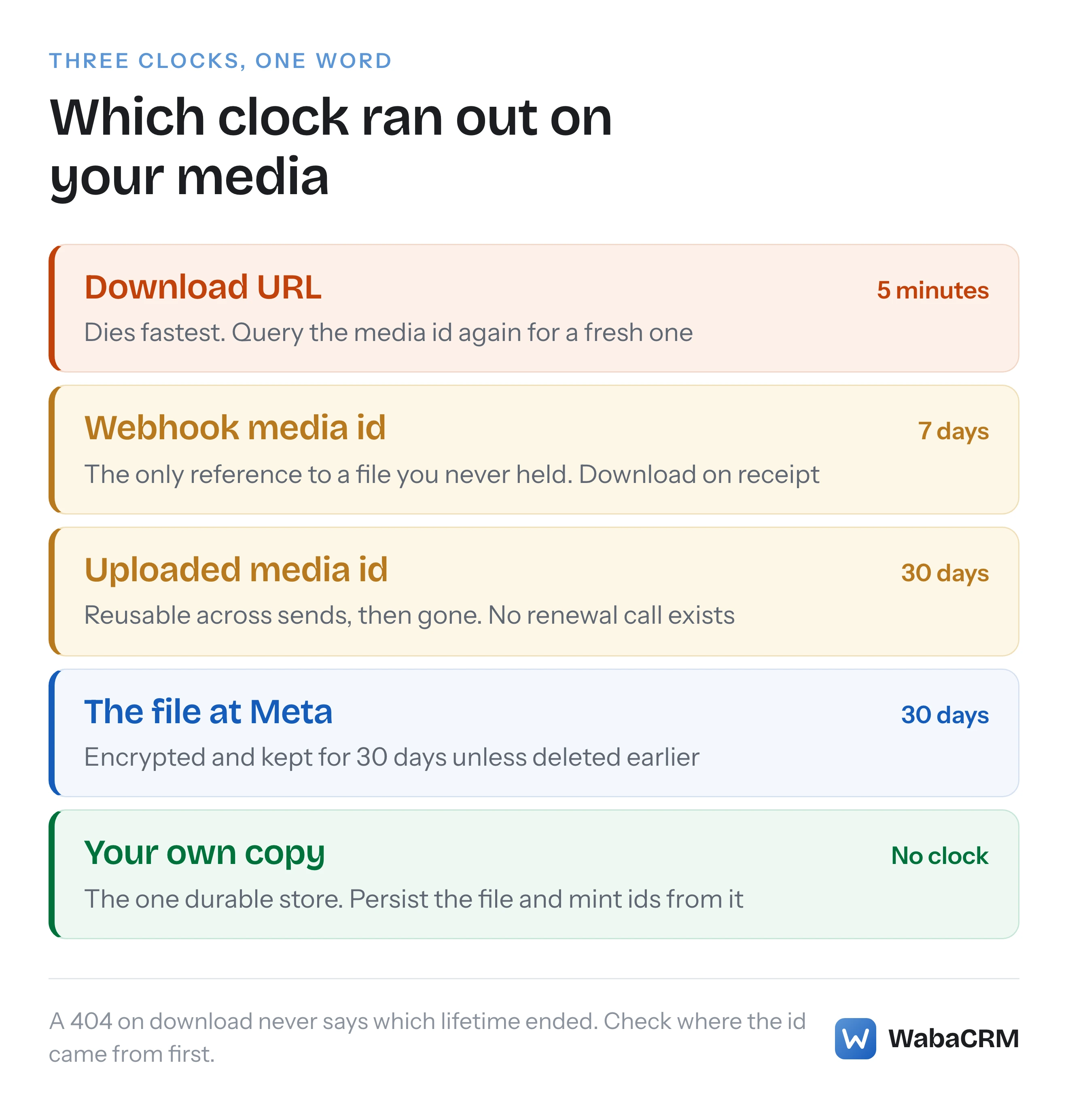
A WhatsApp media download URL expires five minutes after you retrieve it; Meta's fix is to query the media id again for a fresh URL. Three different clocks share the word expired: the URL lasts 5 minutes, an uploaded media id 30 days, a webhook media id only 7 days. Checked against Meta's Media reference on 25 September 2026.
Why is the WhatsApp media URL already expired?
Because the URL was only ever valid for five minutes. Meta's Media reference states it plainly:
"Media URLs expire after 5 minutes, after which you must query the ID again to get a new URL." (Meta — Cloud API Media reference)
That single sentence explains most of the search traffic behind "whatsapp media url expired": the URL you stored, logged, queued, or passed to a worker was a five-minute ticket, and by the time anything reads it back, the ticket is gone. The URL is not the media. It is a short-lived pointer minted at the moment you asked, and Meta expects you to ask again.
What makes this trap worse than a simple timeout is that the word "expired" is doing three different jobs in the same API. The download URL expires in five minutes. The media id you get back from uploading a file expires after 30 days. A media id that arrives inside a webhook — a customer's photo, voice note or PDF — expires after just 7 days. Three clocks, three very different remedies, and one shared word in the error reports. Most write-ups only know the first clock.
- Why is the WhatsApp media URL already expired?
- Which three lifetimes share the word expired?
- What is the right way to download inbound media?
- Why does the download return 404 Not Found?
- Why do webhook media ids die sooner than uploaded ones?
- Should you store the URL, the id, or the file?
- Is a header_handle the same as a media id?
- How does a send scheduled weeks away avoid a dead id?
- Does phone_number_id change which media you can fetch?
Which three lifetimes share the word expired?
Meta documents all three on the same reference page, two of them in one breath:
"Media IDs returned by the API expire after 30 days. Media IDs in webhooks expire after 7 days." (Meta — Cloud API Media reference)
And the underlying file has its own retention period, distinct from any id that points at it:
"All media files sent through this API are encrypted and persist for 30 days, unless they are deleted earlier." (Meta — Cloud API Media reference)
Put together, the full picture looks like this. Checked against Meta's documentation on 25 September 2026.
| What | Lifetime | What to do about it |
|---|---|---|
| Download URL | 5 minutes | Query the media id again for a fresh URL |
| Media id from an upload | 30 days | Re-upload from your own copy after that |
| Media id from a webhook | 7 days | Download the file on receipt, not later |
| The stored file at Meta | 30 days | Persist your own copy; there is no renewal |
Notice what is absent from that table: any way to extend a lifetime. There is no keep-alive call, no renewal parameter, no retention tier. Every remedy is on your side of the API — re-query, re-download, re-upload — which is why the rest of this piece is about what your system should persist rather than about any setting to change at Meta.
What is the right way to download inbound media?
Two requests, in quick succession. First, retrieve the URL by calling the media id your webhook delivered:
curl "https://graph.facebook.com/<VERSION>/<MEDIA_ID>" \
  -H "Authorization: Bearer <ACCESS_TOKEN>"
The response carries messaging_product, url, mime_type, sha256, file_size and id. The url value is the five-minute ticket. Second, fetch that URL — and the token goes on this request too. Meta's reference is explicit about the part people skip:
"Include your access token in the request. If you omit your token, the request will fail." (Meta — Cloud API Media reference)
A media URL is not a public link. Pasting it into a browser fails; handing it to an image tag on a web page fails; passing it to a third-party service that fetches it without your bearer token fails. The download has to be an authenticated server-side request, which is the second structural reason storing the URL for later is useless — even a fresh one is only fetchable by something holding the number's token.
The two requests belong within minutes of each other by design. Anything that separates them — a queue with a backlog, a retry scheduled for an hour later, a URL written to a database column for a nightly job — is guaranteed to arrive after the five minutes and read a dead pointer. The unit of work is "get URL and download", never "get URL" and, separately, "download". One practical note while you are here: the same page caps what can move through this pipe at all, stating that "The maximum supported file size for media messages on Cloud API is 100MB."
Why does the download return 404 Not Found?
Because a dead media URL does not fail with a polite expiry message. Meta documents the failure mode and the remedy together:
"If the download attempt fails, you will receive a
404 Not Foundresponse code. In that case, try to get a new media URL and download it again." (Meta — Cloud API Media reference)
So the first 404 is not evidence the file is gone. It is evidence your URL is stale, and the documented fix is one more GET on the media id. Only when a download against a URL fetched seconds earlier still returns 404 should you conclude the id itself has run out its 30 or 7 days, or that the media was deleted.
This matters for how retries are built. A worker that retries the same URL is retrying a pointer that cannot come back to life; every attempt after minute five is a guaranteed 404, and the log fills with identical failures that look like an outage. A worker that retries by re-querying the id gets a working URL every time, right up until the id's own expiry. The 404 on a download URL is also a different animal from the errors Meta raises around the media pipeline itself — upload refusals and delivery-side media failures carry their own error codes, 131052 and 131053, which point at the file or the recipient rather than at a clock.
Why do webhook media ids die sooner than uploaded ones?
Meta does not publish a reason for the asymmetry, only the fact of it — the same reference page adds that "when retrieving a media from a media ID received via webhook, the media ID will only be available to download for 7 days." What the asymmetry forces on an integration, though, is very clear: inbound media is the urgent kind.
An id you minted by uploading is your own asset, created deliberately, with 30 days of slack and a copy of the file already on your disk. An id that arrives in a webhook is the only reference you have to a file you have never seen, on a 7-day fuse, pointing at a URL that dies in five minutes once fetched. If your system does not download it promptly, no later process can recover it — Meta holds the only copy, and the handle to that copy is burning down.
This is WabaCRM's own operational scar tissue. We queue the download the moment the inbound webhook arrives, because we have watched the alternative: by the time a human notices an empty bubble in a chat, the URL died minutes ago, the webhook id may be days gone, and there is no second copy anywhere. An agent asking a customer to re-send an invoice is the product failing in public. The same discipline shows up when a message appears to be missing from the inbox entirely — the difference between a message that arrived with its media intact and one that arrived as text plus a permanently empty attachment is decided in the first minutes after the webhook, not at read time.
Should you store the URL, the id, or the file?
The file. Always the file. The URL is a five-minute pointer and storing it is storing noise. The id looks more durable — and 30 days is long enough to pass every test you run this week — but an id is a claim on Meta's copy of the file, and Meta's copy has an eviction date. The only representation with no clock on it is bytes on your own storage.
The rule generalises one level up: persist the asset, not the id. A media id is a derived artefact you can mint again at any time from the file, the way a session token is minted from credentials. Systems that treat the id as the source of truth work perfectly for 30 days and then fail in a place nobody is looking.
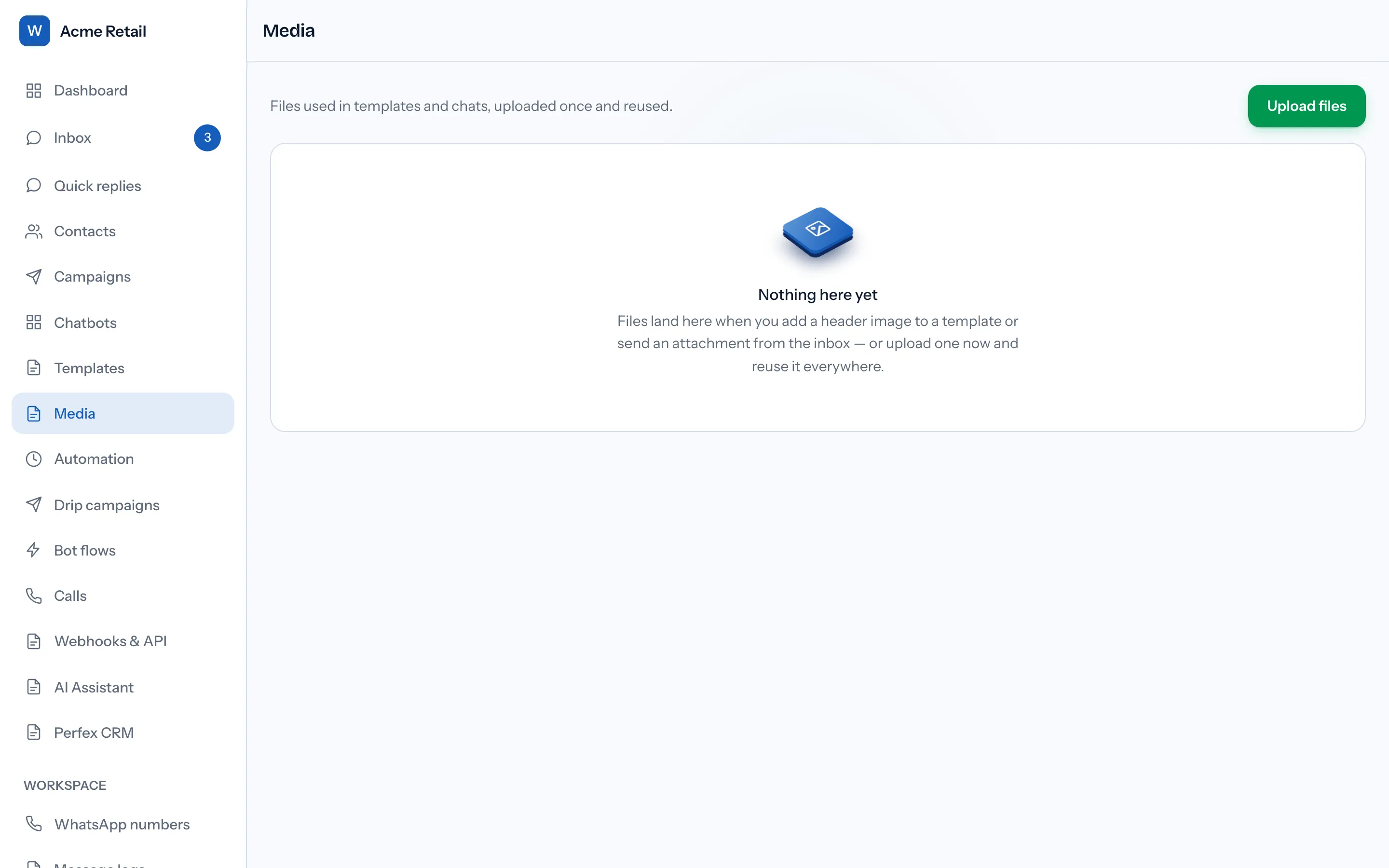
WabaCRM's media library is built on exactly this split. The stored object is the file; the cached Meta media id beside it is treated as a perishable convenience, kept with a 25-day margin inside Meta's 30 so a library item reused in a campaign is never presented to a send during the week its id is due to expire. When the margin lapses, the file is simply re-uploaded and a fresh id cached — invisible to the person clicking send, which is the point.
Is a header_handle the same as a media id?
No, and confusing them produces failures that name neither concept. There are two different upload doors, and each yields a string the other door's consumers refuse.
The Resumable Upload API returns a file handle — the h value in its response — and Meta's template documentation states exactly what that handle is for:
"If you are creating a template with a media header, you must use the Resumable Upload API to obtain an asset handle, and include this asset handle in your template creation request." (Meta — Message templates, Business Management API)
That is the handle's whole job: template creation, where it becomes the example media a reviewer sees. The other door, POST /{phone-number-id}/media, returns a media id — and the media id is what a send takes, whether that send is a session message or the header parameter of an approved template going out to a customer. A handle in a send payload does not work; a media id in a template creation payload does not work; and neither error message mentions handles, ids or the distinction between them, so the debugging session tends to be long. If you are wiring the send side, the walkthrough of sending a template through the API shows where the media id actually goes in the payload.
The confusion is understandable because both strings answer the question "I uploaded a file, what did I get back?" — but they come from different endpoints and are consumed by different endpoints, and there is no exchange between them.
How does a send scheduled weeks away avoid a dead id?
By never storing the id at build time. This is where the 30-day clock stops being an edge case and becomes the central design constraint, because some sends are legitimately weeks away from the moment their content is chosen.
A drip sequence is the sharpest example. Someone builds a five-step sequence today; a contact enrolled next month hits step four seven weeks from now. Any media id resolved and stored when the sequence was built is guaranteed dead by then — not possibly, arithmetically. The failure arrives as a 404 on a step deep inside a running sequence, long after anyone is watching the builder, against an enrolment nobody is looking at. In WabaCRM's drip engine the step therefore stores the media library asset, never a Meta media id, and a fresh id is minted from the asset at each send. The same reasoning covers campaign header media and every automation that attaches a file: the id is resolved as late as possible, always from a file the platform holds itself.
The general pattern for any scheduler, in order of when each thing should exist:
build time:   store your own asset reference (file on your storage)
send time:    POST /{phone-number-id}/media   -> fresh media id
send time:    use that id in the message payload
on failure:   re-upload from the asset, never retry a stored id
If your scheduler currently persists Meta media ids, the honest test is not "does it work" but "what is the oldest id it will ever replay" — and if the answer can exceed 30 days, the failure already has a date on it.
Does phone_number_id change which media you can fetch?
Yes, in one narrow and useful way. The media URL retrieval call accepts an optional check, documented like this:
"Note that
phone_number_idis optional. If included, the request will only be processed if the business phone number ID included in the query matches the ID of the business phone number that the media was uploaded on." (Meta — Cloud API Media reference)
Two consequences follow. First, media is scoped to the number that uploaded it — an id minted on one number is not automatically a shared asset across every number in a portfolio, so a platform juggling several numbers per workspace cannot pool ids and must track which number owns which upload. Second, the optional parameter is a cheap guard worth sending: in a multi-number system it turns "this id unexpectedly belongs to a different number" from a silent cross-wiring into an explicit refusal at the retrieval step, before anything is downloaded or sent.
It is a small detail, but it rounds out the theme of this whole page: every string the media pipeline hands you — the URL, the id, the handle — is narrower and shorter-lived than it looks. The URL is scoped to five minutes, the id to one number and one month at most, the handle to one operation. The file on your own storage is the only artefact with neither an owner check nor a clock, which is why it is the one to keep.
Every Meta quotation on this page was read from Meta's own documentation on 25 September 2026. Meta changes that documentation without notice; the linked pages are authoritative and this one is not.
Questions people also ask
Can I get a fresh URL for a media id I already queried?
What should my code do when a media download returns 404?
Does Meta delete WhatsApp media after 30 days?
Can one uploaded media id be reused across many sends?
Why does sending a template with a header_handle fail?
- whatsapp media url expired
- whatsapp download media api
- media id expired
- whatsapp cloud api media
- header_handle vs media id