WhatsApp Error 131030: Recipient Not in Allowed List
The short answer
Error 131030 means the send went out from Meta's auto-generated test business number, which only delivers to recipients added in the App Dashboard's API Setup list. If it persists after adding the recipient, the phone_number_id you post to is usually still the test number's. Meta's error-codes page does not document 131030 at all, checked 25 September 2026.
What does WhatsApp error 131030 actually mean?
Error 131030 means the message was refused before delivery was even attempted, because it was sent from Meta's test business phone number and the recipient is not on that test number's short list of approved destinations. The API returns it like this:
(#131030) Recipient phone number not in allowed list:
Add recipient phone number to recipient list and try again.
That text is the API's own response body, and it is nearly all the documentation the error has — more on that below. The remedy it names is real: open the App Dashboard, go to WhatsApp → API Setup, and add the destination number to the recipient list under the "To" field. For a developer in their first hour on the Cloud API, that is the whole story, and it works.
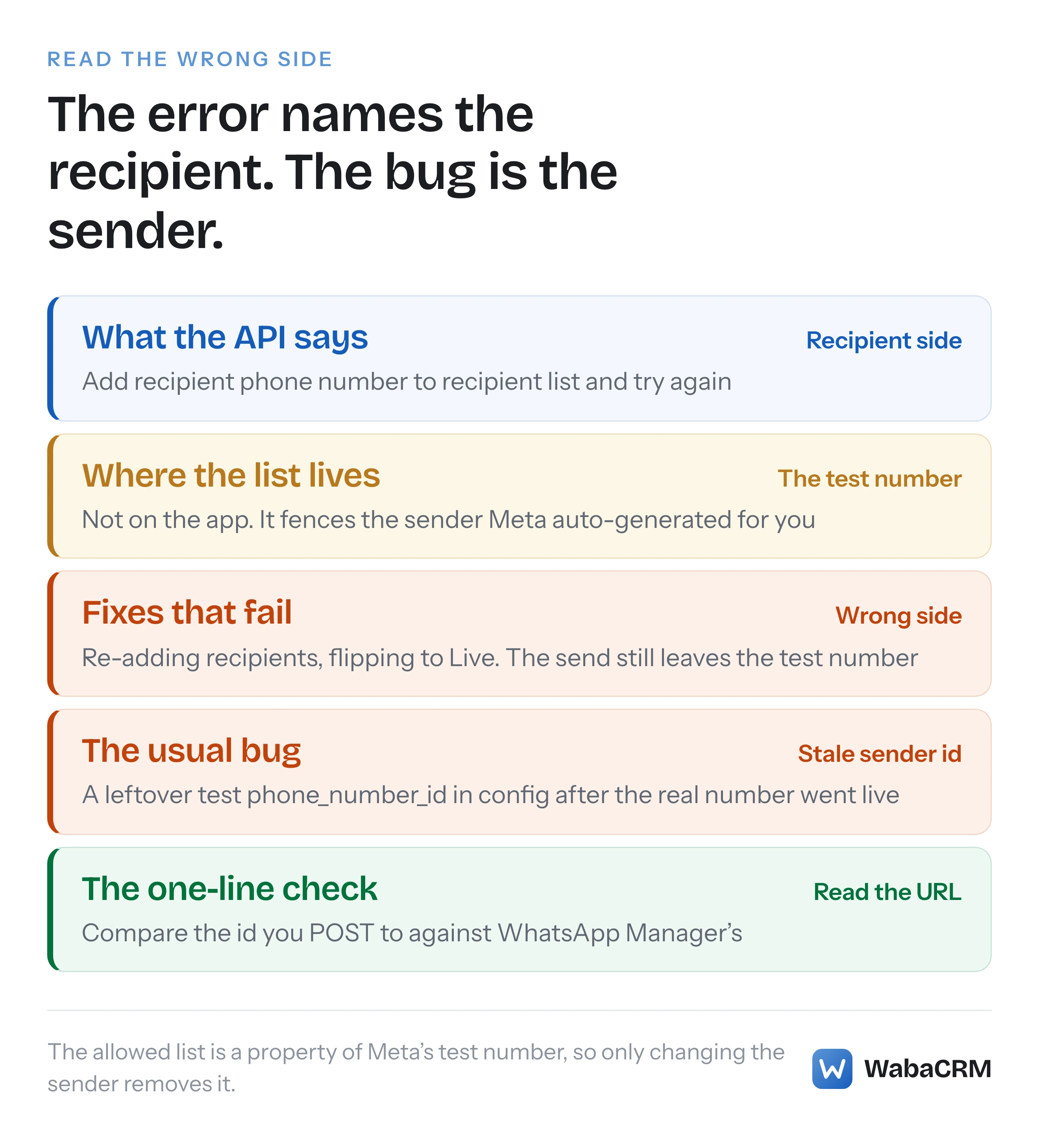
The reason this error deserves an article is what happens after the first hour. The message blames the recipient, so every fix people reach for is recipient-side — re-add the number, re-format the number, flip the app from Development to Live. But the allowed list is a property of the sending number, the disposable test number Meta generated for you, and the send that keeps failing is very often still going out through that test number long after a real one was connected. People fix the right list on the wrong side of the message for days.
- What does WhatsApp error 131030 actually mean?
- Why is 131030 missing from Meta's error code page?
- Where is the recipient list you are told to edit?
- Whose allowed list is it — the app's or the number's?
- Why does adding the recipient not fix it?
- Why does an Argentine number fail even when added?
- How many numbers can the test sender message?
- How do you confirm which number your code sends from?
- What is the permanent way out of 131030?
Why is 131030 missing from Meta's error code page?
Here is the strange part: the first error almost every Cloud API developer ever sees is one Meta's error reference does not document. As of 25 September 2026, error 131030 appears nowhere on Meta's Cloud API error-codes page — I checked both the current URL under /documentation/business-messaging/whatsapp/support/error-codes and the older /docs/whatsapp/cloud-api/support/error-codes path, which now carry the same content. The neighbouring codes are all there. 131026 is listed ("Unable to deliver message"), 131047 is listed:
"More than 24 hours have passed since the recipient last replied to the sender number." (Meta — WhatsApp Cloud API error codes)
131049 and 131051 are listed. 131030 is simply absent, and so is the phrase "allowed list".
This absence explains the shape of the search results. Because there is no primary source to cite, page one for this error is automation-platform forums, GitHub issues and vendor helpdesks, each reciting the runtime string back at you and repeating one another's unsourced details. It also means the error string itself, quoted at the top of this page, should be treated as what it is: the API's returned message, mirrored across thousands of developer reports, not a quotation from Meta's documentation. Nothing on Meta's reference pages defines its exact semantics, its boundaries, or the size of the list it refers to.
Where is the recipient list you are told to edit?
The list lives in the App Dashboard, on the same panel where Meta hands you your first credentials: WhatsApp → API Setup. Meta's Cloud API get-started guide describes the panel's send form as taking "a To phone number that will receive the test message", and the control for managing that list sits on that field — at the time of writing it is a dropdown with a manage-the-list option, though Meta moves dashboard furniture without notice, so treat the location loosely and the panel name as the anchor.
The sender half of the same panel is where the test number itself comes from. Meta's phone numbers documentation is explicit that you never asked for it:
"When you complete the steps in the Get Started document, a test business phone number is generated and registered for you automatically." (Meta — WhatsApp Cloud API phone numbers)
That automatic generation is why this error finds everyone. You did not choose a test number, so nothing in your mental model says "my sender is provisional and fenced". The dashboard quietly gave you a sandboxed sender, your first curl worked because the dashboard also walked you through adding your own phone as a recipient, and the fence only becomes visible when you try the second recipient.
Whose allowed list is it — the app's or the number's?
The number's. This is the single most useful fact about 131030, and the one the error text obscures.
It is tempting to read the allowed list as an app-level or account-level restriction — something like Development mode, which is an app property, and which most vendor explanations blame. But the observable behaviour, across every report of this error, keys on which phone_number_id the request was posted to. Send through the test number's id and the fence applies. Send through a properly registered business number's id and there is no allowed list at all: a live number can message any WhatsApp user, subject to the ordinary rules — opt-in, the 24-hour window, and messaging limits that start low on every new number.
That distinction is what makes the common fixes fail. Flipping the app to Live mode does not change which number your requests post to. Completing business verification does not change it. Adding twenty recipients to the list does not change it. The only thing that removes the fence is no longer sending from the fenced number.
| Test number | Registered live number | |
|---|---|---|
| Where it came from | Generated by Meta automatically | You registered it yourself |
| Who it can message | Recipient list only | Any WhatsApp user, within policy |
| Unknown recipient | Refused with 131030 | Delivered, or fails with a documented code |
| On the error-codes page | 131030 is not listed | Its failure codes are documented |
Why does adding the recipient not fix it?
Because in the persistent cases, the recipient was never the problem — the sender was. This is the version of 131030 that costs days rather than minutes, and it has a very specific signature: the error appears, or reappears, on a project that has already connected a real number.
The sequence runs like this. The team builds against the test number, with a phone_number_id in an environment file. A real number is registered and connected; the dashboard shows it healthy; templates are approved on it. But one deploy target, one worker, one cron job or one cached config still carries the test number's id — so every send from that path leaves the sandbox, hits a recipient who is not on the sandbox's list, and comes back as 131030. The team reads the error, sees a recipient complaint, and re-adds recipients to a list that no production send should ever consult. The error text keeps everyone on the wrong side of the message: it names the recipient, and the durable bug is a stale sender id.
The diagnosis is one read. The sending number is in the URL path of every send request, immediately before /messages:
POST https://graph.facebook.com/v21.0/{phone_number_id}/messages
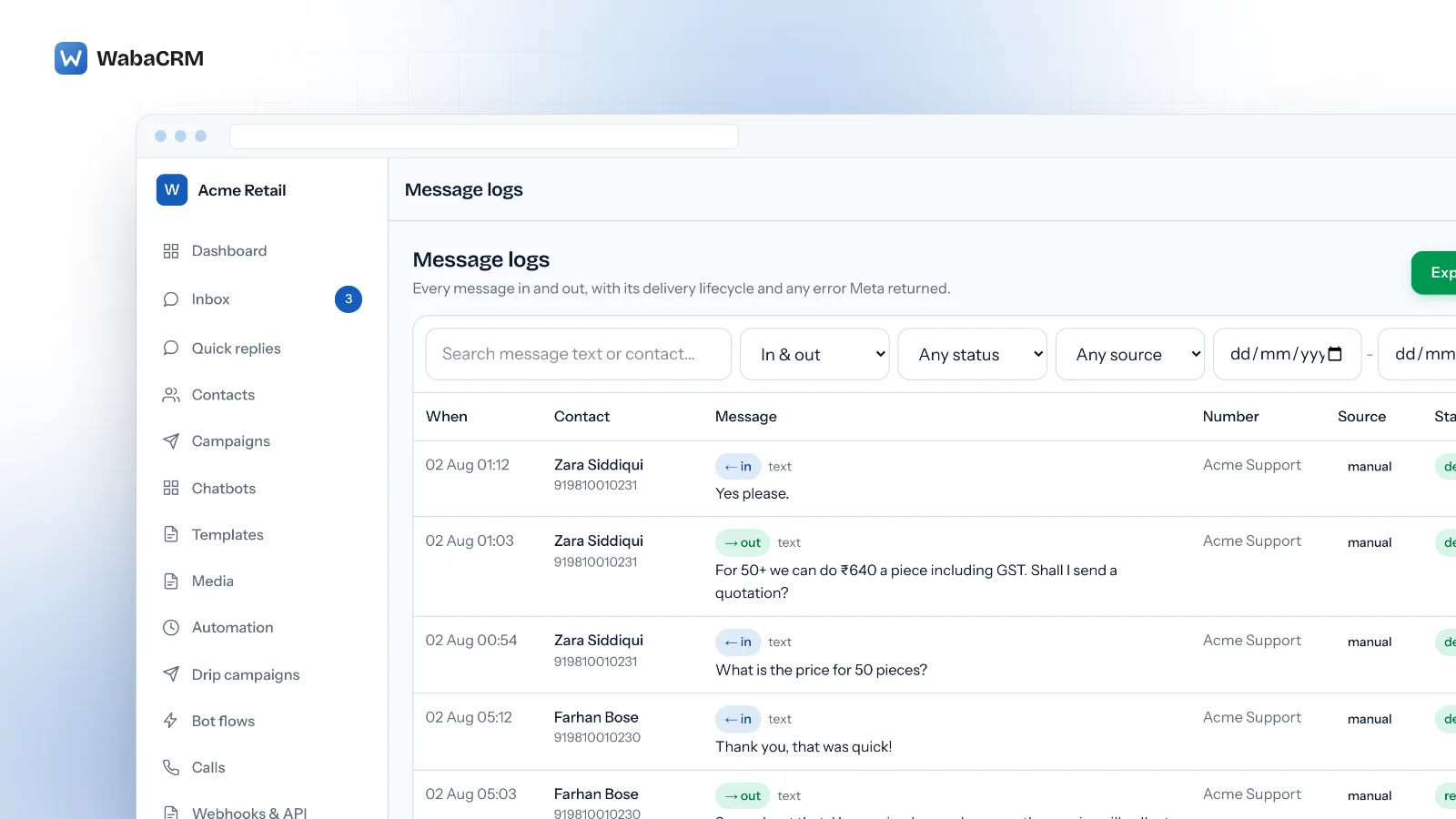
Log that path once from the code path that is actually failing, then compare the id against what WhatsApp Manager shows for your real number. If they differ, no amount of recipient-list housekeeping was ever going to help. A platform that records refused sends makes this a glance instead of a logging exercise — WabaCRM's message logs show each refused send with Meta's error code and the sending number on the same row, which is how "still sending from the test number" is spotted without touching the code at all.

If the ids match and the sends still fail, you are in different territory — a connection that reports healthy while nothing delivers has its own set of causes and its own checklist, none of which involve the recipient list.
Why does an Argentine number fail even when added?
There is a second way a genuinely listed recipient keeps returning 131030: the list matched a different spelling of the number than the one you added.
WhatsApp identifies an account by its canonical wa_id, and for a handful of countries that id does not match the number as people dial it. Argentina is the documented case. Argentine mobiles are conventionally written with a 9 between the country code and the area code — +54 9 11 ... — and a long-running, community-reported Chatwoot issue records exactly this collision: numbers stored in the 549... form kept failing with the full 131030 string even though they had been added to the recipient list, and the resolution was to re-add the number without the 9. That is a community report about observed behaviour, not published Meta policy — nothing on Meta's pages describes how the allowed list normalises numbers — but the failure mode it describes is mechanical and easy to test on your own account.
The general rule that falls out of it: when a listed recipient still fails, stop trusting the number as you dial it and find the form WhatsApp itself uses. The cleanest source is an inbound message — have the test phone message your number, and read the wa_id field from the webhook payload. Add that exact string to the recipient list. The same discipline of preferring ids the platform reports over ids a human typed is worth keeping well past the sandbox; it is the same instinct that resolves Graph's "object with ID does not exist" ambiguity faster than re-typing anything.
How many numbers can the test sender message?
Meta does not say. The figure you will meet everywhere — five recipients — appears on no Meta page I could find: the get-started guide demonstrates adding a single "To" number and states no cap, and the phone numbers page documents the test number's automatic generation and states no cap either, both checked 25 September 2026. The five-recipient claim circulates between vendor helpdesks and tutorials, each citing the others.
The honest answer is that the dashboard's own recipient field is the authority: it will refuse additions when the list is full, and whatever ceiling it enforces on your app today is the real one. The deeper point is that the ceiling should never matter. The test number exists to prove your integration round-trips — token, webhook, payload shape — against a handful of phones you control. If you are bumping into the list's size, you are using a sandbox as a channel, and the next constraint after this one will find you anyway.
How do you confirm which number your code sends from?
Three checks, in the order of how often each one is the answer:
- Read the request path, not the config. Log the literal URL your failing code posts to and read the
{phone_number_id}segment. Frameworks that cache configuration are the classic trap: the.envwas corrected weeks ago, and a stale config cache still serves the test id until it is rebuilt. - Compare against WhatsApp Manager. The real number's id is displayed on its own row. If the id in your request path is not that id, the recipient list was never your problem.
- Sweep every send path separately. Web process, queue workers, cron jobs and CI each load configuration on their own schedule. A 131030 that appears only from campaigns, or only at night, is a second code path with its own stale id, not an intermittent Meta fault.
The test number's id also stops resolving the day it is retired or replaced, at which point requests against it stop returning 131030 and start returning Graph's generic missing-object refusal instead — a worse error to debug, because that one refuses to say whether the object even exists.
What is the permanent way out of 131030?
Stop sending from the test number. Register a real business number for WhatsApp Business API sending, point every send path at its phone_number_id, and the allowed list ceases to exist for you — there is nothing to configure, no list to grow and no mode to flip, because the fence was a property of the sandbox sender all along.
Two expectations to set before the switch. First, a fresh number does not inherit the sandbox's freedoms in the other direction: outside the 24-hour window it can only open conversations with approved templates, and it starts on the lowest messaging tier, so the first days on a real number have their own rules about templates and limits. Second, registration itself can refuse — a number that already carries a two-step verification PIN fails with error 133005, which has its own remedy and its own trap. Neither of those is 131030's territory; they are simply the next errors on the road, and unlike this one, Meta documents them.
Every Meta quotation on this page was read from Meta's own documentation on 25 September 2026. Meta changes that documentation without notice; the linked pages are authoritative and this one is not.
Questions people also ask
Why do I still get 131030 after switching my app to Live mode?
Is error 131030 documented on Meta's error codes page?
How do I find which phone number id my code is sending from?
Why does 131030 name a number I already added to the list?
How many recipients can the test number message?
- whatsapp error 131030
- recipient phone number not in allowed list
- whatsapp test number
- whatsapp cloud api development mode
- phone number id